
See how lenders accelerate underwriting, improve accuracy, and reduce manual data entry using Egnyte’s embedded AI.
CMMC FCI Security Measures for Federal Data Protection
A federal contract has huge revenue potential but it also means demonstrating robust cybersecurity practices. Federal Contract Information (FCI) is a competitive advantage that can play a key role in market access and contract retention.
The CMMC framework was created to raise the bar on security, with Level 1 covering FCI and Level 2 adding deeper controls for CUI. Yet in 2025, less than half of defense contractors say they’re ready for Level 2 audits, leaving a big gap between compliance goals and reality. Meeting these rules requires daily habits, smarter systems, and practical guardrails.
Let’s jump in and learn:
- TL;DR - CMMC FCI Security Measures
- What Is Federal Contract Information (FCI) in CMMC?
- What Is Controlled Unclassified Information (CUI)?
- Understanding the Difference Between FCI and CUI
- CMMC Level Requirements for CUI and FCI
- What Is FCI in CMMC, and How Does It Affect Scope?
- Does FCI Identify Scope for CMMC Levels 1 and 2?
- Safeguarding Procedures and Requirements for FCI
- Conclusion
- Frequently Asked Questions:
TL;DR - CMMC FCI Security Measures
- CMMC FCI controls are the baseline for federal contractors. They sit at Level 1 and map to the FAR 52.204-21 safeguards.
- Federal Contract Information FCI is not public. If you store it, send it, or process it, you need to show that your FCI security basics are solid.
- Controlled Unclassified Information (CUI) requires stronger protections.
- Strong FCI cybersecurity starts with access control, MFA, encryption, patching, and a living information security policy.
What Is Federal Contract Information (FCI) in CMMC?
Federal Contract Information (FCI) is data created for or by the U.S. government under contract that is not intended for public release. This could be proposals, internal reports, schedules, or deliverables shared with agencies. It excludes public content like press releases or information on government websites.
In CMMC, protecting FCI is the core of Level 1 compliance. Contractors must safeguard every system that processes, stores, or transmits FCI, from laptops to cloud storage.
What Is Controlled Unclassified Information (CUI)?
Controlled Unclassified Information (CUI) is government data that, while not classified, requires safeguarding due to laws, regulations, or policies. It is more about export-controlled designs, technical data, or sensitive research findings.
One of the most important aspects you must know is that all CUI is FCI, but not all FCI is CUI. Handling CUI automatically raises your CMMC obligations from Level 1 to Level 2.
Understanding the Difference Between FCI and CUI
CMMC Level Requirements for CUI and FCI
Organizations should evaluate their target contract portfolio to determine the appropriate investment level for CMMC compliance. Higher levels require more resources but unlock access to more valuable contract opportunities.
What Is FCI in CMMC, and How Does It Affect Scope?
Scope covers any system that touches FCI. This includes:
- Contractor laptops and desktops.
- Cloud drives, collaboration tools, and email.
- Subcontractor systems and vendor platforms.
Many organizations create a secure FCI enclave, which means a bounded IT zone where all federal contract information FCI is kept separate. This makes assessments easier and keeps CMMC FCI requirements contained.
Does FCI Identify Scope for CMMC Levels 1 and 2?
Yes, the Level 1 scope covers FCI systems. If you also process CUI, the Level 2 scope applies and usually swallows up the Level 1 areas. However, separation through labeling, segmented networks, and clear user roles keeps the scope manageable and FCI security strong.
Protection and Security of Federal Contract Information (FCI) to Meet CMMC Requirement:
The FAR 52.204-21 requirements include:
- Limit access to authorized users only.
- Identify and authenticate users.
- Update and patch systems regularly.
- Protect data at rest and in transit with encryption.
- Monitor, log, and respond to security events.
- Maintain physical safeguards for facilities and equipment.
When these controls are written into your information security policy, audits are easier, and your federal contracts stay secure.
Safeguarding Procedures and Requirements for FCI
Practical steps to strengthen FCI cybersecurity:
- Identity Management: Enable multi-factor authentication.
- Device Security: Enforce strong endpoint protection and patching cycles.
- Network Security: Segment networks and monitor traffic.
- Encryption: Always encrypt sensitive files in motion and at rest.
- Backups: Keep regular, secure backups of federal contract information.
- Training: Teach employees how to spot phishing and handle FCI responsibly.
Platforms like Egnyte simplify this by helping organizations discover, classify, and protect FCI and CUI across repositories, with automated controls and unified cloud data governance.
Safeguarding Procedures and Requirements for FCI
Practical steps to strengthen FCI cybersecurity:
- Identity Management: Enable multi-factor authentication.
- Device Security: Enforce strong endpoint protection and patching cycles.
- Network Security: Segment networks and monitor traffic.
- Encryption: Always encrypt sensitive files in motion and at rest.
- Backups: Keep regular, secure backups of federal contract information.
- Training: Teach employees how to spot phishing and handle FCI responsibly.
Platforms like Egnyte simplify this by helping organizations discover, classify, and protect FCI and CUI across repositories, with automated controls and unified cloud data governance.
Conclusion
CMMC has made the protection of federal contract information (FCI) a non-negotiable rule. Level 1 is the foundation, focused on simple but vital cyber hygiene, while Level 2 digs deeper with stronger FCI cybersecurity for handling CUI. The gap between CUI vs. FCI decides how far your compliance efforts must go.
In 2025, federal audits show that over 40% of first-time government contractors fail to secure a second contract due to compliance and execution issues. To avoid this and build both compliance and resilience, Egnyte helps enterprises classify data, automate permissions, and strengthen governance across cloud and hybrid systems. With automated permissions, organizations can lock down access, prevent insider risks, and stop data leaks before they happen.
Frequently Asked Questions:
Q. What are the best practices for safeguarding FCI?
Follow FAR 52.204-21’s 15 practices: access control, MFA, patching, monitoring, encryption, backups, and employee training. Keep everything documented.
Q. How can Egnyte help organizations protect their Federal Contract Information (FCI)?
Egnyte provides discovery, classification, and protection tools. With cloud data governance, organizations enforce access, track activity, and meet CMMC audits across hybrid and multi-cloud systems.
Q. What are the key risks associated with mishandling Federal Contract Information?
Risks include contract loss, fines, reputational damage, and potential exposure of sensitive government data. Weak FCI security often leads to breaches or non-compliance.
Q. How is FCI related to other sensitive government data, like CUI?
CUI is a subset of FCI. All CUI must be protected under NIST 800-171, while FCI falls under FAR 52.204-21.
Q. Can FCI security be managed in the cloud?
Yes. Cloud platforms with proper governance, encryption, and access controls are CMMC-ready. Egnyte helps extend compliance frameworks into the cloud with FCI cybersecurity built in.
Egnyte has experts ready to answer your questions. For more than a decade, Egnyte has helped more than 22,000+ customers with millions of users worldwide.
Last Updated: 28th January 2026
Additional Resources

Federal Contract Information (FCI) Basics
FCI is non-public data shared or created during federal contracts and must be protected with simple, ...
Read More

CMMC Framework Overview
The CMMC framework sets required cybersecurity standards for contractors, with three levels of controls to protect ...
Read More

CMMC Level 3 — Enhanced Security
CMMC Level 3 adds advanced, NIST-aligned security controls for contractors handling highly sensitive federal data.
Read More
We Have Big Things to Show You
The self-guided tour requires a larger screen. Please come back next time you’re on your desktop device.
What Is Cryptojacking? Prevention, Detection, and Recovery
Cryptojacking has become one of the quietest yet most expensive security problems for modern organizations, with incidents rising by 659% during 2023. Instead of stealing data, attackers steal processing power by slipping hidden mining scripts into systems, cloud workloads, and even everyday browsers. The result is slower performance, higher bills, and reduced visibility across critical operations.
As cryptojacking campaigns grow more advanced, teams need clear guidance on what it is, how it spreads, and how to defend against it. This guide explains the threat in simple terms and outlines practical steps for prevention, detection, and recovery, supported by strong governance practices and structured monitoring.
Let’s jump in and learn:
- TL;DR: What Is Cryptojacking: Prevention & Recovery
- What Is Cryptocurrency?
- What Is Cryptomining?
- What Is Cryptojacking, and How Does It Work?
- Three Types of Cryptojacking and Real-World Examples
- Cryptojacking Prevention: Protecting Systems
- Cryptojacking Detection: What to Look For
- Cryptojacking Recovery Tactics
- Avoid Cryptojacking by Being Aware
- Conclusion
- Frequently Asked Questions:
TL;DR: What Is Cryptojacking: Prevention & Recovery
- Cryptojacking is the silent misuse of systems to mine cryptocurrency without permission. It drains processing power, clouds visibility, and weakens operational workloads.
- Detecting strange CPU spikes, unexplained cloud bills, or network traffic to mining pools remains the most reliable early warning.
- Prevention depends on disciplined governance, continuous monitoring, hardened workloads, controlled access, and structured oversight across data and identities.
- Recovery requires containment, cleanup, patching, and reinforced policy. Strong programs use an integrated governance layer supported by IDS and centralized oversight.
What Is Cryptocurrency?
Cryptocurrency is a digital form of money recorded on distributed ledgers known as blockchains. These networks rely on thousands of independent participants to validate transactions. Validation requires significant computing effort, and that effort is rewarded with newly created coins. This model is the reason attackers try to steal processing power. Instead of buying hardware or paying for electricity, they quietly shift the cost onto someone else.
What Is Cryptomining?
Cryptomining is the computational work that records and confirms transactions on blockchains. Miners use hardware to solve mathematical puzzles that secure the network. For legitimate miners, the cost of power and hardware defines the profit margin. For attackers, the profit margin is much higher because the resources they use belong to someone else.
What Is Cryptojacking, and How Does It Work?
Cryptojacking happens when a threat actor installs or injects mining scripts into systems they do not own. Instead of stealing data, they steal compute capacity. The miner runs quietly in the background.
Cloud servers, virtual machines, browsers, containers, and even mobile devices are frequent targets. Attackers prefer environments with predictable uptime because they can mine uninterrupted for long periods without raising suspicion.
How Cryptojacking Scripts Spread
Scripts and binaries reach systems through several routes:
- Misconfigured DevOps tools: Open Docker daemons, exposed Kubernetes dashboards, insecure Terraform or Jenkins setups, and weak API protections are prime targets.
- Unpatched public applications: Attackers scan for outdated CMS plugins, file transfer apps, analytics dashboards, or vulnerable web servers. Once inside, they drop mining binaries quickly.
- Script injection: Attackers compromise websites and inject JavaScript miners so visitors unknowingly donate CPU cycles when loading a page.
- Malvertising: Fake installers or poisoned search results lead users to download programs that launch miners upon execution.
Three Types of Cryptojacking and Real-World Examples
The types of cryptojacking differ, but the goal is always to harvest computing power without permission.
Cryptojacking Prevention: Protecting Systems
Building effective prevention starts with structured governance. Cryptojacking thrives on misconfigurations, lax identity control, and limited visibility, which means organizations need steady control across their data, workloads, and access paths.
Governance and oversight:
- Use clear asset inventories and classify data. Strong programs rely on firm boundaries, which is where information governance becomes valuable.
- Enforce central policies around data retention, access review, and configuration baselines through data governance solutions.
Identity and access management:
- Limit administrative roles, rotate credentials often, and require multifactor authentication across cloud consoles and DevOps platforms.
- Remove unused service accounts and ensure that all automation paths are authenticated.
System hardening:
- Patch high-risk applications quickly. Lock down container orchestration platforms, turn off anonymous access for APIs, and define guardrails for image registries.
- Apply egress controls that block outbound traffic to known mining pools.
Network and monitoring:
- Deploy Intrusion Detection Systems (IDS) that detect mining traffic signatures.
- Filter mining domains at DNS, monitor for unusual bandwidth spikes, and log user activity.
- Use behavioral monitoring that flags CPU and memory changes across workloads.
User protection:
- Train employees to avoid unauthorized downloads.
- Review browser extensions regularly, especially in development teams that install multiple tools for testing.
Cryptojacking Detection: What to Look For
Cryptojacking often leaves a predictable footprint. The following signs of cryptojacking stand out:
Cryptojacking Recovery Tactics
When you confirm a cryptojacking attack, work through a clean and contained sequence:
- Contain: Isolate affected endpoints or nodes from the network. Block mining domains at DNS and firewall layers.
- Eradicate: Remove miners, watchdogs, crontabs, and persistence scripts. Rotate credentials and tokens that the attacker may have captured. Rebuild cloud instances from trusted images.
- Harden: Patch the exploited application or fix the misconfiguration. Restrict management APIs and require multifactor authentication for all privileged paths.
- Validate: Use an IDS and telemetry to confirm no mining traffic remains. Review logs for lateral movement.
- Recover: Restore degraded services. Monitor for at least one full business cycle. Update runbooks and training to reflect what you learned.
Avoid Cryptojacking by Being Aware
Cryptojacking is not as visible as ransomware or data theft, but it is disruptive. It impacts performance, budgets, and reliability. Security teams operate better when they understand how miners behave, how infrastructure is targeted, and how governance influences resilience.
Awareness supports every layer of defense. Understanding the threat landscape can help allocate resources correctly, build stronger controls, and reinforce daily operations with clear oversight.
Conclusion
Cryptojacking shifts the cost of mining onto organizations and reduces the performance of every affected system. A guided approach to governance, configuration, and monitoring closes many of the gaps that attackers depend on.
Egnyte helps organizations stay ahead of these threats by bringing governance, access control, and continuous monitoring into one unified environment. Its cloud data governance tools surface anomalies early, protect sensitive workloads, and keep data organized under clear policies. It helps you strengthen readiness across endpoints, cloud services, and shared repositories.
Frequently Asked Questions:
Q. How can cryptojacking scripts be blocked?
Block exposed dashboards, enforce MFA, patch public services, filter outbound mining traffic, and rely on IDS alerts for suspicious commands.
Q. How do you know if you have been cryptojacked?
Sustained CPU use, slow CAD activities, cloud scaling without cause, unknown binary names, and network traffic toward mining pools.
Q. What should I do if I discover cryptojacking on my system?
Isolate the system, gather evidence, remove the miner, patch the exploited service, rotate credentials, and review logs and costs.
Q. How can cryptojacking impact businesses and organizations?
It increases cloud spending, slows critical workflows, disrupts coordination schedules, and creates new openings for intrusions.
Q. Can cryptojacking affect mobile devices?
Yes. Mobile devices running compromised applications or browser scripts can mine, causing heat, battery drain, and poor performance.
Egnyte has experts ready to answer your questions. For more than a decade, Egnyte has helped more than 22,000+ customers with millions of users worldwide.
Last Updated: 28th January 2026
Additional Resources

Egnyte Data Security & Governance
Discover, protect and govern your sensitive business data — across cloud or on‑prem — with Egnyte.
Read More

Ransomware Detection & Recovery
Detect, block and recover from ransomware threats — automatically and swiftly.
Read More
The Egnyte Platform
Centralise, protect and manage all your business content with Egnyte.
Read More
Electronic Data Capture: Meaning, Uses, Features, and Implementation
Let’s jump in and learn:
- TL;DR: Electronic Data Capture Guide: Meaning & Implementation
- What Is Electronic Data Capture (EDC)?
- Who Uses Electronic Data Capture Systems and Key Benefits
- Trends in EDC and the Difference Between EDC and eCRF
- Difference Between EDC and eCRF
- Implementing EDC in Clinical Trials
- Challenges and Best Practices for Successful Implementation
- Electronic Data Capture: Clinical Efficiency and Compliance
- Frequently Asked Questions:
TL;DR: Electronic Data Capture Guide: Meaning & Implementation
- Electronic Data Capture (EDC) digitizes trial data collection, replacing paper CRFs in clinical research.
- EDC clinical trials ensure high data quality, speed up studies, reduce costs, and enhance regulatory compliance.
- Modern electronic data capture systems include real-time validation, audit trails, and robust security.
- Success with EDC systems for clinical trials depends on proper planning, validation, and staff training.
- AI integration is transforming EDC in clinical research with automation and predictive analytics.
What Is Electronic Data Capture (EDC)?
Electronic Data Capture (EDC) is a digital method for collecting and managing clinical trial data through an EDC system, replacing paper-based Case Report Forms (CRFs). It allows data to be entered directly at clinical sites, improving accuracy, visibility, and speed.
Modern electronic data capture systems streamline how information is validated and shared across multiple sites, supporting compliance with ICH-GCP standards. By reducing manual errors and automating validation checks, EDC in clinical research helps maintain cleaner datasets and faster database locks.
Used widely in electronic data capture clinical trials, EDC systems have become the standard for reliable, real-time data management, enabling consistent reporting and stronger regulatory alignment.
Who Uses Electronic Data Capture Systems and Key Benefits
Organizations using electronic data capture (EDC) systems span sponsors, contract research organizations (CROs), investigators, and site coordinators. Digital workflows built around modern EDC systems for clinical trials unlock tangible benefits:
- Improved data accuracy: Automated edit checks and structured data fields reduce transcription errors and improve data reliability from the moment of entry.
- Operational efficiency: Centralized, real-time access to trial data allows faster review cycles and accelerates database lock, improving study turnaround times.
- Regulatory compliance: Every action within an electronic data capture system is time-stamped and traceable, supporting ICH-GCP, FDA 21 CFR Part 11, and GDPR requirements.
- Remote Oversight: EDC in clinical research provides secure access for sponsors and monitors to evaluate progress and query resolution remotely, reducing the dependency on on-site visits.
Key Features of EDC Systems
Modern electronic data capture systems combine functionality and governance to meet the complex needs of today’s trials. Core components include:
- eCRFs (Electronic Case Report Forms): The digital forms that replace traditional paper CRFs.
- Real-Time Validation: Automated data checks to ensure completeness and accuracy.
- Audit Trails: Secure, time-stamped records of every user action.
- Query Management: Integrated communication tools for clarifying discrepancies.
There are various types of EDC systems in use today, from cloud-based solutions to enterprise-grade software tailored for multinational studies. Selecting the right system depends on trial size, data complexity, and integration needs.
Trends in EDC and the Difference Between EDC and eCRF
The evolution of electronic data capture systems reflects a broader shift toward integrated, analytics-driven clinical operations. Modern EDC systems for clinical trials now function as central hubs for data consolidation, monitoring, and decision-making.
Several key trends are shaping how EDC in clinical research is implemented today:
- Integration with eClinical Ecosystems: Contemporary EDC platforms integrate seamlessly with CTMS, ePRO, and eTMF systems, enabling unified oversight of operational and patient data.
- AI and Automation: Machine learning algorithms are being embedded into electronic data capture systems to detect data anomalies, predict query volumes, and automate quality checks.
- Decentralized Trial Support: With the growth of remote and hybrid studies, EDC systems are increasingly built to capture patient data from multiple digital endpoints like wearables, eConsent, and telemedicine platforms.
- Cloud-Based Deployment: The move to cloud infrastructure enhances scalability, security, and global accessibility while simplifying compliance with evolving data privacy regulations.
Difference Between EDC and eCRF
The terms EDC and eCRF are often used interchangeably, but they serve distinct purposes within clinical data management.
- The Electronic Data Capture (EDC) system is the overall software environment that supports data collection, validation, storage, and reporting for a clinical trial.
- The Electronic Case Report Form (eCRF) is a digital template or interface within the EDC system where site personnel enter subject data according to the study protocol.
Together, the EDC system and eCRF form the backbone of modern electronic data capture clinical trials, creating an end-to-end digital workflow that supports speed, quality, and regulatory alignment.
Implementing EDC in Clinical Trials
Effective implementation of Electronic Data Capture (EDC) systems depends on a structured approach that aligns technology, process, and people.
Key stages in deploying EDC systems for clinical trials include:
- Design: Define the study protocol and develop accurate, protocol-specific eCRFs (Electronic Case Report Forms).
- Configuration and Validation: Build and configure the EDC system, establish edit checks, and perform validation to confirm compliance and functionality.
- Training: Deliver targeted training to investigators, site coordinators, and monitors to ensure consistent data entry and system use.
- Conduct: Launch the study, monitor real-time data flow, and manage queries to maintain data integrity throughout the trial.
Challenges and Best Practices for Successful Implementation
While the advantages of electronic data capture systems are well established, successful adoption requires careful planning. Large, multi-site studies often face challenges in scalability, data integration, and user adoption. These can be addressed through the following best practices:
Electronic Data Capture: Clinical Efficiency and Compliance
The adoption of Electronic Data Capture (EDC) systems has redefined how clinical trials are conducted. Modern electronic data capture systems not only improve data quality and oversight but also bring operational consistency across sponsors, CROs, and sites. Successful implementation depends on clear design, validated configuration, and continuous collaboration between technical and clinical teams, supported by best practices in training, integration, and change control.
However, true efficiency in electronic data capture clinical research extends beyond data entry. It relies on how well trial data, documentation, and regulatory content work together within a governed environment.
This is where Egnyte plays a transformative role.
By integrating with EDC systems for clinical trials, Egnyte provides a secure, GxP-compliant content platform that complements data workflows with advanced document versioning, audit-ready records, and controlled access for all stakeholders.
The result is faster decision-making, stronger compliance, and full visibility across the trial lifecycle. In an era where digital precision defines research success, Egnyte stands as a trusted partner in enabling reliable, compliant, and future-ready electronic data capture operations.
Frequently Asked Questions:
Q. Can EDC systems integrate with other clinical trial management tools?
Yes. Modern EDC systems are built for seamless integration with CTMS, safety databases, and eTMF. This connectivity ensures all electronic data capture clinical trials operate from a single source of truth, minimizing manual reconciliation and enhancing data transparency.
Q. What distinguishes EDC from traditional paper-based data collection methods?
Unlike manual data entry, EDC clinical trials apply real-time validation, eliminating transcription errors. This leads to faster, cleaner, and more reliable data compared to traditional approaches.
Q. What are the benefits of using digital CRFs (eCRFs) over paper forms?
Digital CRFs within electronic data capture systems enable real-time error detection, reduce query resolution time, and ensure data accessibility for global research teams—saving both time and cost.
Q. Can case report forms be customized for specific clinical trials?
Absolutely. In an electronic data capture EDC system, eCRFs can be customized with specific logic, validations, and conditional rules tailored to each trial’s protocol.
Q. How do CRFs contribute to regulatory compliance in clinical trials?
In EDC clinical research, CRFs serve as authoritative documentation of patient data. Their integration within EDC systems' clinical research ensures robust audit trails, secure electronic signatures, and consistent validation checks.
Egnyte has experts ready to answer your questions. For more than a decade, Egnyte has helped more than 22,000+ customers with millions of users worldwide.
Last Updated: 28th January 2026
Additional Resources

Life Sciences Data, Secure & Compliant
Manage, share, and protect clinical and research data with Egnyte’s secure cloud platform.
Read More

Secure Enterprise Content Platform
Safely store, manage, and collaborate on business data with Egnyte.
Read More
Egnyte Life Sciences Data & Compliance Guide
Expert guides for secure document management and regulatory compliance in biotech, pharma, and medical devices.
Read More
Case Report Form: Meaning, Design, Templates, and Challenges
A Case Report Form (CRF) is a tool used in clinical trials to systematically collect data on a patient’s health condition, medical history, and responses to treatments. It ensures that data is consistently recorded across study participants, maintaining uniformity for analysis. Whether paper-based or digital, CRFs are critical for gathering the necessary information to evaluate the effectiveness and safety of clinical treatments.
In clinical research, the CRF is a vital instrument to track all relevant patient data, ensuring compliance with regulatory standards. The format and structure of the CRF depend on the nature of the study and the information being collected.
Let’s jump in and learn:
- TL;DR: Case Report Form Meaning, Design & Templates
- Types and Design of Case Report Forms
- eCRF: The Digital Evolution of Case Report Forms and Integration with Clinical Data Systems
- Case Report Form Templates
- Case Report Form in Clinical Research Connectivity
- The Challenges of Case Report Form Clinical Trial
- Case Report Form Clinical Trial Completion
- Get the Most Out of Clinical Research
- Frequently Asked Questions
TL;DR: Case Report Form Meaning, Design & Templates
- CRFs are essential tools for collecting consistent and accurate data in clinical trials.
- eCRFs improve data accuracy, streamline workflows, and integrate seamlessly with clinical systems.
- Well-designed CRFs reduce errors and enhance data quality by following clear design principles.
- CRF templates standardize data collection, minimizing errors and administrative burden in research.
- Challenges in CRF management include over-collection of data, integration issues, and compliance risks.
Types and Design of Case Report Forms
CRFs come in two primary formats: paper-based and electronic (eCRF).
- Paper CRFs: These were the traditional approach, where data was manually recorded. However, they are prone to errors, are difficult to manage, and lack real-time access to data.
- Electronic CRFs (eCRF): These are the modern standard, offering digital collection of data. eCRFs are part of the broader trend towards digitization in clinical trials, providing real-time access to data, reducing errors, and streamlining workflows.
The design of a CRF must prioritize clarity and accuracy. Well-designed CRFs are user-friendly, minimizing the risk of errors and ensuring that all necessary information is collected in an organized manner. The design should also consider the regulatory guidelines and the ease of data entry for researchers.
eCRF: The Digital Evolution of Case Report Forms and Integration with Clinical Data Systems
eCRFs reduce data-entry errors and cut study timelines. This improvement comes from automated edit checks, range validations, and real-time monitoring. Integration is another major advantage, because eCRFs connect with:
- Electronic Data Capture (EDC) systems
- Clinical Trial Management Systems (CTMS)
- Electronic Trial Master Files (eTMF)
- Wearable and Lab Data Feeds
- Patient-Reported Outcome (ePRO) platforms
With robust cloud data governance, this ecosystem supports audit readiness, version control, and compliance with regulations such as 21 CFR Part 11 and GDPR.
Key Principles of CRF Design and Formatting Considerations
When designing a CRF, there are several crucial principles to follow:
- Clarity and Simplicity: The CRF should be easy to read and fill out. Avoid unnecessary complexity that could lead to errors in data entry.
- Consistency: Standardized terminology and formats help maintain consistency across data collection.
- Regulatory Compliance: Ensure that the CRF meets the regulatory requirements for the specific clinical trial, including guidelines for data privacy and security.
- Usability: The form should be intuitive for both the clinical staff and researchers, minimizing time spent on data entry and review.
Well-Designed vs Poorly-Designed Case Report Forms
Studies show that well-designed CRFs can reduce data discrepancies, saving both time and cost in data cleaning. The difference between a poorly made CRF and a well-designed one is:
Case Report Form Templates
CRF templates offer a standardized structure for data collection, making it easier to organize and input data. A CRF template can be customized for different clinical trials, depending on the specific data requirements.
For example, a clinical trial CRF template may include sections for patient demographics, medical history, treatment plans, adverse events, and laboratory results. Using a case report form template ensures consistency across trials, helping researchers compare results and maintain uniformity in data collection.
Templates also facilitate the process of data collection by providing predefined fields that can be quickly filled out, reducing the administrative burden and minimizing the chance for errors.
Case Report Form in Clinical Research Connectivity
Connectivity defines how a CRF interacts with other data systems. A modern eCRF form exchanges data with laboratories, imaging systems, and patient apps in real time. This integration improves accuracy and allows instant flagging of anomalies. Connected eCRF ecosystems also reduce manual reconciliation efforts, increasing overall trial efficiency.
Its components are:
- Upstream systems: EDC, CTMS, and eTMF for trial oversight.
- Downstream systems: Statistical analysis tools and regulatory submission systems.
- Lateral systems: Lab feeds, ePRO, and safety databases.
The Challenges of Case Report Form Clinical Trial
Despite advancements, several challenges persist in CRF management: The most common ones are:
- Over-collection of Data: Adding unnecessary fields that do not contribute to analysis increases site burden.
- Inconsistent Terminologies: Using local terms instead of controlled vocabularies complicates analysis.
- Incomplete Data Entry: Missing values or late entries delay database lock.
- Integration Errors: Poorly connected systems lead to duplicate data or mismatched formats.
- Compliance Risks: Inadequate audit trails or version control can trigger regulatory findings.
Strong cloud data governance ensures CRFs meet compliance standards while protecting sensitive participant information.
Case Report Form Clinical Trial Completion
CRF completion guidelines are vital for site accuracy. These include instructions on when to enter data, how to resolve queries, and how to handle missing information.
To improve completion rates:
- Train site staff before study launch.
- Use automated edit checks and real-time feedback.
- Encourage timely data entry within 24 hours of a visit.
- Implement review cycles through a centralized Clinical Data Management platform.
Get the Most Out of Clinical Research
A well-structured CRF is central to the success of clinical research. By ensuring that all necessary data is collected accurately and in a standardized format, researchers can gain more reliable results and make more informed decisions. Integrating CRFs with clinical data management systems can also speed up the process, allowing for faster reporting and analysis.
To maximize the potential of clinical research, it is vital to have a robust, secure, and integrated data management system. This is where Egnyte comes in.
Egnyte’s solutions, including cloud data governance and document management for life sciences, provide the tools necessary to manage, track, and secure CRFs. By streamlining data handling and ensuring compliance, Egnyte helps accelerate clinical trial processes and improve overall research efficiency.
Frequently Asked Questions
Q. How does eCRF improve clinical research data management?
eCRFs enable real-time data access, automatic validation, and integration with clinical systems, reducing errors and speeding up data entry.
Q. How do CRF templates help streamline clinical research?
CRF templates standardize data collection, improving consistency, saving time, and minimizing errors.
Q. How do electronic case report forms (eCRFs) differ from traditional paper CRFs?
eCRFs are digital, offering real-time access, automatic error checks, and integration with clinical systems, unlike paper-based CRFs.
Q. How do CRFs contribute to the accuracy and reliability of clinical trial data?
CRFs standardize data collection, leading to consistent and accurate data, which enhances the reliability of trial results.
Q. What factors should be considered when choosing a case report form template?
When choosing a CRF template, consider trial design, regulatory requirements, ease of use, and the type of data being collected.
Egnyte has experts ready to answer your questions. For more than a decade, Egnyte has helped more than 22,000+ customers with millions of users worldwide.
Last Updated: 28th January 2026
Additional Resources

Life Sciences Data Management Demo
Explore Egnyte’s solution for compliant, secure file sharing and collaboration in life sciences.
Read More
Quality Documentation Best Practices Guide
Learn the nine key elements that make documentation audit‑ready and regulation‑compliant.
Read More

Life Sciences Data Management & Collaboration
Enable secure, compliant collaboration across research and clinical teams with centralized, governed storage.
Read More
Construction File Management: Systems, Structure, and Best Practices for AEC Teams
Construction file management refers to the process of organizing, storing, and sharing project documents such as blueprints, contracts, invoices, and correspondence throughout the lifecycle of a construction project. Proper management ensures that documents are easily accessible, up-to-date, and compliant with industry standards.
Construction projects involve vast amounts of documentation that need to be tracked and updated in real time. An effective file management system can prevent delays, errors, and miscommunication by ensuring that all team members have access to the correct and current documents.
Let’s jump in and learn:
- TL;DR: Expert Tips for Construction File Management
- What is construction file management?
- What documents does a construction file management system handle?
- How should construction firms organize digital files for large multi-site projects?
- How do AEC firms standardize and enforce folder structures across teams and projects?
- What cloud storage solutions work best for AutoCAD, Revit, InDesign, and other large application files?
- How do engineering firms manage version control for CAD, GIS, and simulation files?
- What are the best tools for submittals and RFI document management in construction?
- How do construction firms integrate document workflows with Procore, Autodesk Construction Cloud, and Bluebeam?
- What platform addresses large-file performance and data security requirements for AEC?
- Benefits of construction document management
- Challenges of construction document management
- Why AEC organizations need a purpose-built construction file management system
TL;DR: Expert Tips for Construction File Management
- Construction file management is the system for organizing, storing, versioning, and controlling access to blueprints, models, contracts, RFIs, submittals, and field documents across a project's lifecycle.
- AEC teams need more than generic cloud storage because CAD, Revit, and GIS files are large, reference-linked, and edited by distributed teams — opening them from a browser breaks workflows.
- Egnyte maps a drive letter on the desktop to cloud storage, so AutoCAD, Revit, and Bluebeam files open from native applications without downloading the full file.
- A standardized folder template applied at project creation enforces the same structure across every job, every office, and every joint venture partner.
- Egnyte integrates with Procore, Autodesk Construction Cloud, and Bluebeam Revu so drawings, RFIs, and submittals stay in sync between the document of record and the project management tool.
- Egnyte supports 22,000+ customers globally, including a large concentration of AEC firms managing multi-site, multi-discipline projects
What is construction file management?
Construction file management is the discipline of organizing, storing, sharing, versioning, and controlling access to every document a project generates drawings, BIM models, contracts, permits, RFIs, submittals, change orders, daily reports, photos, and closeout records from preconstruction through warranty. It treats documents as a controlled record, not as files in a shared drive, so the right version reaches the right person at the right phase.
What documents does a construction file management system handle?
A construction file management system handles the full set of documents a project produces:
- Design documents: CAD drawings (DWG), Revit models (RVT), IFC files, GIS datasets, renderings
- Contractual documents: prime contracts, subcontracts, purchase orders, insurance certificates
- Regulatory documents: permits, licenses, code compliance records, environmental approvals
- Field and project controls: RFIs, submittals, change orders, daily reports, punch lists, meeting minutes
- Financial documents: invoices, pay applications, lien waivers, budget reports
- Closeout: as-builts, O&M manuals, warranties, commissioning records
How should construction firms organize digital files for large multi-site projects?
The structure should be the same on every project so that any team member, in any office, can find a document by intuition rather than by tribal knowledge. Most AEC firms organize by:
- Project, then phase (preconstruction, design, construction, closeout)
- Discipline within phase (architectural, structural, MEP, civil)
- Document type within discipline (drawings, specifications, RFIs, submittals)
- Status (working, for review, issued, superseded)
For multi-site or multi-office firms, the structure should be enforced from a master template at project creation rather than rebuilt manually each time. This prevents one office from filing submittals under "Submittals" and another under "Subs/Out for Review" — a small inconsistency that destroys search across the portfolio.
How do AEC firms standardize and enforce folder structures across teams and projects?
Three controls make folder standardization stick:
- A project template that creates the full folder tree at project kickoff, including empty folders for documents that will arrive later (e.g., closeout).
- Permissions applied to the template, not to individual folders, so subcontractor access to "Submittals" is automatic on every project.
- Naming conventions enforced at the file level (e.g., DisciplineCode_DrawingNumber_Revision_Date) and validated by automation rather than memory.
Egnyte applies project templates at folder creation so every new job starts with the same structure, permissions, and metadata. Teams spend setup time on the project, not on rebuilding the file room.
What cloud storage solutions work best for AutoCAD, Revit, InDesign, and other large application files?
Generic consumer-grade cloud storage breaks AEC workflows because it forces a full file download every time a user opens a model or drawing — a 2 GB Revit central model can take minutes to open, and external references (xrefs) often break when paths change.
Cloud storage built for AEC files needs four properties:
- Drive-letter or native file system access so AutoCAD, Revit, and Bluebeam open files from "Z:\Project\..." without web download
- Streaming or on-demand file access so only the bytes needed to open the file are pulled across the network
- Preservation of file linkages (xrefs, linked Revit models, GIS layer references) when files move or sync between users
- Locking and version control so two designers do not overwrite each other's work in the central model
Egnyte maps cloud storage to a local drive letter and uses on-demand sync so CAD and BIM files behave like local files while staying governed centrally.
How do engineering firms manage version control for CAD, GIS, and simulation files?
Version control for engineering files has two requirements general office documents do not:
- Every revision is preserved, not just the latest — engineering review and litigation both depend on being able to recall the document as it existed on a specific date.
- File locking prevents concurrent edits to the same source file, since CAD and simulation files do not merge cleanly the way text documents do.
Egnyte preserves unlimited prior versions of every file and supports file locking so a structural engineer working on a Revit model is not overwritten by another user mid-edit. [VERIFY: confirm version retention policy and file locking scope] When a drawing is reissued, the prior issued version remains available with its timestamp and the user who issued it.
What are the best tools for submittals and RFI document management in construction?
Submittals and RFIs share the same hard problem: a document needs to travel from the field through review and back, with the response captured against the original. The best practice is to keep the documents themselves in the document management system (so they are governed and searchable) and let the project management tool (Procore, Autodesk Construction Cloud) handle the workflow state.
This means:
- The PDF of the submittal lives in Egnyte, under the project's Submittals folder, with revision history.
- Procore or ACC tracks "Submitted → Under Review → Approved" and links back to the file in Egnyte.
- When the architect marks up the submittal, the marked-up PDF returns to the same folder as a new version, not a parallel copy in someone's email.
How do construction firms integrate document workflows with Procore, Autodesk Construction Cloud, and Bluebeam?
Most AEC firms run more than one platform. The document of record sits in a content management system; the day-to-day project workflows run in Procore, Autodesk Construction Cloud (ACC), and Bluebeam Revu. Integration matters because manual re-uploading between systems is where documents fall out of sync.
Egnyte integrates with Procore, Autodesk Construction Cloud, and Bluebeam Revu so drawings, models, and field documents stay consistent between the system of record and the project management or markup tool. Field teams continue to work in the tool they already use; documents are governed centrally.
For a deeper view of integrated design and field collaboration, read about best practices for design collaboration.
What platform addresses large-file performance and data security requirements for AEC?
AEC firms need both: large-file performance so CAD and BIM workflows do not stall, and security strong enough for federal projects, IP-sensitive design work, and CMMC or ITAR obligations.
Egnyte combines:
- On-demand file access so multi-GB models open without full sync
- Drive-letter access preserving native application behavior
- Granular permissions at folder and subfolder level
- Encryption at rest and in transit, ransomware detection, and audit logging
- Compliance support for HIPAA, GDPR, and CMMC-aligned controls
Benefits of construction document management
- Fewer rework events caused by teams building from outdated drawings
- Faster RFI and submittal turnaround because documents are findable
- Reduced disputes — the version of the document at a given date is recoverable
- Smaller IT footprint at job sites because files stream rather than replicate to local servers
- Faster project closeout because as-builts and O&M records are filed continuously, not reconstructed at the end
Challenges of construction document management
- Volume: a single large project can generate hundreds of thousands of documents across drawings, models, RFIs, submittals, and field reports.
- Distribution: design teams, GC, subs, owner, and inspectors are all in different systems and offices.
- Version drift: when a drawing is reissued, every copy floating in email and local folders is now wrong.
- Connectivity: field teams work from sites with weak or no internet; documents need to be reachable offline and reconciled when the connection returns.
- Compliance: public projects, federal work, and regulated industries demand audit trails most consumer storage tools cannot produce.
Why AEC organizations need a purpose-built construction file management system
Generic file sharing tools handle documents; AEC needs a system that handles drawings, models, references, and reissues. Egnyte supports more than 22,000 customers worldwide, with a deep concentration of AEC firms managing multi-site, multi-discipline projects from preconstruction through closeout.
For broader AEC document control patterns, refer to what is construction document control.
Frequently Asked Questions
Cloud storage for large application files needs drive-letter or native filesystem access, on-demand streaming so the full file does not download every time it opens, and preservation of external references like xrefs and linked Revit models. Egnyte maps cloud storage to a local drive so AutoCAD and Revit open files natively while the document of record stays governed in the cloud.
The best approach is on-demand sync with drive-letter access, file locking to prevent concurrent edits, and unlimited version history. This lets a structural engineer open a 2 GB Revit central model from the cloud without waiting for a full download, while preserving every prior revision for audit and reissue.
Use a system that preserves unlimited prior versions, applies file locking on engineering source files, and timestamps each reissue with the user who made it. Egnyte preserves prior versions of every file and supports file locking so engineering teams can recover any historical state of a drawing or model without manual archiving.
Engineering firms need on-demand cloud sync that does not require pulling entire datasets to a laptop, support for the native file applications (AutoCAD Civil 3D, Revit, ArcGIS), and centralized governance across disciplines. Egnyte streams large engineering files from cloud storage with drive-letter access so civil, structural, and environmental teams can open complex datasets without local replication.
An AEC platform needs to combine large-file performance (drive-letter access, on-demand sync, file locking) with enterprise security (encryption at rest and in transit, granular permissions, ransomware detection, audit logging, and regulatory compliance). Egnyte provides this combination in a single platform designed for AEC workflows.
The cleanest pattern is to keep the document of record in a content management platform and integrate it with Procore or ACC for workflow state and Bluebeam for markup. This avoids duplicate copies and keeps the authoritative version centralized. Egnyte integrates with Procore, Autodesk Construction Cloud, and Bluebeam Revu so documents sync between the system of record and project execution tools.
Content management integration with Procore typically syncs the project's document folders, drawing sets, and submittals between the two platforms. Egnyte's Procore integration keeps drawings and project documents consistent so teams in Procore see the same files as teams working from the desktop or design applications.
Build a project template that creates the full folder tree, permissions, and naming rules at project kickoff, and apply it automatically to every new project. Egnyte supports templated project folder structures so every job starts with the same structure across all offices and joint ventures.
Egnyte has experts ready to answer your questions. For more than a decade, Egnyte has helped more than 22,000+ customers with millions of users worldwide.
Last Updated: 2nd June 2026
Additional Resources

Project Lifecycle Management with Egnyte
Create, manage, and close projects securely — automated setup, permissions and clean-up included.
Read More

AEC File Collaboration Made Simple
Access, share and sync CAD, BIM & project documents across office and job-site — even offline.
Read More
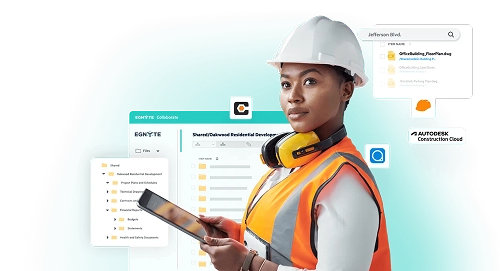
Egnyte for Construction & Engineering
Securely store, share and manage large CAD/BIM files across offices & job‑sites.
Read More
Business File Collaboration Across Teams
Every organization today manages thousands of contracts, drawings, design assets, reports, and regulatory documents that move between teams and partners daily. Without a structure, this volume sometimes creates duplication, version conflicts, and compliance risks.
Today, where 53% of leaders want productivity to increase, 80% of workers say they lack time or energy to do their jobs, and experience frequent interruptions that fragment focus. This is the environment where structured collaboration reduces switching costs and keeps the team aligned on one source of truth.
Business file collaboration resolves these challenges by bringing all contributors into a single, secure environment where files are actively worked on, governed, and tracked.
Let’s jump in and learn:
- TL;DR: How Teams Can Collaborate on Files Effectively
- Key Benefits of Business File Collaboration
- How to Choose the Right Business File Collaboration Solution
- Implementing Business File Collaboration
- Security Measures in Business File Collaboration
- Tips for Successful Implementation
- Case Study
- Future Trends in Business File Collaboration
- Frequently Asked Questions:
TL;DR: How Teams Can Collaborate on Files Effectively
- Business file collaboration servers allows teams to create, review, and store content collectively within governed digital workspaces.
- A strong collaboration platform connects people, data, and processes under secure content governance.
- Organizations in AEC, life sciences, and finance are modernizing file systems to handle complex regulatory and data-sharing needs.
- A unified cloud file collaboration strategy improves visibility, accountability, and information security across distributed teams.
Key Benefits of Business File Collaboration
A mature collaboration environment brings tangible business gains. The most significant are operational clarity, improved security posture, and measurable productivity outcomes.
- Centralized Access and Control: Teams access a unified workspace, reducing data silos and time spent searching for the latest versions. This is crucial for efficient file sharing collaboration.
- Faster Decision-Making: Real-time co-authoring and integrated workflows allow for instant project reviews and approvals on enterprise file collaboration platforms.
- Reduced Risk Exposure: Secure file collaboration introduces data classification, encryption, and automated retention policies that protect sensitive content throughout its lifecycle.
- Enhanced Remote Productivity: With hybrid work now standard, cloud file collaboration provides location-agnostic access to business data while preserving full governance.
How to Choose the Right Business File Collaboration Solution
A suitable solution should enable productive collaboration while maintaining enterprise-grade governance.
Implementing Business File Collaboration
Once you've selected the right business file collaboration solution, it's time to implement it effectively across your organization. The goal is to empower your business with next-level file collaboration & transfer solutions.
The steps include:
- Store critical documents in a secure, central repository for easy access to the latest versions.
- Use cloud platforms for smooth uploads and large file sharing, ensuring fast access.
- Enable co-editing, commenting, and version control for team alignment.
- Set role-based access to protect sensitive data and ensure regulatory compliance.
- Ensure data protection through automated backups, encryption, and audit logs.
- Track file usage and access with built-in analytics for better governance and efficiency.
Security Measures in Business File Collaboration
File collaboration depends on trust. That trust must be backed by technical safeguards that protect data through every stage of its lifecycle.
Real-Time Collaboration and Version Control
Effective version control keeps records of every change, allowing quick rollback if errors occur. This ensures accountability and builds confidence in shared outputs, particularly when file sharing collaboration is involved.
Mobile Access, Remote Work, and BYOD Compatibility
BYOD adoption is now very high in mid-to-large enterprises, so mobile data access must be secure. Platforms should enforce multi-factor authentication, mobile-device management, and remote wipe options for lost devices.
Ensuring Compliance and Regulatory Adherence
Regulatory frameworks demand full auditability. Collaboration software must support document retention schedules, consent tracking, and automated deletion once obligations expire, enabling secure digital file management.
Data Encryption and Sensitive Information Protection
Industry best practice involves AES-256 encryption for data at rest and TLS 1.3 in transit. Sensitive files should also undergo automated classification so that sharing restrictions can be applied dynamically.
Role-Based Access Controls and Data Governance
Each user’s access should reflect their role. Combining granular permissions with automated governance ensures that information flows efficiently but remains under control.
Tips for Successful Implementation
Rolling out a business file collaboration server calls for clear planning and steady leadership.
- The first step is to understand how information moves within your organization between departments, clients, and external partners.
- Map the workflows and define folder hierarchies, permissions, and retention policies before migrating any data.
- File collaboration tools work when people trust them, so invest time in showing teams how to co-edit, comment, and maintain version discipline.
- Track adoption through analytics to see who is using the system and where support may be needed.
At this point, a secure content collaboration platform like Egnyte can further extend the plan. Teams can collaborate efficiently with secure, real-time access to shared files, eliminating version confusion and saving hours on document reconciliation.
Egnyte also supports complex file collaboration, allowing design, engineering, or media teams to work confidently with massive files directly in the cloud without performance trade-offs. Its cloud data governance framework offers advanced tools for discovery, policy enforcement, and risk monitoring.
To learn more about the value Egnyte brings to your business, visit our insightful article on Best Practices for File Sharing in Hybrid Work Environments
Case Study
Carson Group Strengthens Collaboration and Governance with Egnyte
Carson Group struggled with fragmented document management across multiple CRMs and storage tools, creating duplication, inconsistent access controls, and slow client onboarding. The lack of a unified system increased compliance risks and IT overhead.
Solution:
By integrating Egnyte with Salesforce, Carson Group established a single source of truth for all client data. The native integration enabled secure, real-time file collaboration, automated permissions, and streamlined file sharing for internal teams, partners, and clients.
Outcomes:
- 1 unified content management system across offices
- 7x faster client and partner onboarding
- Improved governance and reduced compliance risk
- Automated workflows and reduced manual file handling
Future Trends in Business File Collaboration
The next wave of collaboration platforms is being shaped by intelligence, automation, and tighter security integration, with the market projected to reach USD 107.03 billion in 2030.
- Artificial intelligence will begin classifying documents, recommending reviewers, and flagging potential compliance risks automatically.
- Edge collaboration models will grow, enabling real-time data sync from job sites or IoT devices without full cloud dependency.
- Governance will evolve from reactive oversight to proactive policy enforcement.
Egnyte, in this scenario, delivers secure real-time co-editing, large-file performance, workflow execution, and governance in one platform. For industries where document accuracy and traceability define success, structured online file collaboration systems transform how projects are delivered.
Frequently Asked Questions:
Q. How does business file collaboration improve team productivity?
It centralizes files, allows real-time editing, reduces duplicate copies, and provides visibility into progress. This way, departments can save time.
Q. Is it safe to collaborate on sensitive files in the cloud?
Yes, provided encryption, multi-factor authentication, and access governance are in place. Reputable vendors undergo regular SOC 2 and ISO 27001 audits.
Q. How can I share files for collaboration without losing control?
Use secure links with expiry dates or workspace invitations with specific permissions instead of open email attachments.
Q. What challenges might businesses face with file collaboration?
Common challenges include inconsistent adoption, poorly defined folder structures, and insufficient governance audits. These can be resolved through clear training and continuous policy reviews.
Q. How does file collaboration improve project outcomes?
It improves traceability, speeds decision-making, reduces rework, and strengthens accountability through version history and audit trails.
Egnyte has experts ready to answer your questions. For more than a decade, Egnyte has helped more than 22,000+ customers with millions of users worldwide.
Last Updated: 20th February 2026
Additional Resources

Secure File Sharing Built for Business
Share and collaborate on files safely — with encryption, access control, and audit-ready governance.
Read More

Secure Enterprise File Sharing
Enable secure remote access, sync, and controlled sharing for teams and partners.
Read More

File Collaboration for Architecture & Construction Teams
Enable efficient, secure file exchange and teamwork for AEC projects.
Read More
Data Migration: How It Works and What You Need to Know
Every organization reaches a point where existing systems cannot keep up with the demands of modern business. Perhaps the infrastructure is too old, the storage is too costly, or a merger has left information spread across several platforms.
At this stage, leaders consider data migration, the process of moving information from one system to another. It may sound simple on the surface, like moving files from one folder to another, but the reality is far more complex. Data has context, permissions, compliance requirements, and links with other applications. The world will hold about 394 zettabytes of data by 2028, so the volume alone makes planning non-negotiable
A well-planned migration creates new opportunities: Faster analytics, streamlined collaboration, and improved governance. That’s why understanding how the data migration process works, its challenges, and the best practices to mitigate risks is essential before beginning.
Let’s jump in and learn:
- TL;DR: How Data Migration Works & What to Know
- What Is Data Migration?
- Types of Data Migration
- Data Migration Challenges and Risks
- Planning a Data Migration
- Data Migration vs. Data Conversion vs. Data Integration
- Data Migration and the Cloud
- Data Migration Results for the Effort
- Data Migration Tools and Approaches
- Frequently Asked Questions:
TL;DR: How Data Migration Works & What to Know
- Data migration involves planning, restructuring, and governance.
- Each data migration process (storage, database, application, cloud) has unique risks.
- Early discovery, testing, and a clear data backup strategy reduce risks.
- Choose the right approach (phased or all-at-once) to balance speed and downtime.
- After migration, validate results and enforce policies like what is data retention.
What Is Data Migration?
Data migration is the movement of data between systems while formats, storage, databases, or applications might change. It’s a core step in any implementation, consolidation, upgrade, or digital data management, and it must protect integrity, security, and continuity.
Types of Data Migration
- Storage migration: Arrays or object stores change to optimize data storage for business performance and cost.
- Database migration: Engines or schemas shift (for example, Oracle to Postgres).
- Application migration: Data moves with an app change (for example, legacy DAM to modern platform).
- Cloud migration: To SaaS or cloud IaaS/PaaS; may include hybrid designs.
- Consolidation/M&A migration: Combine sources to a single governed platform for cleaner digital data management.
Data Migration Challenges and Risks
Common data migration challenges are unknown sources, dirty data, oversized files, broken permissions, and tight windows. Some risks include compliance exposure, loss of metadata, business disruption, and budget overrun.
Track data migration challenges in a simple risk log and review it in stand-ups. Tackle data migration risks and mitigation with testing, staging, and a clear rollback.
Planning a Data Migration
Knowing what data retention is, is the first step of overcoming data migration challenges. Once you do, follow the below steps:
Determine the Size and Scope of the Data Migration Project
Quantify sources, volumes, file types, and permissions. Rehearsals surface hidden data migration challenges before go-live. Decide RTO/RPO, freeze windows, and success metrics. Document out-of-scope items to avoid creep.
Data Analysis and Preparation
Profile quality; dedupe and tag sensitive data. Archive what you don’t need but must be kept for a specific period in long-term, cost-effective storage, according to the guidelines of a data retention policy. Plan your data backup strategy before the first byte moves.
Define Architecture and Design Requirements
Pick the landing zone (cloud or hybrid), identity model, and permission strategy. Align with data storage for business needs (latency, cost, or geography).
Execute the Data Migration Plan
Pilot first. Use parallel trickle transfers when downtime must be near-zero; use big bang only when safe. Keep users informed; stagger cutovers.
Migration Follow-Up and Validation
Reconcile counts/checksums, re-permission sensitive areas, and run UAT on real tasks. Capture issues and fix them fast. Prioritize data migration challenges by impact and owner.
Follow-Up and Maintenance of the Plan
For 2-4 weeks, monitor performance, access, and errors. Enforce retention and backups.
Data Migration vs. Data Conversion vs. Data Integration
Data Migration vs. Data Conversion
Conversion is one task inside the data migration process, where you change the structure or format so the target can read it. You still need mapping, testing, and validation.
Data Migration vs. Data Integration
Integration links systems for steady-state operations. You may integrate after a move so apps stay in sync. Classify content, and use what are virtual data rooms for external sharing.
Data Migration and the Cloud
Moving data to the cloud means you need to choose regions, set up SSO and MFA, and decide who manages the encryption keys.
| Step 1 | Plan for bandwidth limits, egress charges, and how people will keep working during the move |
| Step 2 | For very large libraries, run a bulk first pass and then short incremental syncs so the final cutover is minutes |
| Step 3 | Clean permissions before you move; use least-privilege roles instead of cloning every ad-hoc share. |
| Step 4 | Write an exit plan, and document how to export, what formats you’ll use, and where the logs live. If partners need access, use controlled rooms with expiry, watermarking, and download limits. |
| Step 5 | Measure throughput (items/hour), queue depth, and error rate so your schedule is real. |
Data Migration Results for the Effort
A well-run project pays back quickly. The top 5 things that happen are:
- People find content faster because everything is cleaned.
- Support tickets drop because inheritance and group roles fix access churn.
- Storage costs fall when cold data moves to cheaper tiers and clutter is archived.
- Security improves with versioning, anomaly alerts, and tested backups.
- Audits get easier because you can prove who accessed what and when.
If these numbers trend the right way in the first 30 days, you did it right.
Data Migration Tools and Approaches
The data migration process relies on both strategy and tools.
When handled with planning and care, a move reduces security risks, cuts storage costs, and makes collaboration smoother. The best migrations are invisible, where teams notice better access and faster workflows.
This is where Egnyte adds value. With its governance-driven migration tools, security controls, and support services, Egnyte helps organizations complete moves without losing trust in their data.
Frequently Asked Questions:
Q. How can I mitigate data migration risks?
Start with discovery and classification, run pilots, and test restores. Use checksums, permission mapping, backup, and a documented rollback. For third-party access, move files through a controlled space such as a virtual data room.
Q. How does Egnyte support data migration?
Egnyte offers a self-service Migration App with discovery scans, name sanitization, permission mapping, reports, and true-up, plus guides and training.
Q. How can I ensure data integrity during migration?
Use hash validation and item counts, compare source vs. target reports, and run user UAT on real workflows. Keep backups and retention policies active during the data migration process.
Q. When to do data migration?
Triggers include system upgrades, moving to the cloud, M&A consolidation, storage refreshes, and compliance needs. Time it with low-usage windows and clear business milestones.
Q. How long does a data migration take?
From days to months, depending on volume, network, app complexity, and phasing. Rehearsal cutovers give realistic timelines.
Egnyte has experts ready to answer your questions. For more than a decade, Egnyte has helped more than 22,000+ customers with millions of users worldwide.
Last Updated: 28th January 2026
Additional Resources

Secure Handling of Federal Contract Data
Learn how to safeguard contract-related information — emails, docs, proposals — used in U.S. government contracts.
Read More

Egnyte Compliance Standards
See all global security & privacy standards Egnyte complies with — ISO 27001, SOC 2, CMMC, GDPR, HIPAA & more.
Read More
Why Secure Enclaves Matter
Find out how secure enclaves safeguard critical information and simplify compliance.
Read More
Comprehensive Strategies for Effective CUI Protection Across All Digital and Physical Assets
Every federal contract carries a hidden risk: Data exposure.
Controlled Unclassified Information (CUI) now sits at the center of procurement decisions, audit readiness, and long-term vendor trust. Yet too often, it's treated as a background IT problem rather than a business-critical priority.
In reality, the ability to identify, govern, and demonstrate CUI data protection across environments has become a defining factor in contract performance and revenue continuity. Organizations engaging with federal agencies must address this holistically. Executives are expected to understand not just where CUI resides, but how effectively it is protected, audited, and governed.
This blog explores practical strategies for how to protect CUI from initial identification to policy enforcement. It provides a roadmap for aligning technical safeguards with business priorities, enabling scalable, cost-effective, and audit-ready CUI data protection.
Let’s jump in and learn:
- TL;DR: Effective CUI Protection for Digital & Physical Assets
- What Qualifies as Controlled Unclassified Information?
- Why CUI Protection Is a Strategic Business Imperative
- Steps to Identify Controlled Unclassified Information
- How to Protect the Confidentiality of CUI?
- Myths That Undermine Effective CUI Protection
- Conclusion
- Frequently Asked Questions:
TL;DR: Effective CUI Protection for Digital & Physical Assets
- CUI requires structured protection under federal mandates, even though it is not classified.
- Failing to protect CUI can result in contract loss, failed audits, and regulatory exposure.
- Identification and classification of CUI must be the first step in any protection strategy.
- Compliance with CMMC and NIST frameworks demands layered technical and procedural safeguards.
- Myths about labeling, storage, and cloud use often lead to critical oversights.
What Qualifies as Controlled Unclassified Information?
Controlled Unclassified Information refers to federal data that is sensitive but not classified. This information is created by, or on behalf of, the government and is not intended for public release. CUI protection applies to any system or environment where this data is processed, stored, or transmitted.
Examples of CUI include:
- Internal contract deliverables
- Engineering blueprints and technical documentation
- Project schedules, system logs, or compliance reports
- Research data governed by export controls
- Sensitive test results or configuration files
This type of data may not carry a "classified" label, but the CUI protection requirements are formalized through federal regulations and must be addressed at the enterprise level.
Why CUI Protection Is a Strategic Business Imperative
While CUI does not fall under classified information protocols, it is governed by standards such as NIST SP 800-171 and enforced under frameworks like CMMC. For organizations engaged in federal work, protecting CUI data is tied directly to operational continuity and eligibility for future contracts. However, many companies struggle to answer a basic question: How do you protect CUI when it exists across disconnected systems, shared repositories, or legacy tools?
Understanding what qualifies as CUI determines:
- The scope of compliance obligations
- The resources required for audit readiness
- The risks tied to exposure or mismanagement
- The investment needed in data governance and security architecture
Key compliance points include:
- CMMC Level 2 applies to contractors who manage CUI and includes 110 security controls.
- These controls focus on access restrictions, encryption, monitoring, and incident response.
- CUI data protection must extend across physical, digital, and hybrid infrastructure.
Failing to meet these requirements can result in failed audits, contract disqualification, and reputational damage.
Steps to Identify Controlled Unclassified Information
Many organizations fail to protect CUI not because they lack controls, but because they cannot accurately locate or classify the data.
Here are the steps to institutionalize CUI discovery:
- Operationalize CUI Identification
Work with business unit leaders to understand which processes generate or receive government-regulated data. Focus on contracts, supply chains, engineering documentation, bid proposals, and inter-agency communications.
- Use Centralized Discovery Tools
Invest in platforms that scan across cloud repositories, emails, file systems, and collaboration platforms. Tools like Egnyte support automated classification using rule-based detection aligned with the NARA CUI Registry.
- Tag, Label, and Apply Metadata
Once identified, apply machine-readable tags. This facilitates downstream access controls, encryption, and auditability.
- Map CUI Locations to Access Roles
Every CUI asset should have a defined owner and a documented set of access roles. This ensures accountability and simplifies audit trails.
Accurate discovery is not just a compliance step. It reduces the scope of remediation, enables targeted investment, and limits overprotection (which inflates security costs unnecessarily).
How to Protect the Confidentiality of CUI?
Protecting CUI is a layered process. No single technology solves the problem. Organizations need an integrated framework that combines policy, tooling, and operational discipline.
- Access Controls: Enforce least-privilege access. Tie roles to job functions, not departments. Avoid blanket permissions or shared credentials.
- Authentication Protocols: Deploy multifactor authentication (MFA) and periodic credential rotation.
- Encryption Standards: Encrypt CUI both in transit and at rest. Choose solutions that meet FIPS 140-2 standards.
- Activity Monitoring: Implement real-time anomaly detection and audit logs for every system that touches CUI.
- Data Backup and Recovery: Maintain secure, air-gapped backups with routine restoration drills.
- Endpoint Protection: Ensure all user devices have threat detection, patch management, and secure configuration baselines.
- Physical Security: Control physical access to data centers, file rooms, and any off-site storage handling CUI.
Myths That Undermine Effective CUI Protection
Misconceptions about CUI create gaps in enterprise compliance and increase operational risk.
Conclusion
CUI protection is no longer the sole responsibility of the IT department. It is a cross-functional issue that intersects with revenue, operations, procurement, legal, and security.
Organizations that treat CUI protection as a strategic initiative, rather than a tactical fix, are better positioned to win long-term contracts, pass audits with confidence, and maintain a low risk profile in an increasingly regulated environment.
Egnyte enables this enterprise-level discipline. Egnyte’s governance platform brings structure to CUI protection by offering discovery, classification, permission enforcement, and real-time monitoring across hybrid environments. It aligns directly with the technical and policy requirements of CMMC Level 2 and NIST 800-171, helping organizations reduce audit fatigue, maintain trust with federal partners, and demonstrate consistent data stewardship at scale.
Frequently Asked Questions:
Q. What is not considered Controlled Unclassified Information (CUI)?
Public-facing content, such as agency press releases, published research, or data accessible under the Freedom of Information Act, is not CUI. However, when in doubt, refer to the NARA CUI Registry.
Q. Who is responsible for protecting CUI?
Responsibility lies with the prime contractor and any subcontractor who creates, processes, stores, or transmits CUI under the terms of a federal contract.
Q. How does Egnyte help organizations protect and manage CUI securely?
Egnyte offers automated classification, access control enforcement, real-time monitoring, and compliance reporting. It integrates across cloud, on-premises, and hybrid environments, aligning with NIST and CMMC requirements.
Q. How can organizations ensure compliance with CUI regulations?
Establish a governance framework with written policies, use validated security tools, conduct regular internal audits, and ensure employee training is aligned with contract obligations.
Q. What are the risks of not protecting CUI properly?
Risks include disqualification from contracts, breach-related fines, reputational loss, loss of market share, and regulatory penalties. Mishandling CUI also increases exposure to insider threats and third-party risk.
Egnyte has experts ready to answer your questions. For more than a decade, Egnyte has helped more than 22,000+ customers with millions of users worldwide.
Last Updated: 27th May 2026
Additional Resources
Controlled Unclassified Information (CUI) - What You Need to Know
Learn what CUI means, why it matters for DoD contractors, and how Egnyte can help you ...
Read More
CUI Risk Analysis: Find & Secure Sensitive Data
Quickly find and assess your CUI exposure.
Read More
CMMC Requirements: What You Need to Comply
Understand CMMC levels, requirements and compliance standards for DoD contractors.
Read More