Rapid AI Policy Control Creation
- Define AI usage restrictions in minutes, without specialized cybersecurity knowledge or training
- Apply restrictions using file location, content classification policies, and user permissions to maximize data security

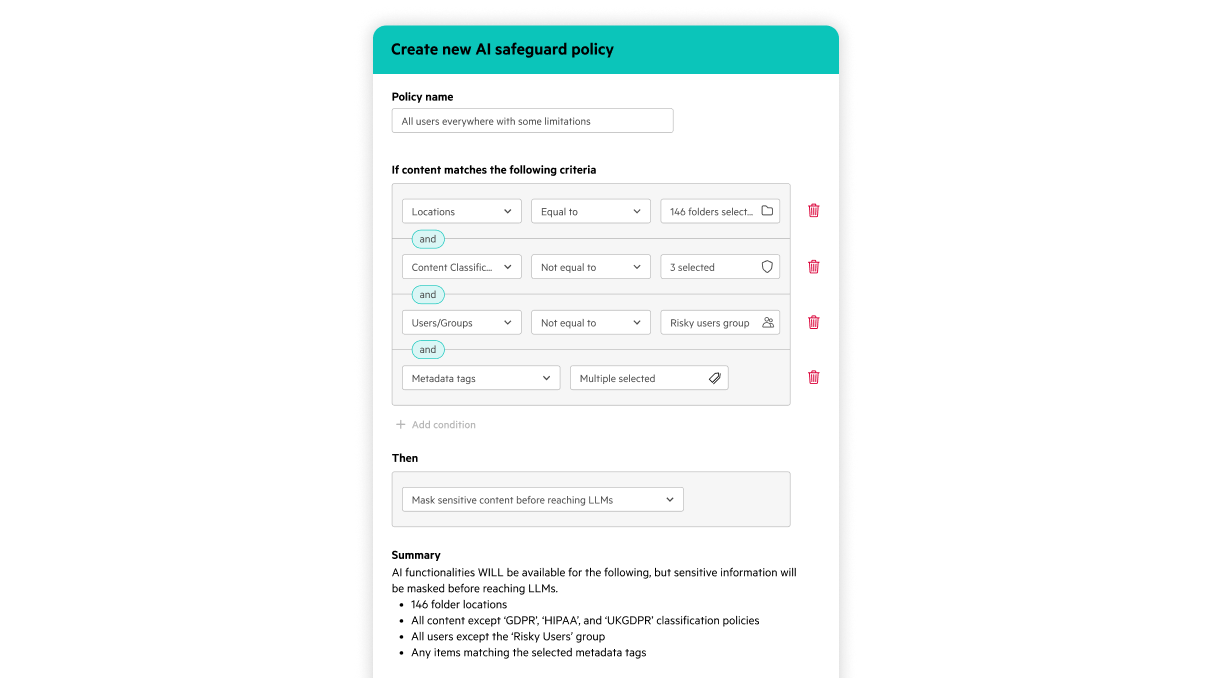


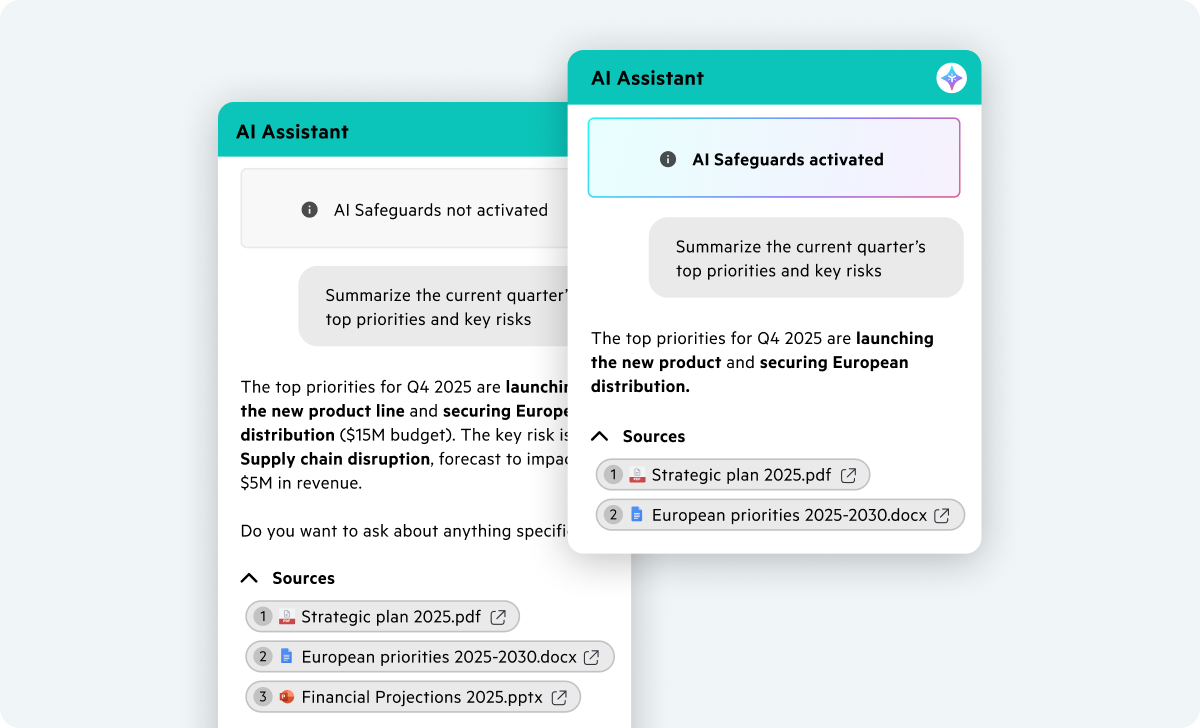
Withhold sensitive data from AI-generated responses based on technical requirements instead of flagging exposure after the fact.
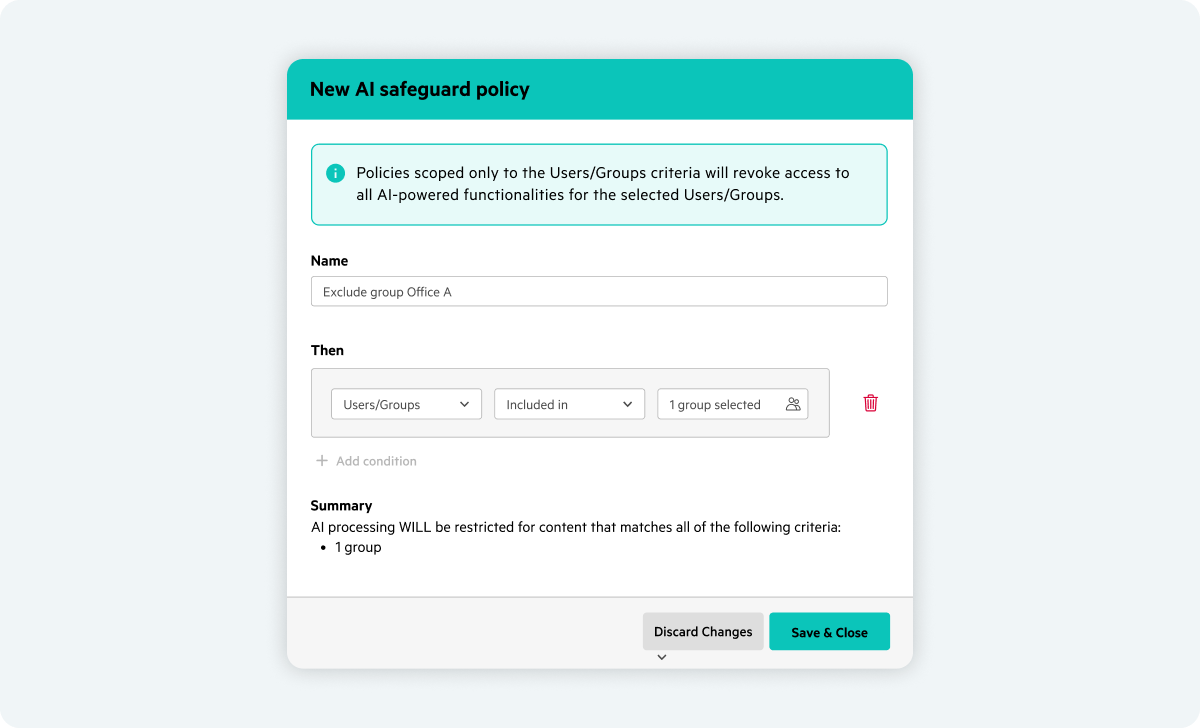
Maintain company productivity while limiting AI access to approved users and groups to ensure AI adoption rolls out according to your needs.
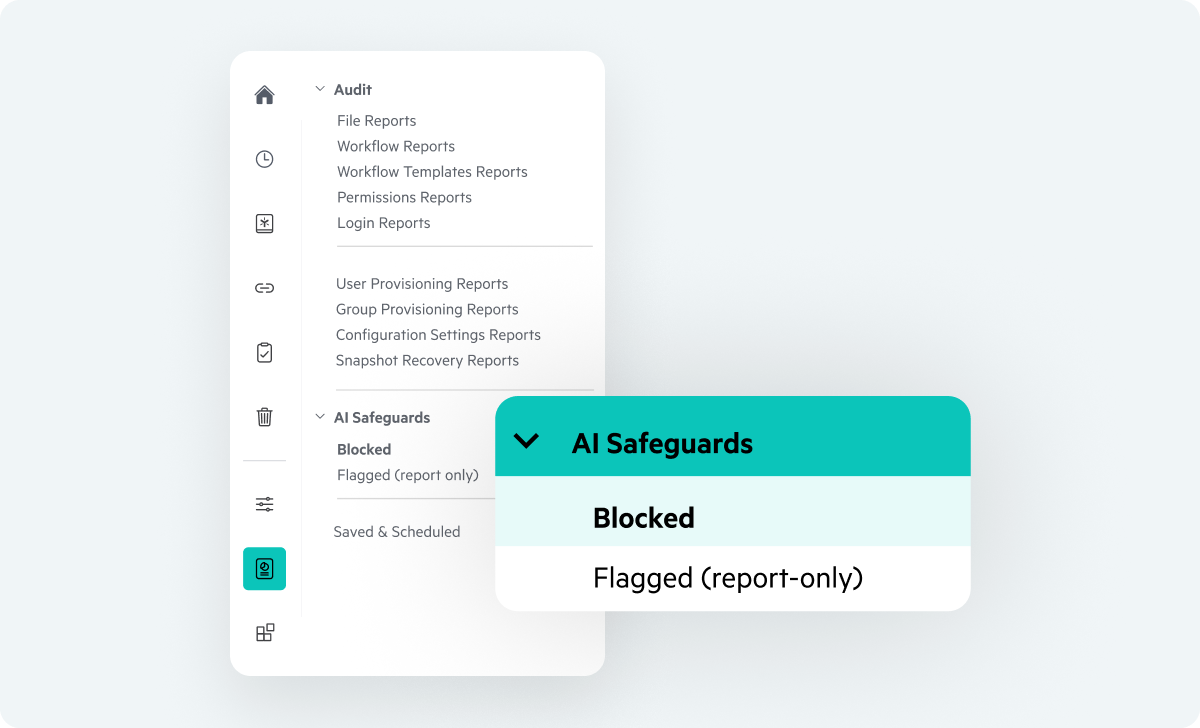
Comprehensive logs reveal what content AI accessed, what was restricted from AI generation, and when—so AI is never a black box.
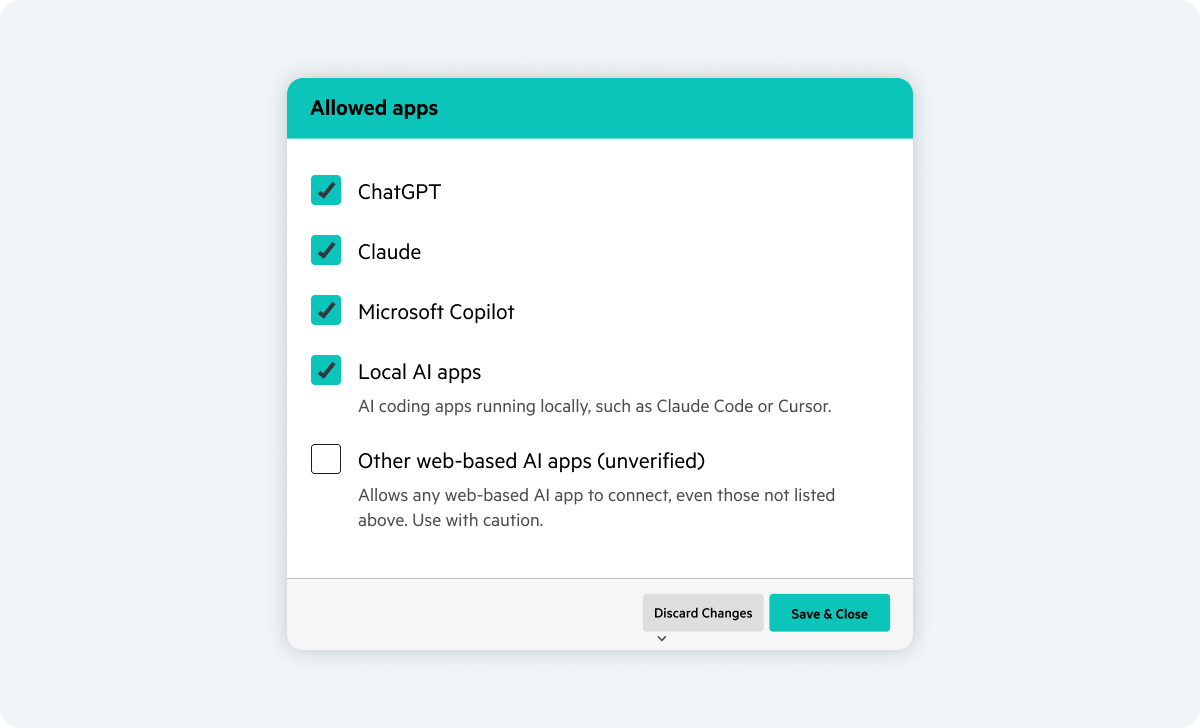
AI Safeguards apply wherever AI runs—on web, desktop, mobile, and MCP Server. Policy enforcement is consistent across AI Assistant and AI agents.
AI Safeguards enable you to easily control AI access, using a single, convenient dashboard.
Whether your obligation is the Building Safety Act, SEC/FINRA data governance, or protecting clinical trial data, Egnyte's AI Safeguards give you the framework to adopt AI securely and preserve regulatory compliance.

"The biggest business accomplishment is the efficiency of freeing up IT resources. Without having to do the labor-intensive work of identifying sensitive content, IT can now concentrate on value-add projects."
Have more questions? Contact Sales to get the answer you’re looking for.
Egnyte AI Safeguards give administrators control over what AI can access, read, and surface—preventing sensitive data exposure in AI-generated responses. As organizations scale AI adoption, Safeguards enforce data access policies across all AI surfaces, supporting responsible AI usage and keeping your AI governance strategy intact.
The term "guardrails" is used broadly across the AI security industry, often referring to open-source frameworks that can be unreliable at enterprise scale. Egnyte AI Safeguards are built directly into your content governance environment—policy-based, auditable, and applied consistently across every AI interaction, without relying on third-party open-source tooling.
AI Safeguards apply across Egnyte's AI Assistant, pre-built agents, configurable agents, and MCP Server—governed by comprehensive, customer-driven policies that integrate with Egnyte's Sensitive Content Protection and Access Control capabilities.
Standard file permissions control whether a user can open or edit a file. AI Safeguards add a second governance layer specifically for AI interactions — governing what AI can read, summarize, or cite from files, even when a user technically has access to them. It's a distinction that matters because AI can surface content at scale in ways traditional access controls weren't built to anticipate.
Regulated industries—including financial services, life sciences, and AEC firms subject to CMMC—face strict requirements around data handling, AI transparency, and audit readiness. AI Safeguards enforce access policies across every AI interaction and generate the comprehensive activity logs needed to demonstrate responsible AI usage to regulators, auditors, and legal teams.
Yes. Administrators can define which users or groups have access to Egnyte's AI capabilities, making AI technology only available to approved users. Combined with content-level access control, this gives organizations user-level and data-level AI governance associated with AI adoption across their teams.
Egnyte extends policy controls to external platforms via Model Context Protocol (MCP) Server integration. When external LLMs make data requests, AI Safeguards validate user permissions, apply data masking, and enforce content restrictions before information leaves your Egnyte environment.
Yes. AI Safeguards apply consistent governance across Egnyte’s AI Assistant, pre-built agents, and customized agentic workflows. Policies dictate what data and tools an agent can access, ensuring autonomous tasks operate strictly within defined security parameters and user permissions.
Ready to improve productivity? Egnyte’s AI-powered cloud enhances collaboration, automates workflows, and secures your mission-critical content.