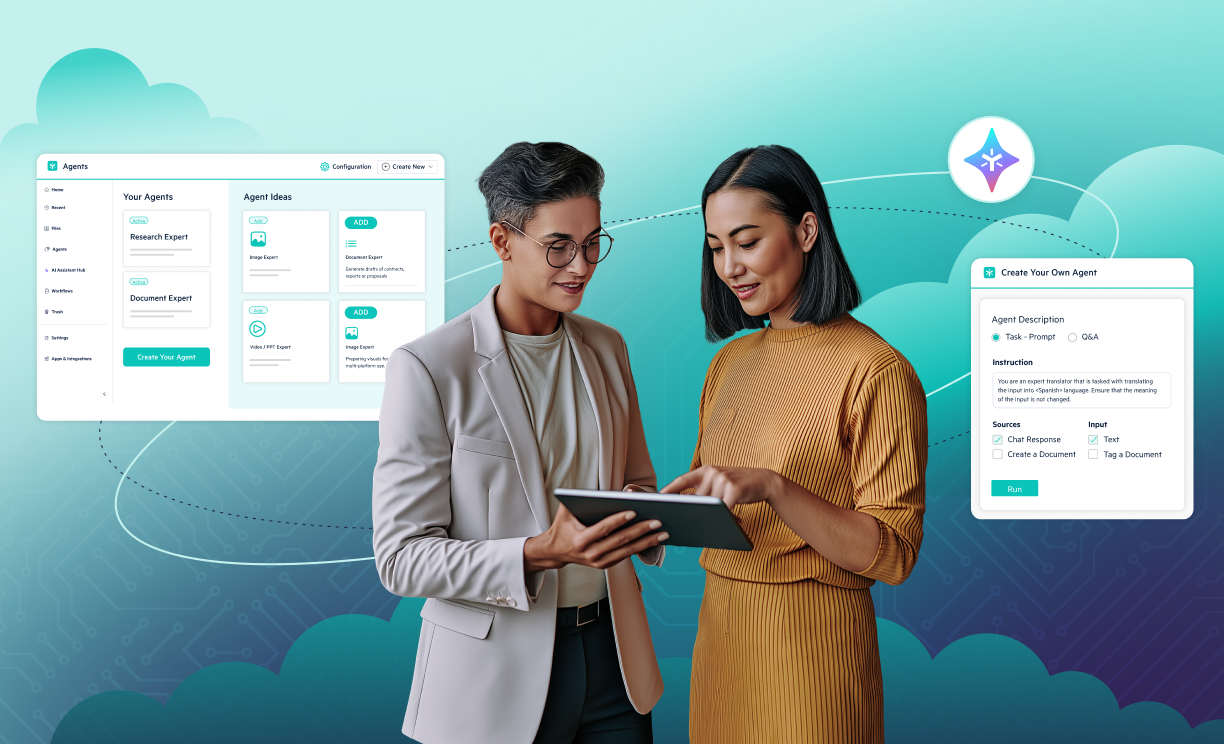
Build Agents From the Desktop
- Create and manage agents without leaving the desktop
- Browse, customize, and publish agents directly

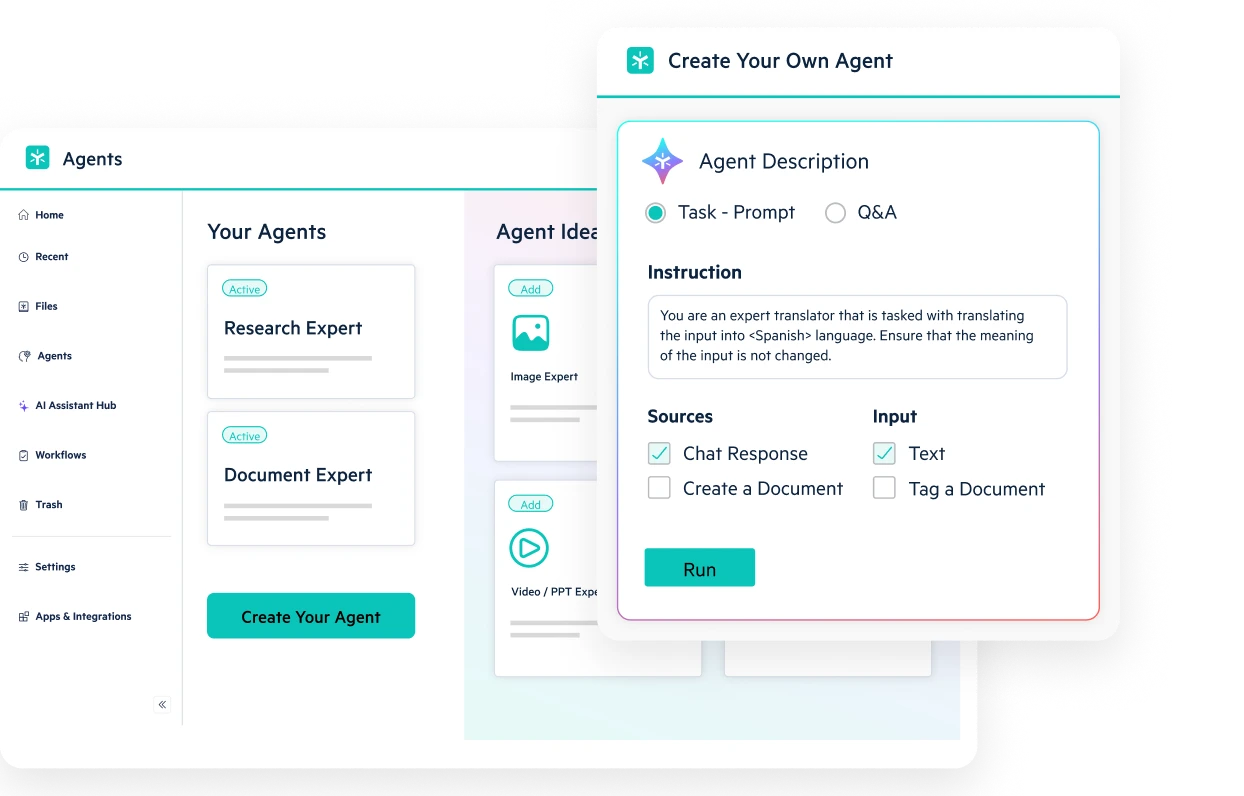


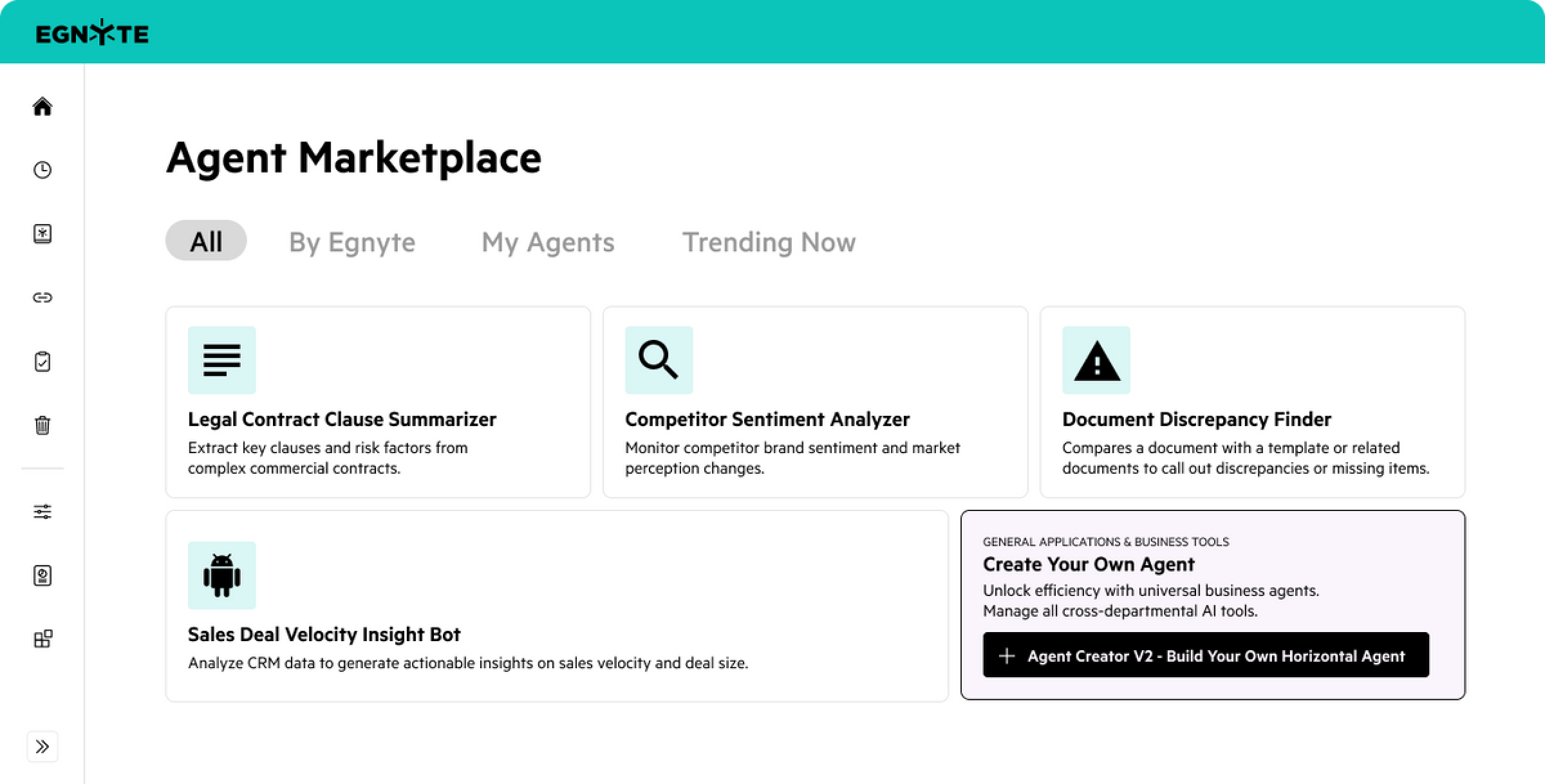
Make deploying AI initiatives easier with a library of customizable starting points for common enterprise tasks.
Browse curated templates by industry and get started with a few clicks
Inspect sample prompts, insert forms, and connect sources
Customize to suit your business and publish in minutes
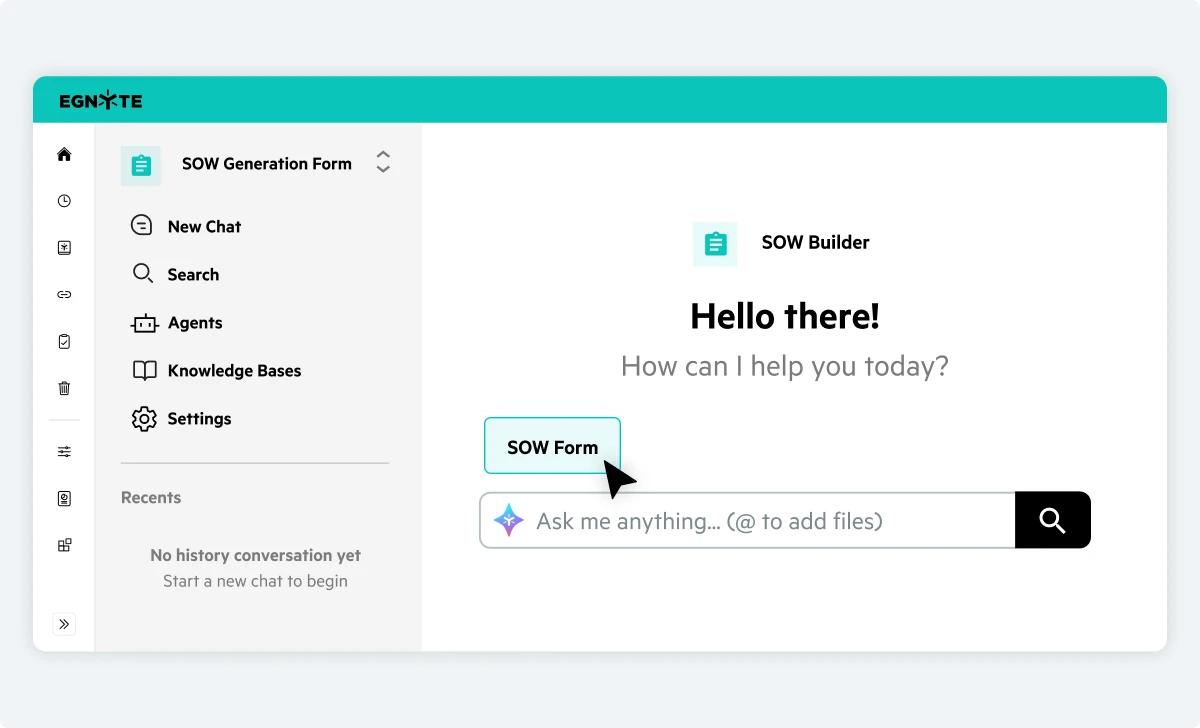
Gather structured inputs before agent execution to ensure accurate and repeatable outputs every time.
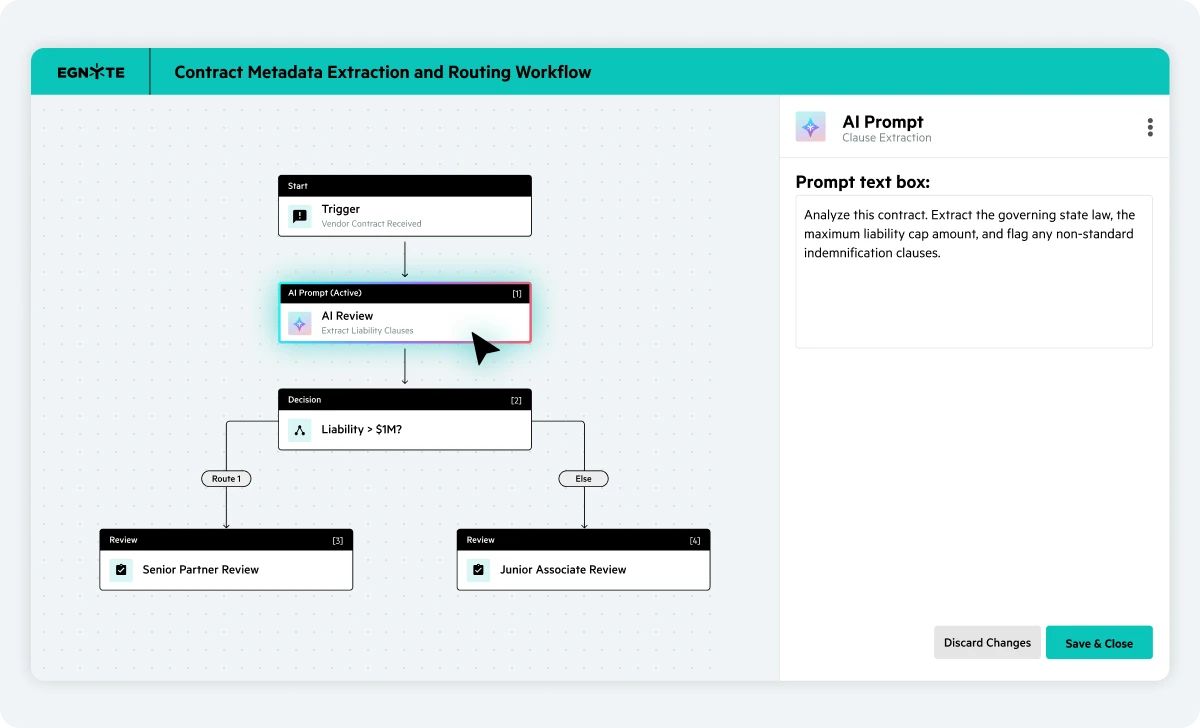
Design workflows that automatically interact with Egnyte AI while honoring permissions.
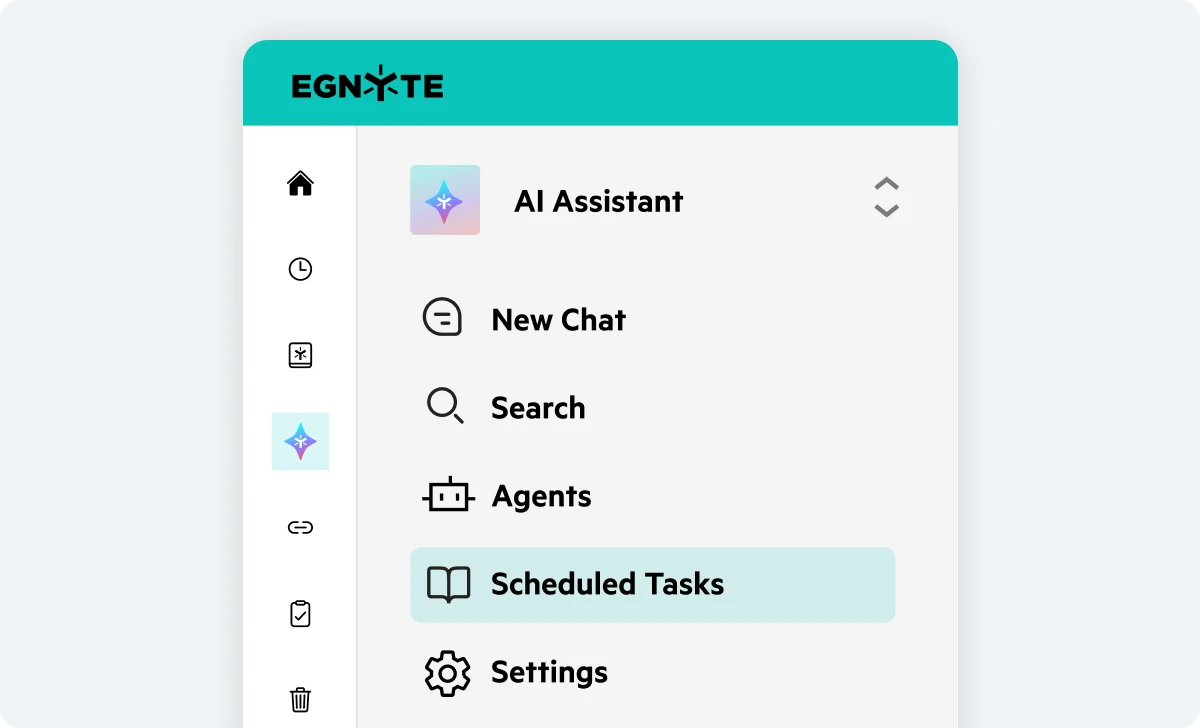
Put AI on autopilot by scheduling when agents execute their tasks, right from the AI workspace.
Build, test, and run custom AI agents directly where your team already works, whether it’s from the cloud, desktop, or mobile interfaces.
Automate critical document workflows specific to your industry while maintaining full compliance.

“Egnyte's AI Assistant helps everybody research, understand, and learn, while providing faster service to our clients."
Have more questions? Contact Sales to get the answer you’re looking for.
Egnyte AI agents are intelligent, task-driven tools that work against your governed content. They search and summarize documents, classify files, answer questions grounded in company data, and trigger downstream workflow actions—all while respecting role-based user permissions.
No coding or technical expertise is required. With Egnyte's Agent Builder, you can describe what you want the agent to do in plain text, eg: Analyze Contracts or Review Submittals and generate summarizes as documents and route those documents to specific folders. The builder automatically configures system prompts, parameters, necessary connectors you have access to, and input fields for you to test and deploy. You can also select the AI model you prefer and choose the content sources it can use, including files, folders, and the web.
The Agent Marketplace provides a catalog of pre-configured starting points for common enterprise and industry tasks. You can deploy and customize ready-to-use agents for SOW (Statement of Work) generation, contract analysis, RFP responses, AEC (Architecture, Engineering and Construction Industry) specification reviews, and regulatory SOP checks in just a few clicks. This marketplace will continually publish new agents for more use cases.
Structured input forms gather essential context (such as project IDs, client names, or specific requirements) before the agent executes in a set format that makes it easier for AI to deliver results more accurately. Standardizing prompt inputs prevents missing context, eliminates repetitive re-prompting, and ensures reliable, repeatable outputs for tasks like SOWs, contracts, RFPs, help tickets or proposal creation.
Egnyte’s AI agents operate natively inside your governed content environment. They inherit domain’s existing access controls, file permissions, and AI Safeguards, ensuring agents never expose or surface sensitive data to unauthorized users. This means that if a user queries an AI agent, they only see insights based on context they have access to.
Yes. Through Egnyte's Skill Definition Import and AI Connectors, you can import prompt definitions from external LLMs or data sources directly into Egnyte. This allows you to centralize custom workflows under one secure governance roof without moving underlying data.
Yes. You can automate recurring agent tasks by scheduling recurring execution intervals within the AI Workspace. Agents can automatically generate daily reports using refreshed data, parse ongoing email/chat lists, or run routine file audits without manual kickoffs on a pre-configured basis.
Yes. Users can build, publish, and call agents directly from the Egnyte Desktop App without switching to the web interface. You can also invoke published agents inside an AI Assistant chat using a simple @mention.
Ready to improve productivity? Egnyte’s AI-powered cloud enhances collaboration, automates workflows, and secures your mission-critical content.