Intuitive Workflow Template Builder
- Accelerate deployment and make tracking easy within a visual workflow builder
- Easily design, visualize, and tweak multi-step paths without custom IT scripts

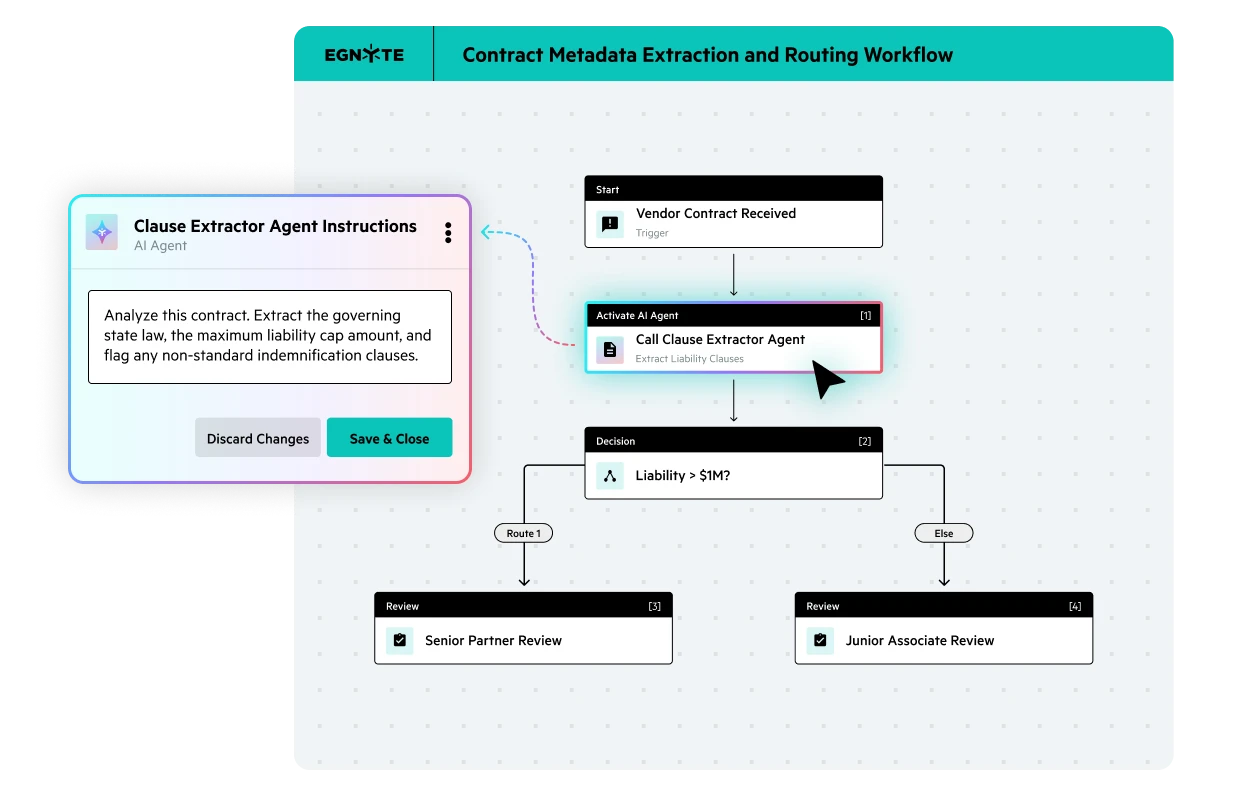


Build and launch standardized workflows without code, scripts, or heavy IT support.
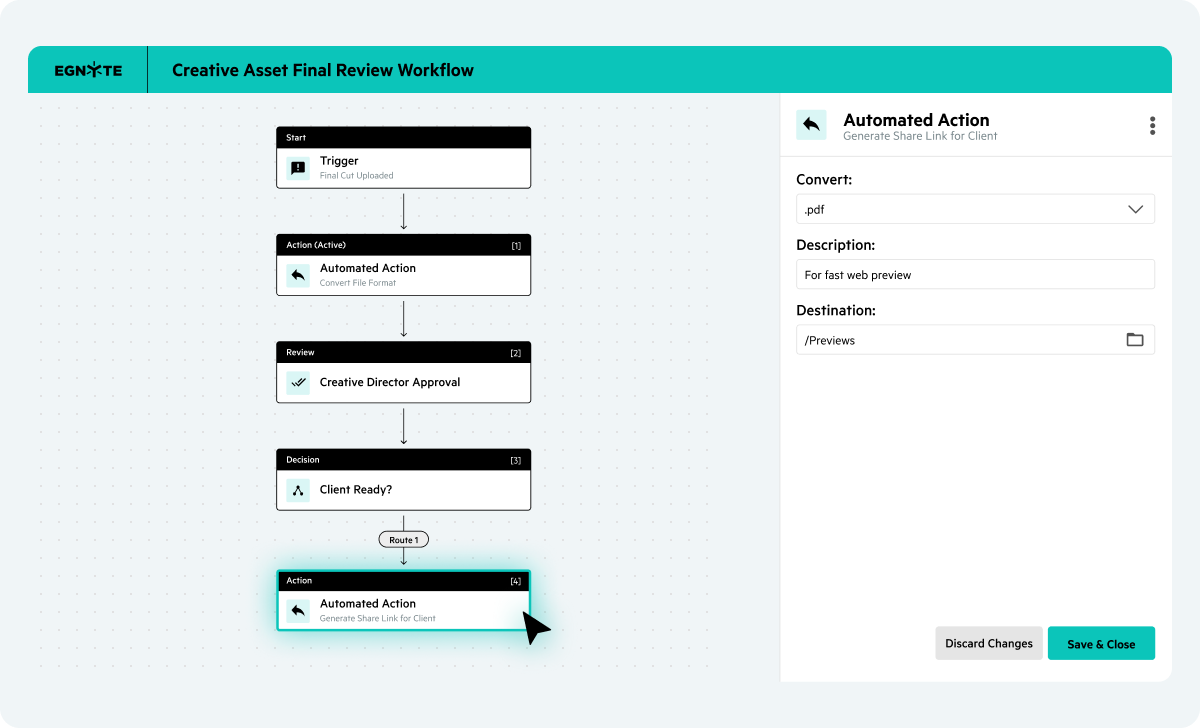
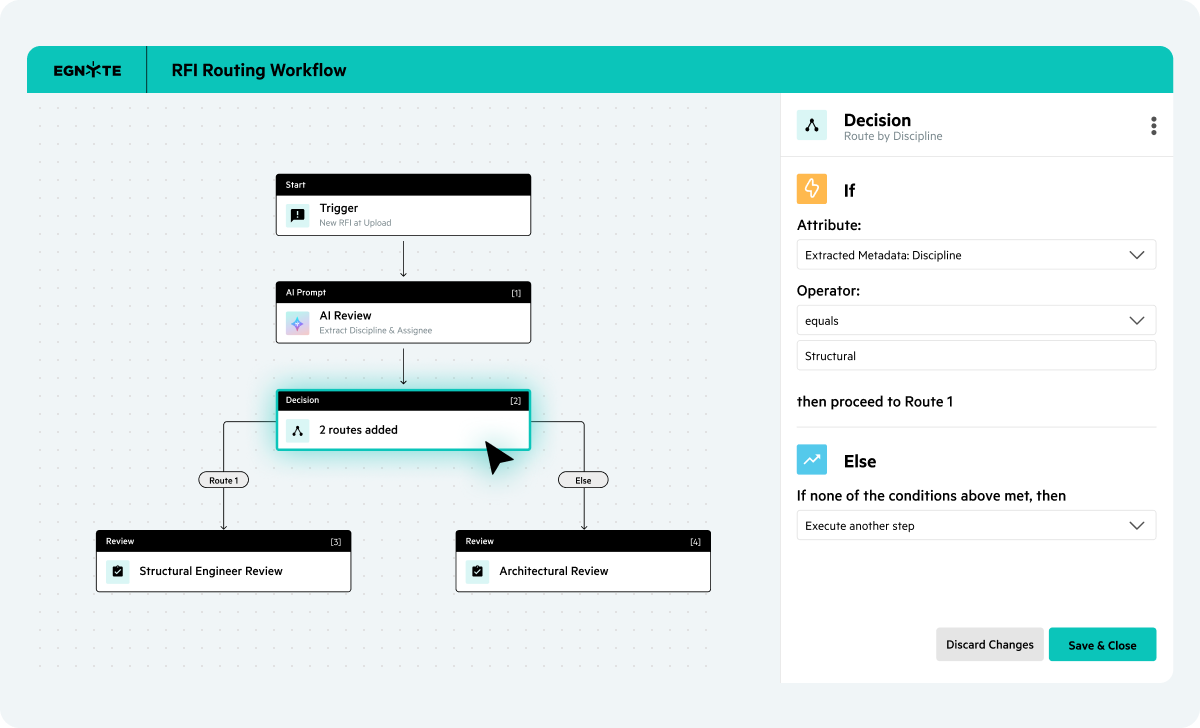
Automatically route documents based on specific criteria. Configure fall back steps so work never stalls.
Keep processes that span multiple tools organized and together in one place.
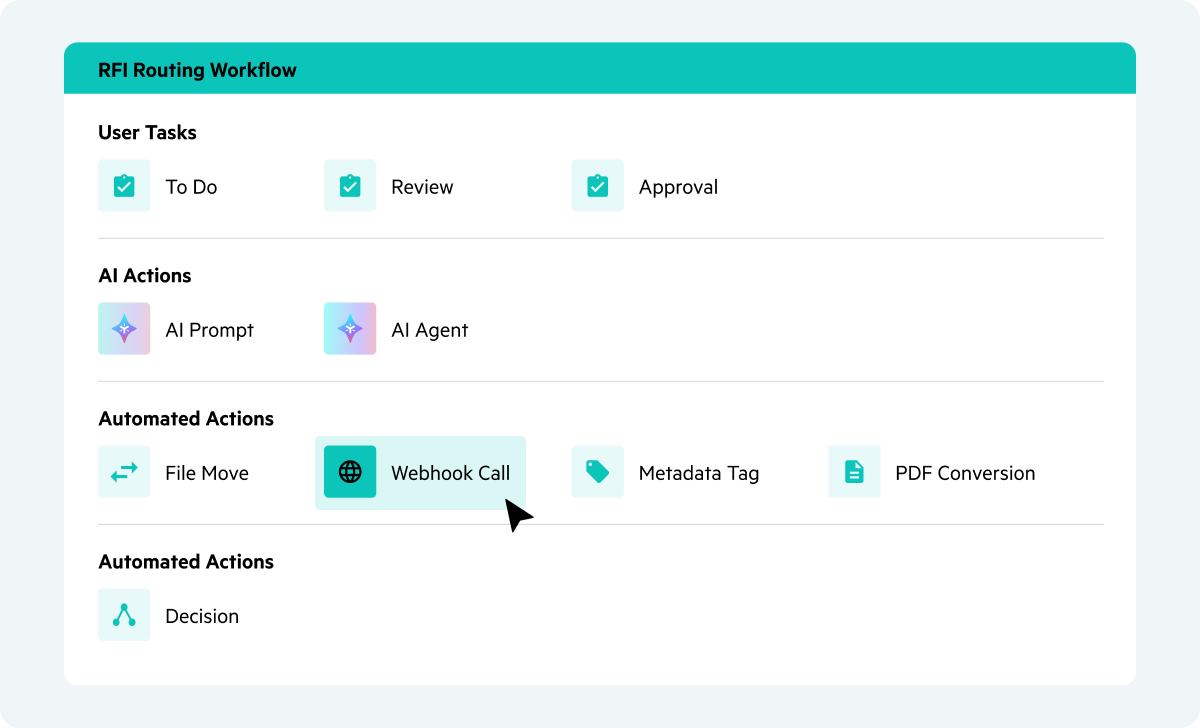
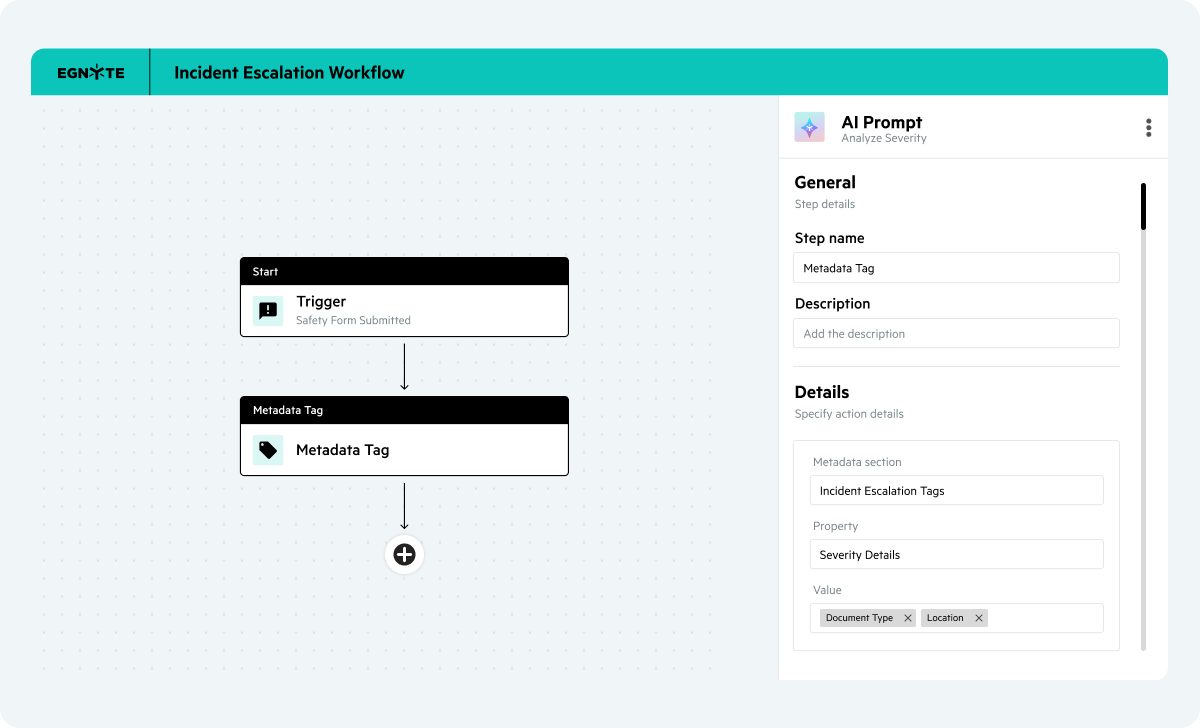
Build workflows that coordinate work across people and AI while honoring permissions.
Design workflows that automate approvals, routing, and AI-powered actions where your content already lives, with security and auditability built in.
Egnyte delivers pre-configured automation for information-intensive industries that can’t afford process delays or compliance gaps.
“Once we transitioned to enterprise cloud for our document storage, we were able to work more productively and manage files and workflows much faster, largely because Egnyte handles uploads and transfer of large files really well.”

“Egnyte and Jotform Enterprise in combination are such a powerful force for improving our workflows…Things are fast, easy, and secure across the board.”

"Egnyte is integral to our ability to automate much of our data management, which has made the complex process of working with external partners much smoother, more reliable, and more efficient."

"Because of Egnyte and our AI integration, we're able to scale in ways unheard of in the industry. 3,700 prospects and 1,300 comprehensive financial plans through one department."
Have more questions? Contact Sales to get the answer you’re looking for.
Egnyte's AI workflows handle both structured and unstructured content: PDFs, Word documents, spreadsheets, and presentations, as well as images, audio recordings, and video files. Unstructured formats are converted into searchable, analyzable information so they can be included in automated classification, routing, and review workflows alongside standard document types.
AI Workflows automate processing using event-driven triggers, an intuitive drag-and-drop visual builder, and conditional routing logic. When a file enters a target folder or meets specific metadata criteria, the system initiates automated routing, applies custom metadata tags, runs AI prompts, and coordinates multi-step approvals.
No coding or scripting is required. Egnyte’s visual workflow builder allows team leads in HR, Legal, Finance, or AEC to easily setup triggers, process flows, and conditional logic ("If, And, Else" branching), and AI steps directly onto an interactive canvas.
Yes. Workflows inherit Egnyte’s governance and security framework. Every routing path, user approval, metadata stamp, and AI step is recorded in detailed event logs to ensure complete auditability for regulatory standards such as CMMC, SEC, or HIPAA.
Workflows enforce granular file and folder permissions. Automated steps run strictly within defined user access levels and role-based policies, preventing unauthorized users from viewing or approving restricted content during execution.
Egnyte AI Workflows connect to third-party CRMs, ERPs, and business apps using Outbound API Webhooks. Workflows automatically send completion signals, custom bearer token headers, and updated document metadata to external systems (like Salesforce) without requiring custom IT middleware.
Egnyte incorporates human-in-the-loop safeguards by design. While AI steps can extract data, route files, or query AI agents, administrators can enforce mandatory human review and sign-off checkpoints before final actions or external distributions occur.
Eliminate manual bottlenecks, deploy native AI, and build complex approvals with absolute security and control.