




Featured Whitepaper

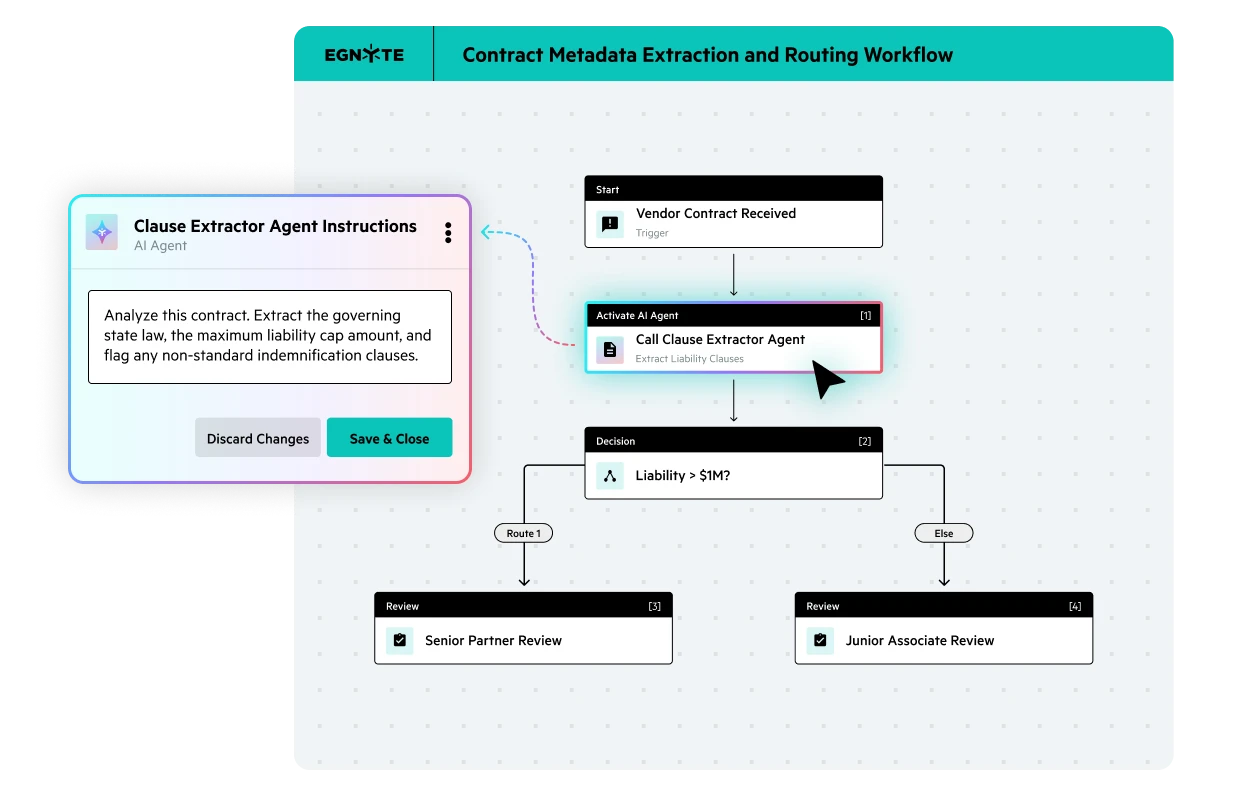






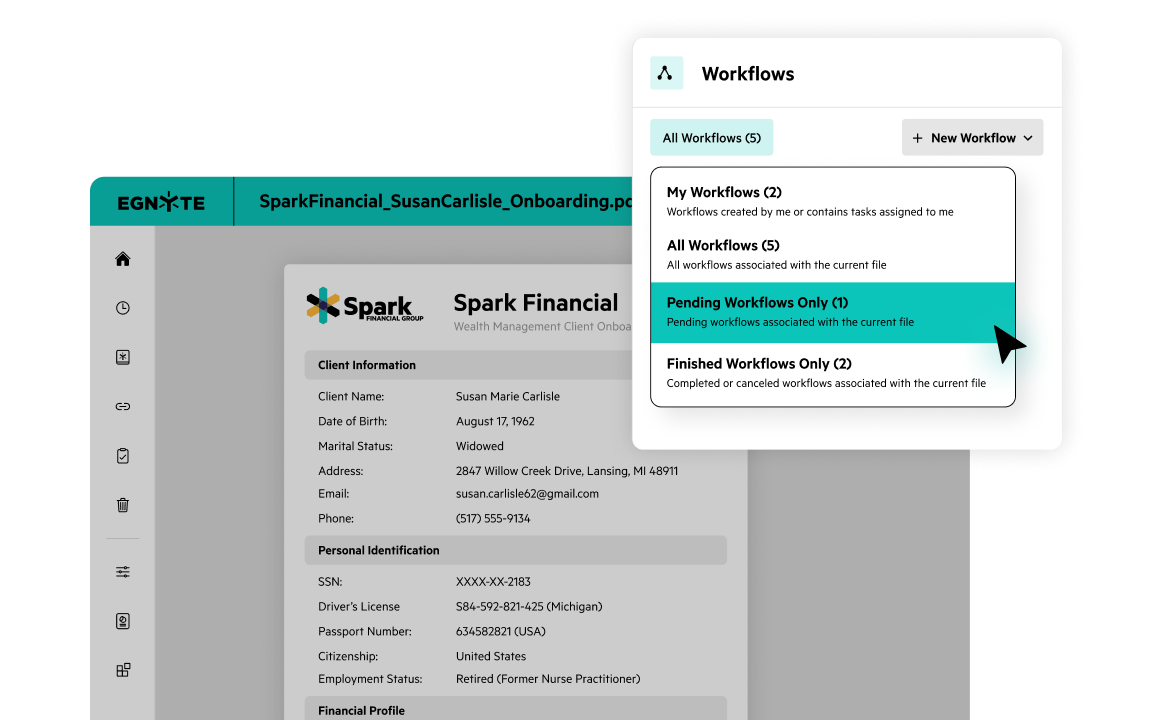
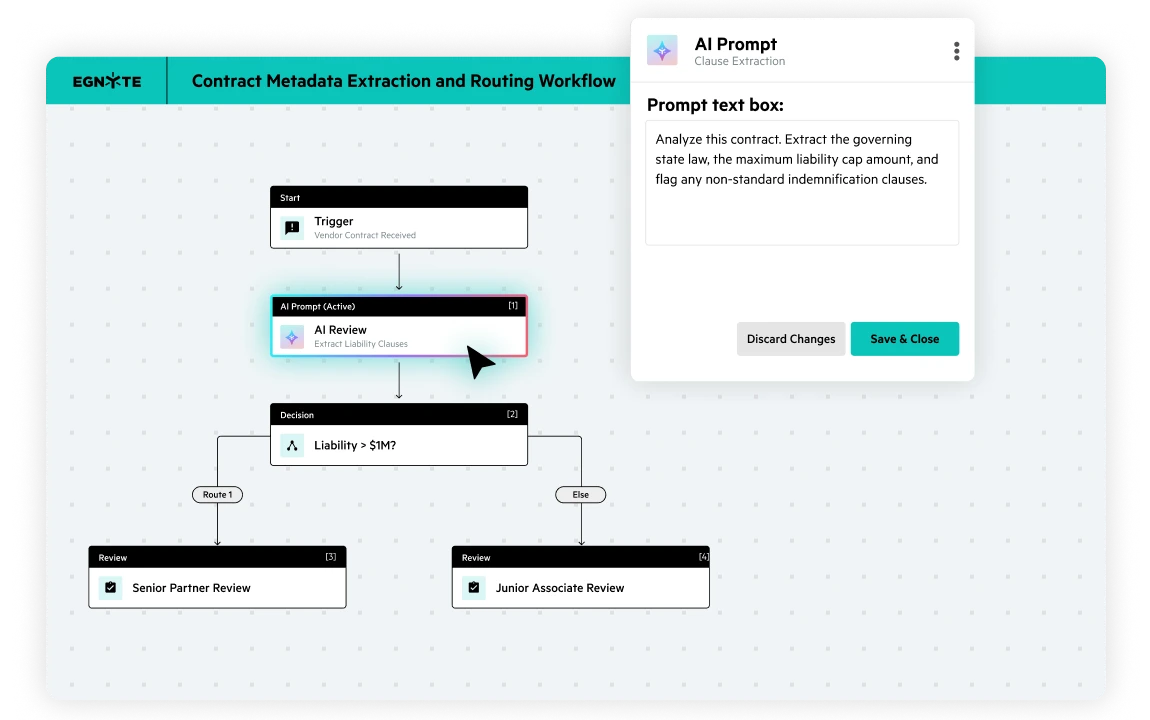
Simplify document-centric workflows by cutting out repetitive and tedious work. Automatically collect, tag, and route documents at scale. Use conditional logic—including if/else steps—to handle exceptions and AI-based steps for smarter document processing and understanding.
Cut the manual work out of document-centric processes. AI-powered steps extract metadata, analyze content, classify files, and trigger actions, with humans kept in the loop by design. Connect to pre-built AI agents in Egnyte, or query Egnyte’s AI Assistant directly from a workflow step to bring intelligence into any process.
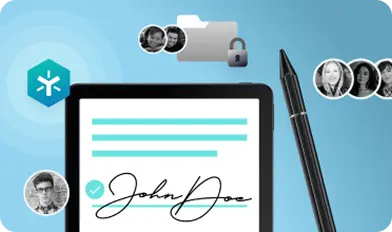
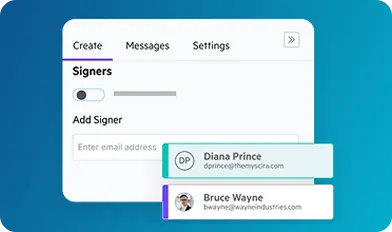
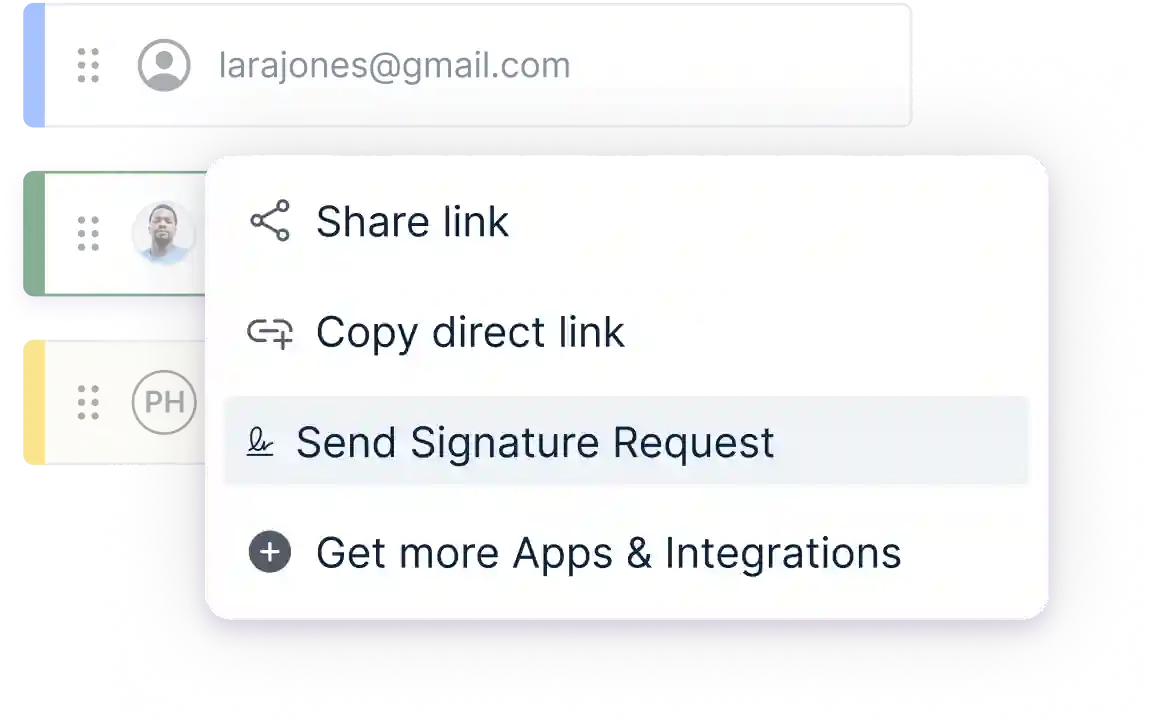
Simplify sending legally binding e-signature requests by email with
customizable fields for signatures, titles, company names, and dates, completed entirely within Egnyte. Track status through a dashboard, reuse templates for NDAs or waivers, and download Adobe-approved completion certificates with long-term validation.
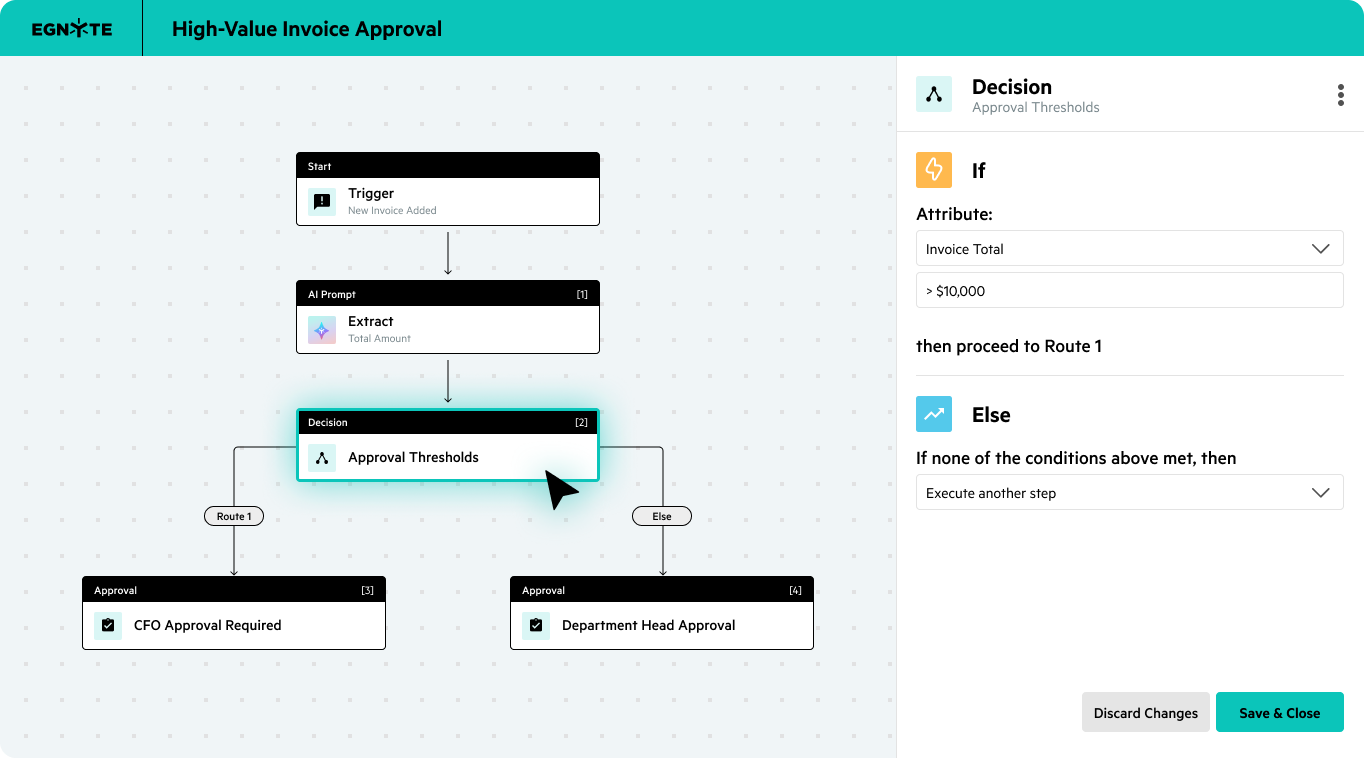
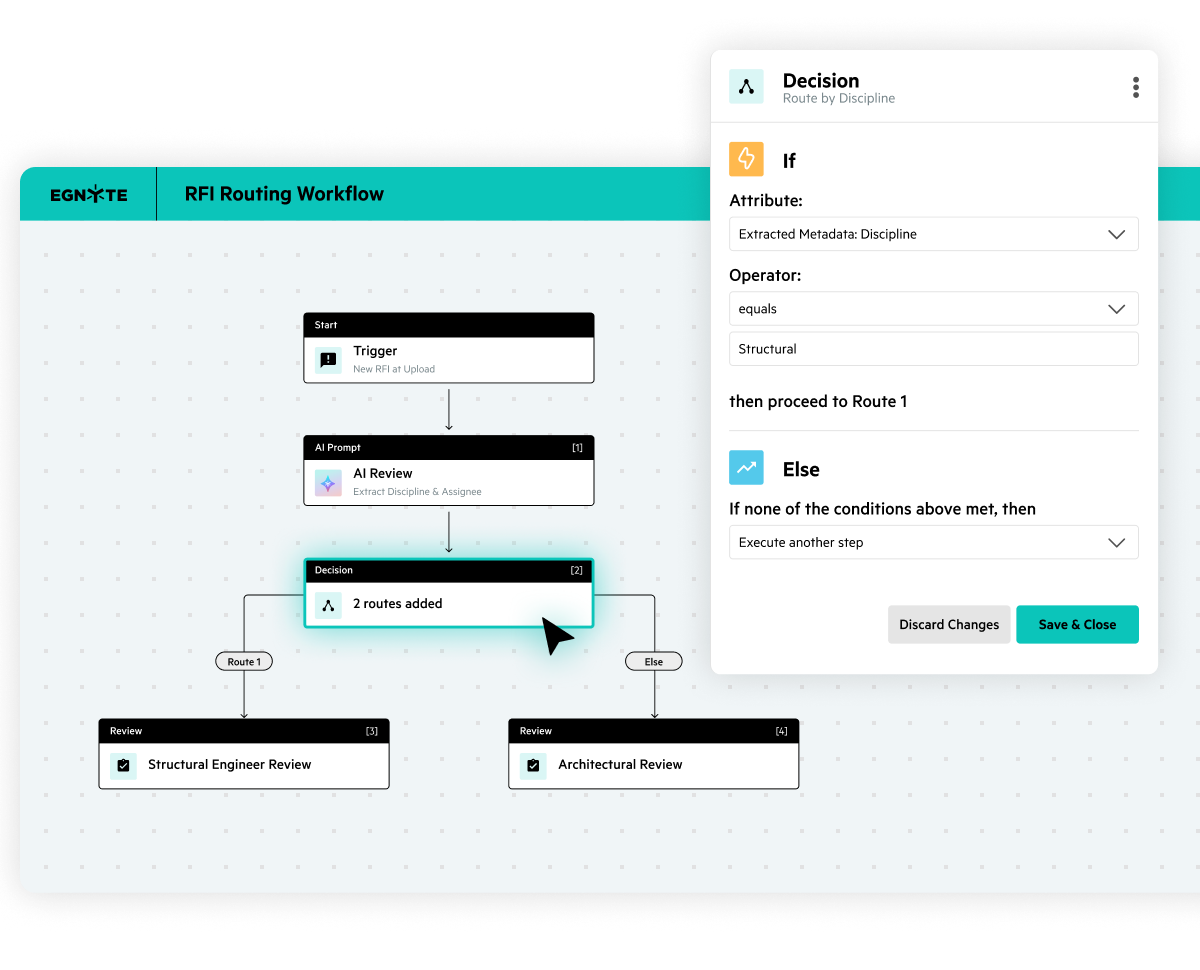
Not all workflows follow a straight line. Add if/else logic to the processes to provide additional power to accommodate non-linear flows. These decision steps help you automatically route tasks based on certain conditions to keep processes running exactly as intended.
Automate manual tasks so your team can focus on strategic work that drives growth and innovation.
“Once we transitioned to enterprise cloud for our document storage, we were able to work more productively and manage files and workflows much faster, largely because Egnyte handles uploads and transfer of large files really well.”

“Egnyte and Jotform Enterprise in combination are such a powerful force for improving our workflows…Things are fast, easy, and secure across the board.”
"Egnyte is integral to our ability to automate much of our data management, which has made the complex process of working with external partners much smoother, more reliable, and more efficient."
Want to see what Egnyte has for your organization?
AI Workflow is part of Egnyte's comprehensive intelligence platform. Enhance your AI
capabilities with these complementary products.
Have more questions? Contact Sales to get the answer you’re looking for.
Egnyte's AI workflows handle both structured and unstructured content: PDFs, Word documents, spreadsheets, and presentations, as well as images, audio recordings, and video files. Unstructured formats are converted into searchable, analyzable information so they can be included in automated classification, routing, and review workflows alongside standard document types.
Egnyte's AI workflows identify key information within files, apply metadata, and trigger predefined actions — routing documents, flagging issues, or notifying stakeholders — without manual intervention. Workflows run in sequence or in parallel and can trigger automatically when files are uploaded, metadata changes, or documents are signed. They connect with Power Automate, Zapier, and Slack, with dashboards and audit reports tracking progress throughout.
Yes. Egnyte's AI workflows support compliance by scanning documents for regulated data, applying classification policies, and generating audit logs that create a complete, time-stamped record of all document actions. AI automation is embedded within Egnyte's content governance layer, so organizations can enforce retention policies and manage regulated content as part of the automated workflow itself — not as a separate step.
Egnyte's AI workflows operate within an enterprise-grade governance environment that includes encryption, role-based access controls, and full audit logging. AI functionality runs inside Egnyte's secure platform — not through external or consumer AI services — so organizations can automate document workflows without exposing sensitive content to systems outside their governance boundary.
Egnyte AI workflows integrate natively with Power Automate, Zapier, and Slack, and connect with CRM platforms, project management tools, and email applications through APIs and built-in connectors. This allows AI-driven document actions — routing, metadata updates, status notifications — to trigger automatically as part of the broader processes teams run across the tools they already use.
Egnyte AI workflows automate common document tasks — classification, metadata tagging, approvals, and routing — without any manual handling. When a file is uploaded or a workflow condition is met, the workflow analyzes the document, extracts key information, applies the appropriate metadata, and routes the file to the right folder, system, or stakeholder. Content stays organized and traceable, and teams are freed from the steps that don't require human judgment.
Yes. Egnyte includes a complete e-signature workflow that lets teams send documents for signature, track signing status, and automatically store completed documents. Signature events can trigger downstream workflow actions — a completed signature can move a document to the next review stage, update its status metadata, or notify relevant stakeholders, all within the same workflow and without manual follow-up.
Ready to improve productivity? Egnyte’s AI-powered cloud enhances collaboration, automates workflows, and secures your mission-critical content.