Single Document Extraction
- Extract specific fields, entities, dates, and attributes from individual documents
- Apply extracted values as tags to organize and manage content

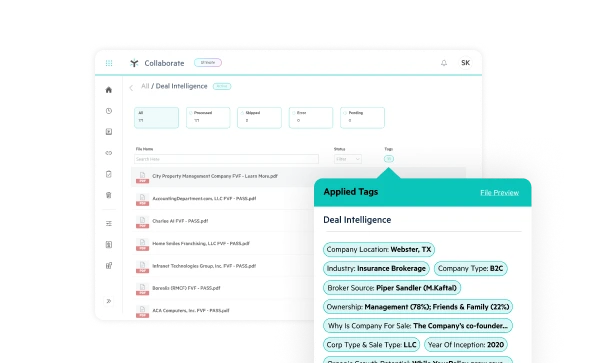


Get accurate, structured data from a single document without manual review or complex setup.
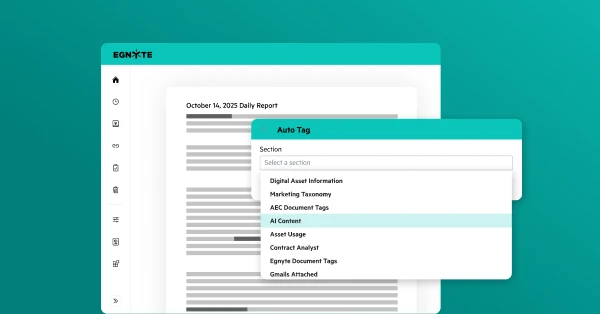
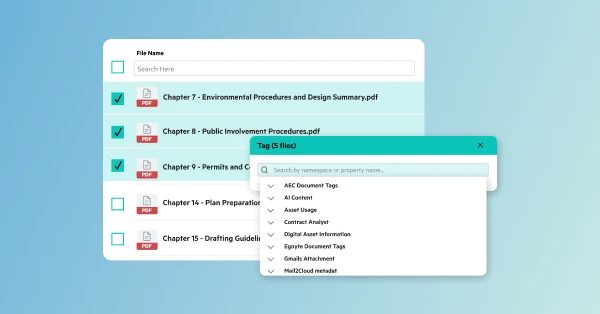
Apply consistent tags across related documents at once, making the information within them easier to search, surface, and use with AI.
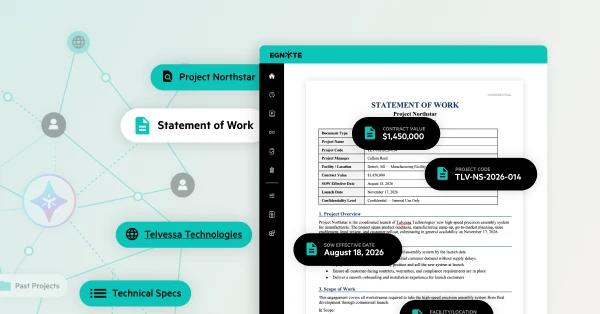
Extract and structure information across large volumes of content to reduce manual work and create richer context for search, workflows, and AI.
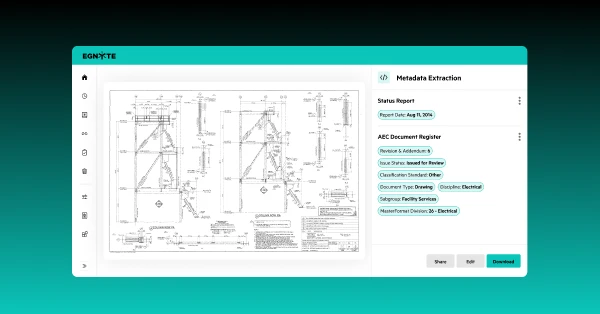
Automatically classify specialized content and extract the information that matters to your industry.

"Egnyte is integral to our ability to automate much of our data management, which has made the often complex process of working with external partners much smoother, more reliable, and more efficient."

“Egnyte and Jotform Enterprise in combination are such a powerful force for improving our workflows…Things are fast, easy, and secure across the board.”
Want to see what Egnyte has for your organization?
Have more questions? Contact Sales to get the answer you’re looking for.
AI metadata extraction uses natural language processing (NLP) and optical character recognition (OCR) to parse unstructured files—such as PDFs, scanned images, contracts, and CAD drawings. It automatically identifies, extracts, and normalizes specific data points (e.g., dates, vendor names, contract terms, or project IDs) and applies them as structured metadata tags to improve file searchability and classification.
Egnyte supports a wide range of document types and specialized formats. You can extract data from standard business documents (PDFs, Word, Excel, PowerPoint), scanned images, as well as industry-specific content like AEC design files (CAD, BIM, Revit).
Yes. You can customize metadata templates and schema rules to match your organization’s tax taxonomy, project workflows, or industry standards. The AI dynamically applies your defined tags across single files or large document repositories.
By attaching standardized, high-quality metadata to your content, enterprise AI search and RAG (Retrieval-Augmented Generation) systems can instantly filter and locate precise information. This reduces context window overload, minimizes token usage costs, and prevents AI hallucinations by ensuring model responses are grounded in exact, verified business data.
All extraction and tagging processes inherit Egnyte’s built-in enterprise security and role-based access controls. Sensitive information—such as PII or confidential financial metrics—can be detected, tagged for governance, and managed without compromising compliance or exposing restricted data to unauthorized users.
Document classification identifies the overall type or category of a document (e.g., classifying a file as an NDA, invoice, or AEC blueprint). Metadata extraction pulls specific, structured data fields and entities from within that document (such as key dates, amounts, parties, or drawing numbers) and applies them as tags.
Yes. By combining Optical Character Recognition (OCR) with natural language processing (NLP), the system converts visual content in scanned PDFs, drawings, and images into machine-readable text before extracting and tagging key information at scale.
Ready to improve productivity? Egnyte’s AI-powered cloud enhances collaboration, automates workflows, and secures your mission-critical content.