Is Your Data Ready for AI? Financial Services Roadmap
Clean your data first. AI confidence follows.

Clean your data first. AI confidence follows.
Bill Goldin, VP of Cybersecurity at Network Coverage, joins us on how to stay ahead in 2026.
Let’s jump in and learn:
A construction project specification is a written document that describes the materials, products, workmanship, and installation methods required to build a project. Architects, engineers, and specifiers author the spec, and it sits alongside the drawings as part of the contract documents. The drawings show what the project looks like and where things go; the specifications define what they are made of, how they are installed, and what quality threshold counts as acceptable.
Specs protect every party in the contract. Owners get a defined deliverable. Architects and engineers get a documented basis for design intent. Contractors and subcontractors get unambiguous instructions for bidding, procurement, and execution. Inspectors and authorities having jurisdiction get a verifiable record for compliance. When the spec is incomplete or contradicts the drawings, the cost shows up as change orders, schedule slippage, and rework.
The three types of construction specifications are prescriptive, performance, and proprietary. Each shifts responsibility and creative control to a different party.
Tells the contractor exactly how to execute the work. They name the materials, products, dimensions, installation sequence, and quality control steps. The architect or engineer keeps tight control over outcomes; the contractor follows instructions. Prescriptive specs typically contain three subsections: general provisions (governing codes, submittals, quality control), required products (materials, tools, and their structural requirements), and execution procedures (preparation, installation, and post-installation testing).
Defines the outcome and leave the means and methods to the contractor. The spec states what the system must do — load capacity, R-value, fire rating, acoustic performance — and the contractor selects materials and installation techniques to meet it. Performance specs are common for design-build delivery and for systems where the contractor has more execution expertise than the design team.
Names a specific manufacturer's product and require it. They are written by the manufacturer or by the design team referencing the manufacturer's literature, and they apply when a particular product is required for compatibility, warranty, or owner preference. Proprietary specs remove substitution flexibility.
Prescriptive specifications dictate how the work must be executed; performance specifications dictate what the finished work must achieve. With a prescriptive spec, the contractor builds to the named materials and methods, and the design team owns the outcome. With a performance spec, the contractor chooses materials and methods to hit a measurable result, and the contractor owns the outcome.
The decision affects liability, bidding, and innovation. Prescriptive specs produce more uniform bids because every contractor prices the same materials and steps, but they limit the contractor's ability to propose better methods. Performance specs invite competitive solutions and can lower cost, but they require objective acceptance criteria — test results, certifications, or measured field performance — to settle disputes. Most projects use a mix: prescriptive for finishes and architectural elements where appearance and standardization matter, performance for engineered systems like HVAC, structural assemblies, or building envelopes.
A complete construction specification document is more than the technical specs — it is the full set of contract documents that govern the project. The standard components are:
Agreement: The signed contract between owner and contractor. It sets the total price, payment terms, and governing terms for the entire build. Every other document in the spec package derives its authority from the agreement.
Bill of quantities: An itemized forecast of materials, labor, and project expenditures. Contractors use it to prepare bids; owners use it to evaluate bids on equal terms.
Construction drawings: Visual representations of the design intent, including floor plans, elevations, sections, structural drawings, electrical drawings, reflected ceiling plans, detail drawings, and penetration drawings. Each drawing type serves a specific trade or system.
General conditions: The procedural rulebook for the project. Defines insurance and bond requirements, conflict resolution, termination terms, submittal process, change order procedures, payment applications, and the rights and obligations of every party.
Special conditions: Project-specific amendments to the general conditions. Cover sustainability requirements, site security, construction traffic, local regulatory adherence, and other elements that need explicit treatment.
Schedule: The contract document defining project timeline, phasing, and critical milestones. Updated as work progresses to reflect actual sequencing.
Schedule of values: Itemized work segments with assigned dollar values. Contractors update completion percentages during the project to support progress payments.
Scope of work: The narrative description of required tasks, expected outcomes, and the roles of contractors and subcontractors. Defines materials, workmanship standards, and operational requirements.
Specifications: The technical content describing materials, methods, and quality standards. Organized under CSI MasterFormat for large projects, with sections covering applicable codes, materials (type, grade, size, brand), installation methods, workmanship quality, testing requirements, and milestone timing.
Project specifications are the primary instrument for enforcing construction quality and holding contractors accountable. Quality and accountability both depend on the spec defining acceptance criteria precisely enough that disputes have an objective resolution.
For quality, specs do three things: they define the materials and products allowed (preventing inferior substitutions), they define the installation methods and workmanship standards (preventing shortcuts), and they define the tests and inspections used to verify completed work (creating a measurable pass/fail). When a spec calls out a specific ASTM standard, a manufacturer-certified installer, or a defined field test, quality stops being subjective.
For contractor accountability, the spec is the document the owner uses to reject non-conforming work, withhold payment, and require rework at the contractor's cost. A clear spec creates a paper trail — bid, submittals, RFIs, change orders, inspection reports — that aligns every party on what was agreed. Vague or out-of-date specs erode accountability because the contractor can argue the work meets a reasonable interpretation. Accountability is also why version control matters: if the contractor builds to an outdated spec because the revised version was not distributed, liability becomes contested.
The errors that most often degrade spec quality:
Specifications are most reliable when the design team writes them with engineer input and, on complex projects, a dedicated specification writer. Start by aligning with the client on performance requirements for the whole project before drafting individual sections.
Content and style:
Coverage:
Consistency:
Structure:
Specification software is now standard practice on any project of meaningful size. The software handles section templates, MasterFormat numbering, cross-references between specs and drawings, and revision tracking. The two capabilities to evaluate when selecting a tool are how well it integrates with adjacent systems (BIM, project management, estimating, document management) and how reliably it tracks versions across the project lifecycle.
The system of record question matters as much as the authoring tool. Spec documents are referenced from bid through closeout, often years after the design team has moved on. Storing them in a governed content platform — alongside the drawings, RFIs, submittals, and BIM models they reference — keeps every revision retrievable and every stakeholder working from the current document.
Egnyte gives AEC teams a single governed location for spec documents and the drawings, submittals, and BIM models they reference. The platform versions every change, so the document of record at any point in the project is unambiguous. Field teams access current specs through a mapped drive letter or mobile app without downloading the entire project, and updates made by the design team are reflected for the contractor on next access.
Audit trail is built in. Every open, edit, share, and revision is logged, which supports both internal QA and external compliance review.
Permissioning is granular: design team members can edit, contractors can read, owners can review without exposing the rest of the project. For more on file sharing and large-file workflows in AEC, see Egnyte's guides on construction file sharing
For more than a decade, Egnyte has helped 17,000+ customers with millions of users worldwide manage the content that runs design and construction projects.
Prescriptive specifications tell the contractor exactly how to execute the work — which materials to use, which installation methods to follow, and which quality steps to perform. Performance specifications define the measurable outcome the finished work must meet — load capacity, energy performance, fire rating — and leave the means and methods to the contractor. Prescriptive specs give the design team tight control and produce more uniform bids; performance specs give the contractor flexibility to propose better methods and shift outcome liability to the contractor.
Specifications define the materials, workmanship, and test criteria the contractor must meet, which makes quality enforceable rather than subjective. They also create the documentary basis for rejecting non-conforming work, withholding payment, and requiring rework at the contractor's expense. Accountability depends on the spec being precise and current — vague language and out-of-date revisions are the two failure modes that let non-conforming work slip through.
The three types are prescriptive (the design team dictates materials and methods), performance (the contractor delivers a defined outcome using methods of their choosing), and proprietary (a specific manufacturer's product is required). Most projects mix the three: prescriptive for finishes and architectural elements, performance for engineered systems, proprietary where compatibility or warranty requires a named product.
CSI MasterFormat is the standard numbering and organizational system for construction specifications in North America, maintained by the Construction Specifications Institute. It divides specifications into numbered divisions and sections so every project specification follows the same structure. Using MasterFormat makes specs faster to navigate, easier to coordinate with estimating and procurement systems, and consistent across firms and projects.
A complete package typically includes the signed agreement, bill of quantities, construction drawings, general conditions, special conditions, project schedule, schedule of values, scope of work, and the technical specifications themselves. Each component governs a different aspect of the project — pricing, sequencing, procedural rules, physical execution — and they reference each other throughout the build.
Specifications should be stored in a governed cloud content platform that versions every revision, logs every access, and is reachable by the design team, contractor, subcontractors, and owner from office and field. Storing specs alongside the drawings, RFIs, submittals, and BIM models they reference prevents the most common failure mode — work executed against an outdated spec because the revised version was not distributed.
Egnyte has experts ready to answer your questions. For more than a decade, Egnyte has helped more than 22,000+ customers with millions of users worldwide.

Keep construction files organized and accessible to prevent delays and miscommunication.

Centralize project data to keep teams aligned and projects on track.
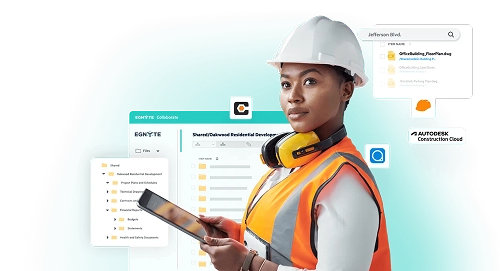
Centralize project data to improve collaboration and keep construction workflows running smoothly.
Let’s jump in and learn:
Construction management software is a platform that automates and digitizes the work of running a construction project. It handles bidding, budgets, schedules, document control, quality and safety, vendor management, materials tracking, and field communication.
It is used by builders of every size, from single-office contractors to multi-national general contractors with commercial and residential portfolios. The software replaces paper plans, email chains, and disconnected spreadsheets with one system that field and office teams access from any device.
Most construction management software is cloud-based and accessed through a desktop browser or mobile app. A typical project day runs through it like this:
Because the data is centralized, owners and GCs can see project status without calling a meeting, and audit-ready records (who changed what, when, and why) accumulate automatically.
General contractors and smaller builders rely on construction management software to standardize how every project runs. The common use cases:
For small businesses, the value is automation of paperwork that would otherwise consume a project manager's day. For larger GCs, the value is the same workflow running consistently across dozens of active sites.
Subcontractors use construction management software to protect margin and avoid unpaid work. The platform records what was assigned, what was completed, and what was changed, so subs can invoice with documentation behind every line item.
Day to day, subs use it to:
The result: fewer disputes, faster payment cycles, and less "free" work absorbed into the next change order.
Owners and developers use construction management software to maintain oversight without being on site. Three things drive ROI for the owner:
For GCs, the same three drivers translate into margin: fewer field hours spent on coordination, fewer trips back to the office for paperwork, fewer change-order disputes, and faster closeout. Industry studies consistently link rework to 5–10% of project cost; cutting it in half by working from current information is the most direct ROI lever the software provides.
The largest source of avoidable downtime on a construction project is not field productivity — it is the time crews wait for information that lives in a system they can't reach. A foreman waits on a drawing trapped in someone's email. An estimator rebuilds a takeoff because the latest spec is in a different platform. A PM redoes a submittal because the as-built photos are on a phone that wasn't backed up.
Construction management software reduces this kind of downtime in three ways:
Egnyte's role in this is the governed content layer underneath the project management platform — drawings and large CAD/BIM files are accessible directly from the file system via a mapped drive letter, without downloading the full file locally. Field and design teams open files at native speed, version history is preserved, and external references in drawings do not break when files are moved or renamed.
For a deeper look at file sharing for AEC firms, see Architecture File Sharing
The features that matter most are the ones the field will actually use. Evaluate against:
A platform that scores well on the first four but fails on file performance will be abandoned by design teams. A platform that handles files well but lacks audit logs will fail owner and compliance review.
It is used to coordinate field and office work on a single platform — daily logs, RFIs, submittals, drawings, photos, schedules, and budgets. In a typical day, superintendents update logs from the jobsite, foremen access the current drawing set on a tablet, subcontractors receive punch list and inspection notifications, project managers route approvals, and owners check schedule and budget status without a meeting. The platform replaces email chains, paper plans, and disconnected spreadsheets with one searchable system of record.
It improves ROI through three direct mechanisms: fewer hours spent on coordination and rework, fewer change-order disputes because every change is documented as it happens, and faster project closeout because audit-ready records accumulate automatically. Rework alone is widely linked to 5–10% of total project cost in construction, most of it caused by teams building from outdated information. Centralized drawing version control and a single project file repository directly attack that loss.
The fastest way is to consolidate project files, drawings, and communications into one system that the field can reach from a tablet or phone, and to integrate that system with the CAD/BIM, estimating, and accounting tools already in use. Most field downtime comes from waiting on information stuck in a system someone else owns. Construction management software paired with a governed file storage layer (such as Egnyte) lets teams open large CAD and BIM files at native speed via a mapped drive letter, preserves version history, and keeps external drawing references intact when files move — so design changes don't break downstream work.
Construction management software covers the full project workflow — scheduling, budgeting, bids, RFIs, submittals, daily logs, and document storage. Construction document management is the document control function within that broader workflow: storing, versioning, permissioning, and auditing project files. Most construction management platforms include document management, but firms running heavy CAD/BIM workflows typically pair them with a dedicated file system (Egnyte, for example) that handles large files and drive-letter access for design teams.
Yes, if the platform supports offline access or cached file sync. The field user opens the file once on the device, and the platform keeps a local copy that syncs changes when connectivity returns. For large CAD and BIM files, look specifically for streaming or on-demand access rather than full-file download — otherwise a 2 GB model on a slow jobsite connection is unusable.
Both. Small builders use it to automate paperwork that would otherwise consume a project manager's day — bids, daily logs, change orders. Large GCs use it to run every project on the same standardized workflow across dozens of active sites. The functionality is the same; the value lever is different. For owners, the driver is oversight and audit; for subcontractors, it is documented work and faster payment.
Most construction management platforms store and link to CAD and BIM files but do not author them. For design firms and GCs working heavily in Revit, AutoCAD, or Navisworks, the file storage layer matters as much as the project management layer. Egnyte maps cloud storage to a Windows or Mac drive letter so design teams open CAD and BIM files at near-local speed without downloading them, preserves version history, and protects external references when files are moved or renamed.
Egnyte has experts ready to answer your questions. For more than a decade, Egnyte has helped more than 22,000+ customers with millions of users worldwide.
Organize and share construction files to improve collaboration and reduce errors.

Centralize project data, improve collaboration, and securely manage construction workflows at scale. [getnavattic.com]

Clarify requirements to improve quality and reduce risk. [getnavattic.com]
How MOMA Therapeutics uses Egnyte to facilitate collaboration, centralize content and preserve data integrity.
Access and co-edit Word, PowerPoint, and Excel files from Egnyte.


