









Featured eBook

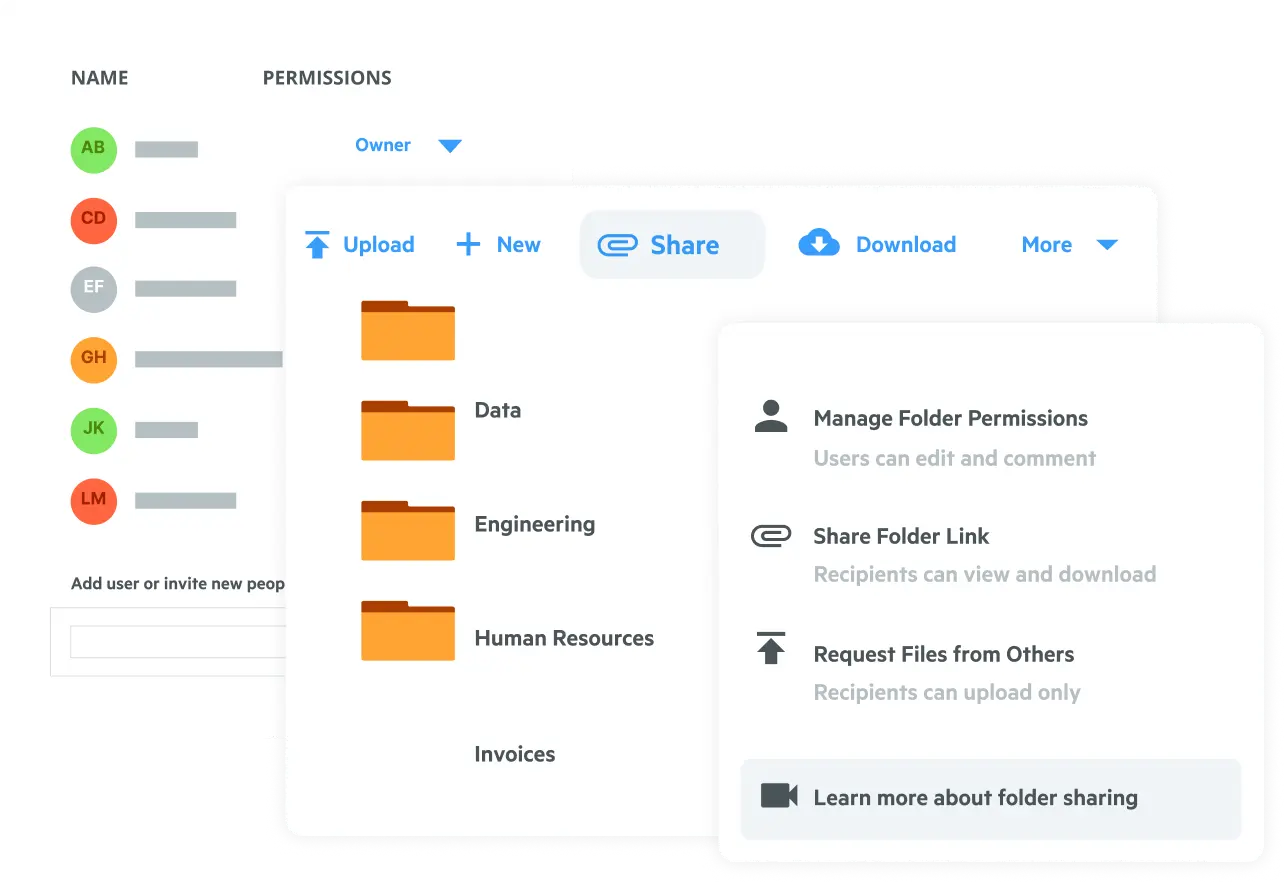











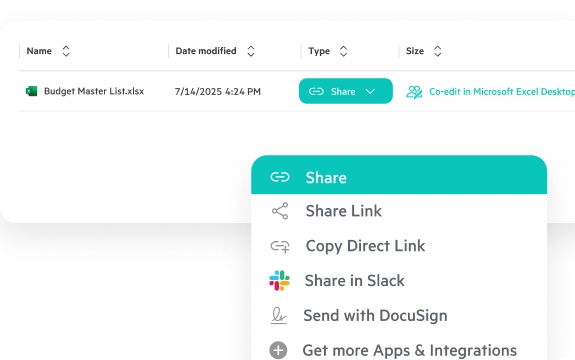
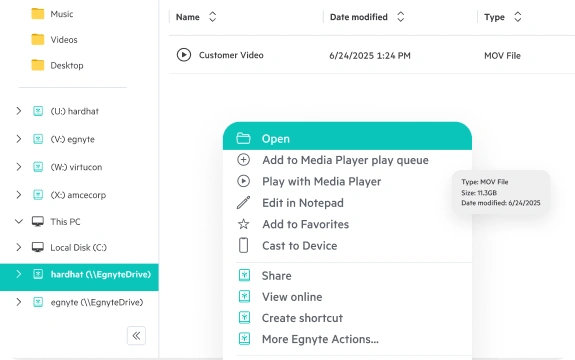
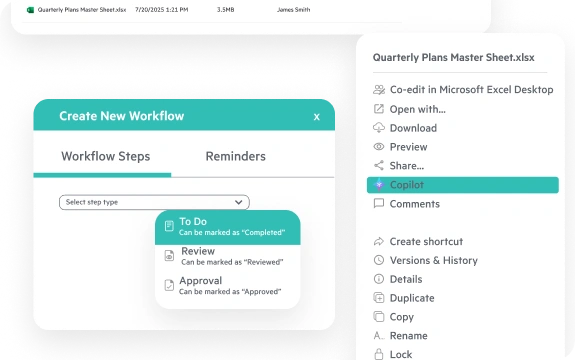
Collaborate on mission critical content with secure sharing for all content in Egnyte from your browser, phone/tablet, or desktop. Access and collaborate on files from a variety of applications right from a locally mounted Mac drive or from a mounted drive letter on a Windows machine. Leverage seamless co-editing support in M365 (browser or desktop) and Google Workspace applications for streamlined execution.
Collaborate on massive, multi-gigabyte files and non-cloud-native content at full performance with Adaptive Block Caching while minimizing sprawl.
Reduce time spent chasing down approvals, reviews, and signatures for critical projects. Leverage e-signature and PDF markups directly within Egnyte, and automate document collections, reminders, and progress tracking to execute faster. Leverage a growing suite of AI functionality to speed up execution, automate tasks, and reduce manual work.
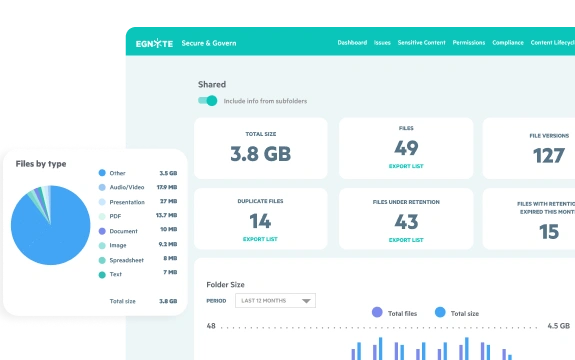
Improve your organization’s security posture by centralizing governance in one unified repository. Use comprehensive controls to protect against ransomware, remediate issues, and ensure compliance across third-party cloud and on-premises data stores.

"Not every user that needs project data needs to be in ACC. We wanted to have that data readily available in a Windows File Explorer experience that they're accustomed to seeing.”

"We’re a professional services firm, so time is money. With Egnyte, we’re no longer spending hours each day downloading giant files—and we’re saving a ton of money as a result.”

"Egnyte is superior for sensitive content detection, detecting ransomware, collaborating on files, user experience and the rest—full stop.”

"Once we moved to Egnyte, our civil engineers breathed a huge collective sigh of relief. People are thrilled not to have to operate over VPN or deal with bottlenecks anymore.”

"Egnyte helps us do a lot more than just store files. It’s a true back-end solution for us.”
Want to see what Egnyte has for your organization?
“Egnyte checked all the boxes. It performed well, was extremely scalable, and had a great, feature-rich user interface.”

Edward MielcarekManaging Director, IT Operations • Clearstead
Have more questions? Contact Sales to get the answer you’re looking for.
A strong cloud file server replicates the Windows file server experience—NTFS-style permissions, mapped-drive desktop access, and Active Directory integration—while adding the security, governance, and remote accessibility that on-premises infrastructure can't deliver. Egnyte provides a familiar Windows drive-letter and Mac mounted drive experience, end-to-end encryption, and centralized governance across both on-prem and cloud content, accessible from anywhere without requiring a VPN connection.
Large distributed teams need consistent, high-performance file access regardless of location or network conditions, with a single permission model enforced across every office, region, and remote user. Egnyte delivers a mapped-drive desktop experience that behaves like a local file server, with adaptive caching for fast access to large files from low-bandwidth locations. Real-time co-editing in Microsoft 365 and Google Workspace, with granular NTFS-style permissions enforced uniformly across web, desktop, and mobile, supports collaboration across time zones without version conflicts.
The key is replicating the file server experience in the cloud so employees don't notice the transition: a Windows drive-letter or Mac mounted drive presents cloud content through the familiar interface teams already use, eliminating retraining. Egnyte preserves existing folder structures and NTFS-style permissions during migration so access rights carry over without manual reconfiguration, and direct integration with Microsoft 365 and Google Workspace means users continue opening, editing, and saving files in the same applications throughout the cutover.
A successful on-premises-to-cloud migration preserves folder structures, permission hierarchies, and user workflows without disrupting operations. Egnyte supports self-service migration of files, folders, and NTFS-style permissions so IT can replicate the existing folder structure in the cloud without rebuilding access rights from scratch. Migration can be staged by department or file server for lower risk, and post-migration organizations gain audit logging, sensitive data classification, and ransomware detection—governance capabilities on-premises file servers can't provide.
Organizations unable to move all content to the cloud—due to regulatory requirements, data residency rules, or compliance mandates—need a platform that unifies governance, search, and access controls across both environments without forcing a full migration. Egnyte's unified repository connects on-premises and cloud content in a single interface with consistent folder structures and permissions, so regulated industries can maintain required data controls while expanding cloud collaboration. The result is a coherent governance posture across all storage environments from one management console.
VPN-based file access introduces latency, connection drops, and multi-step authentication that slow down remote and hybrid workers—especially when opening large or complex files. Replacing VPN with a cloud desktop app means employees get a mapped Windows drive letter or Mac mounted drive that behaves like a local file server, without a VPN dependency. Egnyte's desktop app delivers this experience with performance optimized for large files on low-bandwidth connections, and integrates directly with Microsoft 365 and Google Workspace so existing workflows remain intact.
Managing shared drives during a file server migration requires carrying over the permission hierarchies and folder structures users depend on, while transitioning to a system with broader access and stronger governance. Egnyte replicates familiar shared drive structures in the cloud—accessible via Windows drive letter, Mac mounted drive, or browser—with NTFS-style permissions that transfer cleanly from the on-premises environment. Automated migration handles file transfer incrementally by department or project, reducing the operational risk of a full cutover.
Ready to improve productivity? Egnyte’s AI-powered cloud enhances collaboration, automates
workflows, and secures your mission-critical content.