August Release Rollup: Configuration Agent, AI Workflows, and More
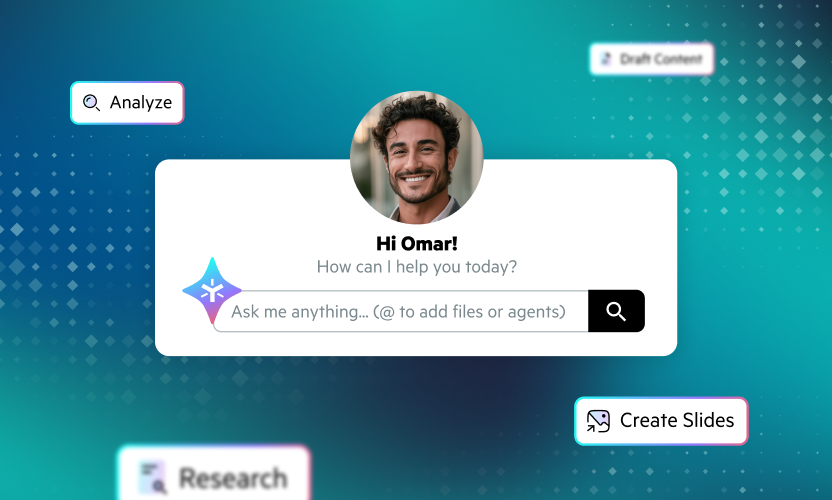
The August release brings significant advances across Egnyte, making AI more actionable, connected, and easier to use across everyday workflows. Key updates include the new Configuration Agent, AI-powered agents in workflows, enhanced AI Assistant capabilities, and expanded support for connecting AI tools through Egnyte MCP Server.
The release also introduces bulk extraction for generating metadata at scale, expands Desktop App capabilities across Mac and Windows, strengthens governance and security with new administrative controls, and delivers usability improvements across search, file management, migration, and industry-specific workflows.
Join the Egnyte Community to get the latest updates, chat with experts, share feedback, and learn from other users. Here's everything that's new.
Collaboration
Mac Desktop App
- Adaptive Block Caching (ABC) general availability: Adaptive Block Caching (ABC) is now generally available, delivering faster file access and smoother performance by intelligently streaming and syncing file blocks, rather than large/complex files in their entirety.
- Upload Status floating bar: The floating status bar on Mac now provides persistent visibility into in-progress uploads, while allowing users to close the window without interrupting uploads.
- Application UI: We redesigned the Mac Desktop App UI with unified Sync & Storage views for uploads, locked files, skipped items, connected folders, and offline folders, plus clearer account-to-drive mapping.
Windows Desktop App
- Egnyte Actions menu: We simplified Egnyte Actions by updating the right-click menu with clearer integration access, empty-space clicks, and properly sized submenus. The menu now matches our Mac desktop app.
- "Map drive access only" restrictions: Enforce map-drive-only restrictions consistently across Desktop App by hiding or disabling browser-based actions, preventing restricted users from accessing the web interface.
- AI Assistant in the main app window: Access AI Assistant directly in the Desktop App’s main window, preserving selected files and folders as context for a more consistent in-app AI experience.
- Custom Access URL fallback for restricted networks: Improve Desktop App connectivity in restricted networks by automatically falling back to the regular domain when Custom Access URL connections fail, with username-based SSO sign-in.
Web UI
- Row-level actions in search results: Egnyte now offers row-level actions directly in search results, enabling users to quickly share, edit, download, move, or copy files and folders with fewer clicks.
- Persona-based onboarding for existing domains: Persona-based user onboarding now delivers tailored, guided journeys for Admins and Power Users, with progressive tasks personalized by role, industry, and plan to accelerate adoption.
- Bulk extraction audit reports (limited availability): Extraction Reports give admins detailed visibility into bulk extraction jobs, including actions, locations, status, and outcomes, for easier monitoring and oversight.
- Bulk extraction updates (limited availability): Bulk extraction now offers clearer job status visibility, reactivation, timestamps, lifecycle controls, tag visibility, draft deletion, and more informative processing messages for easier job management.
- Next-generation adaptive and automated workflows: Design intelligent document-centric workflows with a revamped builder experience, conditional logic for added power, and AI-based steps that help reduce manual triage and intervention.
- Enhanced Homepage for streamlined navigation: Experience a redesigned homepage with personalized access, unified search and AI Q&A, contextual AI actions, tabbed navigation, and a cleaner layout across Web and Desktop App.
- Egnyte Sign—autoplace fields with structured inline tags: Use structured inline tags to automatically place Egnyte Sign fields in documents, simplifying signature workflows and supporting programmatic document generation without templates or manual field placement.
- PDF Editor—copy/paste annotations from one PDF to another: Copy and paste PDF annotations across documents, including comments, shapes, scales, and markups, reducing repetitive work when applying consistent feedback across recurring files.
- Quick View for shared and received links: Quickly view shared file links to access content, verify sharing activity, and manage links with greater ease.
- Right-to-left (RTL) layout support with Arabic and Hebrew localization: Egnyte now supports Arabic and Hebrew with full translations and right-to-left layouts, giving users a localized interface aligned with their language and reading direction.
- Pin projects to top in Project Center: Pin frequently used projects directly from Project Center or Project Dashboard for quicker access, with pinned projects automatically appearing at the top of the Project Center list.
- Terms of Access in Document Rooms: Configure Terms of Access for Document Rooms to support compliance when sharing sensitive information, with external stakeholders required to review and accept terms before access.
Mobile App
- iOS App:
- AI connectors: Use external app connectors directly in AI Assistant on mobile, with a source selector for connected apps and richer responses combining Egnyte content with external data.
- Share AI Assistant chat links: Share AI Assistant conversations with secure, shareable links, allowing authenticated colleagues on the same Egnyte domain to view transcripts and continue conversations privately.
- AI-powered search: Find files using conversational queries, with AI automatically translating natural-language requests into structured search filters such as file type, date range, and more.
- Project Center: Access Project Center on iPhone and iPad, bringing project folders into a single dashboard for faster access to active work without navigating nested folder hierarchies.
- HEIC/HEIF image upload: Upload photos in native HEIC or HEIF format, preserving original image quality and metadata without automatic conversion to JPEG.
- Updated sign-in flow: Sign in to Egnyte for Intune iOS with a new welcome screen for commercial and GCC High tenants, followed by streamlined Intune enrolment and app restart.
- Service Principal registration: Automatically register the Egnyte for Intune iOS Service Principal in Microsoft Entra ID on first use, eliminating manual setup while retaining admin consent requirements.
- Conditional Access support: Enforce Microsoft Entra ID Conditional Access policies at sign-in and whenever the app returns to the foreground, applying policy changes without requiring users to sign out.
- GCC High tenant support: Intune iOS app now supports GCC High tenants, providing dedicated authentication through the GCC High Microsoft identity platform and resolving previous sign-in failures.
- Android App:
- AI Connectors: Use external app connectors in AI Assistant on mobile, with a source selector to control connected apps and combine Egnyte content with external data for richer answers.
- Share AI Assistant chat links: Share AI Assistant conversations with secure links, allowing authenticated colleagues on the same Egnyte domain to view transcripts and continue conversations privately.
- Search enhancements: Refine Android Search with an auto-suggest updated by filter, custom date ranges, geolocation, and content filters, plus AI-powered conversational search for domains with the AI add-on.
Intelligence
AI Assistant
- AI auto-tagging for Project Template folders: Project Templates now automatically apply Smart Tags when folders are added, modified, or removed, with notifications, tag review, and downloadable reports for easier management.
- Agent step in next-generation workflows: Add an agent step to workflows to bring AI based automation into processes for added flexibility.
- Retention of Web Search preferences: AI Assistant now remembers Web Search preferences across new chats, eliminating the need to re-enable the setting while keeping it disabled on new browsers or devices.
- Gemini Enterprise in MCP Server: Egnyte MCP Server now supports Gemini Enterprise by default, simplifying deployment and providing secure access to Egnyte content without additional configuration.
- Knowledge Base creation with pre-configured agent template: Streamline Knowledge Base creation with a preconfigured template in the Agents creation flow that provides greater flexibility, extensibility, and AI-powered interactions.
- Image search and readability for Agents (limited availability): Automatic image caption generation is now generally available, enriching newly uploaded images with descriptive captions to improve searchability and AI-powered responses without manual tagging.
Governance
- Configuration Agent: Use the Configuration Agent to assess and configure Secure & Govern policies using plain language, with administrator approval required for every suggested action and full audit trail tracking, enabling you to maximize cybersecurity protection.
- Unusual Access severity scoring update: Unusual Access severity scoring provides more meaningful risk differentiation, using activity type, user role, watchlist status, and deviation from normal behavior to calculate scores.
- High-priority Purview labels: Set higher-priority Microsoft Purview labels to override manually applied labels, maintaining consistent classification and supporting compliance by ensuring higher-priority labels take precedence.
- External replication—sync delete for Azure Blob destination (limited availability): Extend Azure Blob sync controls with an option to synchronize source deletions to the destination, providing greater control over how deleted content is handled.
- Automatic removal of Microsoft Purview sensitivity labels: Automatically remove Microsoft Purview sensitivity labels from files when corresponding labels are deleted from Secure & Govern, preserving version history and recording removal activity.
- AI-generated issue analysis and recommendations: Analyze Secure & Govern issues with AI to understand detected activity, severity, impact, and recommended next steps, with summaries refreshable as issues are updated.
- Skip files under retention for archival and deletion: Skip files under Retention Policies or Legal Holds when processing Archival or Deletion policies, preventing retained content from being archived or deleted.
Platform
Industry
- Create a new study from an existing study template: Duplicate the configuration of existing studies to create new studies, including country/site and artifact settings, with all creation and duplication activity captured in the audit log.
- Delete inactive countries and sites: Delete inactive countries and sites from study configuration when no associated documents exist, providing Study Managers and Administrators greater control over study setup.
- Add GXP-approved documents directly to eTMF: Upload approved GXP Collaborate documents directly to eTMF, automatically appending the approval page and signatures to preserve complete chain of custody.
Migration
- Asynchronous Copy for faster large-scale migrations: Egnyte’s new Asynchronous Copy mode delivers faster, high-throughput migrations while reducing memory usage, enabling efficient migration performance on systems with as little as 16 GB RAM and 8 CPU cores.
Learn more from our Help Desk articles, or reach out to your account representative for a quick demo. And don’t forget to join the Egnyte Community for the latest updates, expert tips, feedback, and user insights.