Turn Busywork Into Real Work With Egnyte’s AI
It’s Friday afternoon, and you need a quick team update. Five minutes, tops, right? You ping Slack. A few people reply, a few don’t. So, you schedule a “quick sync” to get everyone on the same page. Two hours later, you’ve spent your afternoon chasing updates instead of doing actual work. And you’ll do it all over again next week.
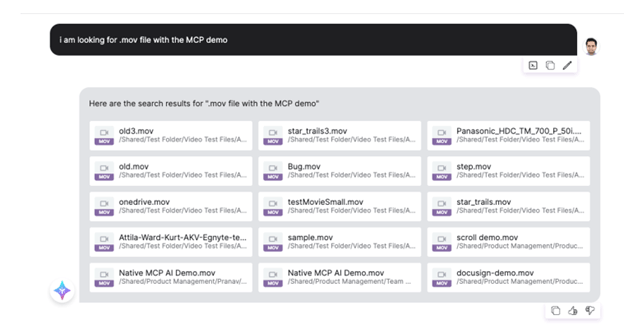
Now picture this. You’re collecting product demo videos for an agency. Easy task until you find ten versions scattered across folders, all named “final_v3_realfinal.mp4.” By the time you sort, rename, and watch them, you’ve spent more time managing files than creating anything useful.
Sound familiar? You’re not alone, it’s a pain shared across departments:
- AEC: Teams dig through shared drives to find the latest design changes before making client recommendations.
- FinServ: Analysts comb through endless Excel and PDF reports to prep for meetings.
- HR: Managers search for updated policies and performance reviews to plan training programs.
- Marketing: Teams juggle decks, copy drafts, and assets to build reports or spot trends.
It’s draining, it’s boring, and it kills productivity. In fact, we lose 28% of the week to admin work, according to McKinsey. That’s a full day spent just searching for stuff.
It's Time to Reimagine the Way We Work
Now, imagine you’ve got an assistant who does all those tasks for you. One that finds files, crafts instant summaries, delivers fast, secure answers, and lets your team stay focused.
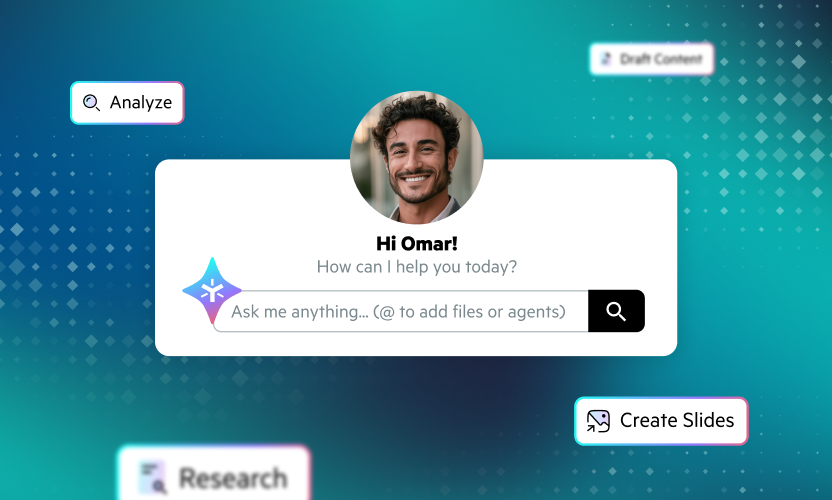
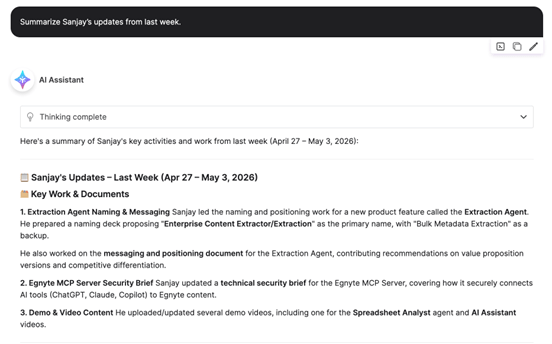
Just ask in plain English: “Summarize all Word docs Jon updated last week.” Seconds later, you’ve got a clean summary with links to every file. No chasing, no confusion, no wasted time. That’s AI Assistant, your digital teammate that’s always on call, ready to answer your questions or find what you need.
Smarter Search, Better Context
AI Assistant now delivers faster, smarter results. AI Assistant understands both natural language and file metadata, automatically detecting context such as file type, author, and timeframe. As always, you only see files you’re authorized to access.
And it now recognizes filters directly in your queries, such as:
• File type: “Find all Word docs” or “Show me the PPTs.”
• Username: “What did Greg modify last week?”
• Modified date: “Analyze and report sales performance from October.”
• Upload date: “Find all FinServ customer case studies added in the last two weeks.”
No more digging through folders or guessing keywords. Just ask, and AI Assistant delivers exactly what you need.
Built for Real Work, From Project Sites to Finance Desks and Business Teams
With natural language search, AI Assistant finds what you need, answers key questions, and understands context. That means teams spend more time on important work and less on admin tasks. Let’s see how different teams can put it to use.
- AEC project manager: Stop digging through shared drives or chasing architects for updates. Ask AI Assistant to, “Summarize Revit files updated last week by the design team,” or “Find CAD drawings modified in the last 10 days.” AI Assistant gives you a quick project snapshot showing what changed, who updated it, and what’s new. Whether you’re reviewing progress or preparing a client meeting, AI Assistant keeps your project on track without slowing anyone down.
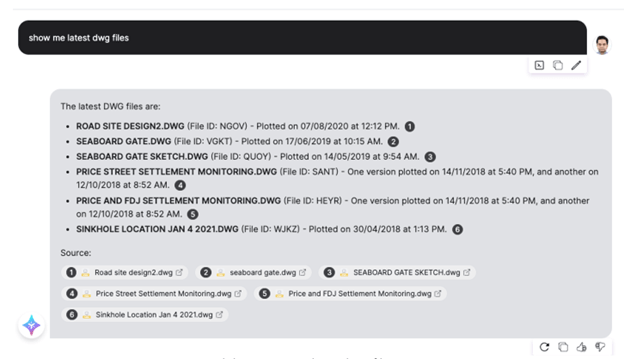
- Financial analyst: Skip the endless search for spreadsheets and PDFs before your next client call. Ask AI Assistant to “Summarize Excel files updated by the research team last week,” or “Find PDFs uploaded in October tagged ‘Client Name.’” AI Assistant gathers the latest reports, links every data source, and helps you build summaries or investment recommendations while keeping all client data protected within Egnyte’s permission settings.
- HR manager: Stay on top of policy updates and performance reviews with simple prompts. Ask AI Assistant to “Show me Word docs uploaded last week tagged ‘benefits policy’ and highlight what changed in insurance coverage.” AI Assistant quickly identifies what’s new so you can communicate changes, plan employee sessions, and stay compliant without getting buried in documents.
- Marketing manager: Keep your campaigns running smoothly by asking AI Assistant to “List and summarize product launch assets created this month,” or “Summarize social media performance reports tagged ‘Q4 launch.’” AI Assistant instantly gathers creative files, highlights campaign updates, and surfaces insights so you can focus on strategy, content, and results.
And Here’s the Best Part
Drudgery is banished, and you’re no longer the bottleneck. No more Slack chases or emergency syncs, just instant answers whenever you need them, pulled securely from your files. AI Assistant quietly handles the coordination while you focus on the work that matters, creating, building, analyzing, and innovating.
Because work’s a lot more satisfying when you’re doing it, not just organizing it.
Excited to experience AI Assistant? Contact your sales representative or sign up for a free trial.