Image
December Release Rollup: Model Selector, Splunk Integration, and More
We’re excited to share new updates and enhancements for December, including:
- AI model selector
- Workflow triggers
- Microsoft SharePoint embedded coediting integration
For more info on these updates, see the list below and read the detailed articles. Please join the Egnyte Community to get the latest updates, chat with experts, share feedback, and learn from other users.
Collaboration
- Workflow triggers based on specific file operations: Users can trigger workflows on specific file events, like first uploads versus later updates, reducing noise, avoiding false triggers, and aligning automation with business processes.
- New email templates for Egnyte Sign: Email notifications feature a refreshed, modern design with clearer calls to action and a “Report this email” option to help users identify and report phishing attempts.
- iOS App homepage: Users can now customize the Egnyte iOS app homepage with widgets for files, tasks, Egnyte Copilot, and projects. They can also reorder, resize, hide, and personalize their workspace.
- Web UI user experience enhancements: The Web UI now feels faster, clearer, and more intuitive. Unified move and copy actions, streamlined sharing, row-level actions, and inline renaming and metadata editing reduce friction in everyday work. Enhanced menus, column filters, modernized table controls, and a redesigned status indicator bring greater clarity and consistency across files, folders, and Project Center, so teams can focus on progress, not navigation.
- Project Center enhancements: Users can easily browse and open project folders directly in the Desktop App for Windows without switching to the browser.
- Inherit folder options to subfolders (limited availability): Users can control how folder settings are inherited by choosing to apply changes to the selected folder only. They can also include subfolders while respecting overrides or override all subfolder settings.
Intelligence
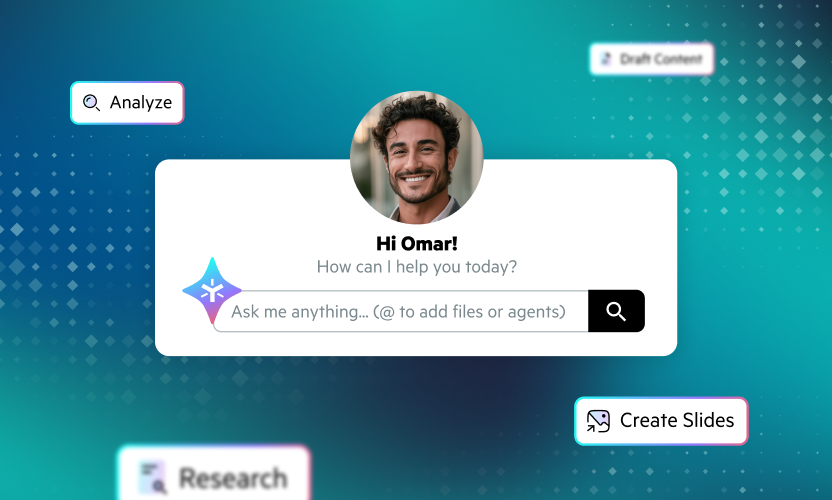
- Model selector: Users now have the flexibility to compare outputs and switch AI models across agents, Egnyte Copilot, knowledge bases, and Ask, choosing the best LLM for each task.
- Quick filters and search in Egnyte Copilot hub: Quick filters and search help users quickly locate agents and knowledge bases, reducing navigation time and improving productivity.
- Natural language file search: Egnyte Copilot better understands natural language metadata queries, delivering accurate results and enabling conversational questions, like finding files a user updated last week, without complex filters or multiple steps.
- Inline citations in Egnyte Copilot and knowledge bases: Users gain greater trust and clarity as inline citations reveal sources on hover, open referenced documents, and provide detailed source lists for transparency and consistency.
- Egnyte Copilot Chat (Android): Android users can now find files, get answers, and complete tasks through a conversational interface with Egnyte Copilot Chat.
- Voice input for AI chats (Android): Voice input is supported in AI chats, allowing users to speak prompts for document Q&A, summarization, and knowledge base interactions.
Governance
- New API for sensitivity labels: Support for Microsoft Graph sensitivity label APIs allows authorized Microsoft 365 content sources to import additional Purview labels after updating Entra permissions with no changes required in Egnyte.
- Unified and simplified migration and replication experience (limited availability): A new Migrate & Replicate experience in Secure & Govern provides a centralized interface to view, add, and manage migration and replication jobs.
- Folder-level controls for admins only (limited availability): Admins can restrict folder deletion, moving, or renaming to admins only, helping prevent accidental changes and meeting security and compliance requirements.
Platform
- MS Power Automate—support for AI-driven actions: Egnyte and Power Automate integration supports AI-driven actions, allowing users to ask questions, generate document summaries, and interact with Egnyte Copilot within automated workflows.
- Splunk integration—new unified integration (limited availability): A unified Splunk integration combines Collaborate and Secure & Govern. A guided setup simplifies enabling HEC, generating tokens, and configuring endpoints.
- Microsoft SharePoint Embedded (SPE) coediting integration: The integration introduces mentions, sensitivity labeling, Excel sheet linking, cross-platform coediting, and an admin setup wizard to streamline collaboration and configuration.
- Quick filters and UI improvements available in Trash: Admins and power users can efficiently view, search, and restore deleted items by category within Trash.
- Migration App—option to validate folders (limited availability): Users can now validate folders—including empty ones—during project validation, with detailed statistics available in the command overview and validation report.
- Migration App—new features and enhancements: Users can validate folders, including empty folders, during project validation, view detailed statistics in reports, reference Migration IDs, upload CSV files for permission mapping, restrict job creation to authorized users, and sync permission deletions.
Learn more from our Help Desk articles or reach out to your account representative for a quick demo.