Forums
For Partners
Support
Customer Login
Questions? 1-877-734-6983

How it Works - Overview

Egnyte Cloud File Server is the only online file storage service that addresses three of your critical business needs - online file storage, file sharing and computer backup - in one secure, easy-to-use solution. Egnyte eliminates the need to purchase and maintain servers, virtual private networks (VPN) and point-products such as FTP.

Illustration of Egnyte Cloud File Server Overview

Egnyte's extensive file sharing and collaboration capabilities allow users to securely share files with co-workers, customers and business partners. Egnyte users can access files from anywhere using any PC, Mac, iPAD, or smartphones such as the iPhone or Blackberry. Flexible file upload and download options simplify the transfer of large files. Egnyte replaces complex and expensive FTP servers and, unlike FTP, provides secure and private file exchange without setting up unique FTP access for each party. With Egnyte sending a file of any size is as simple as emailing or posting a link.

Hybrid Cloud Storage

Egnyte's hybrid cloud technology combines the accessibility and flexibility of cloud storage with the robust performance offered by local storage. By automatically detecting and synchronizing changes to files on either the local drives or in the cloud, Egnyte ensures that users have reliable and fast access to the files they need wherever they are.

Illustration of Egnyte's Hybrid Cloud Storage

The Local Cloud is the foundation of Egnyte's hybrid cloud technology and can be installed on a range of hardware such as laptops, desktops, NAS devices, or any existing server. The Local Cloud provides access at LAN speeds and the ability to access files even when there is no internet connection.
Learn More

Online file storage and sharing with secure, permission-based folders

The Egnyte Cloud File Server is an easy-to-use solution for securely storing your business files online, enabling effortless collaboration between you and your clients, regardless of location. Establish permission-based folders customized to your business needs and store files of any type or size for secure access from anywhere. Use your browser to retrieve files, or map the Egnyte Cloud File Server as a network drive for convenient file drag, drop and edit capabilities (Windows, Mac, and Linux compatible).
Learn More

File sharing, version management and access controls

Egnyte provides numerous capabilities to promote file sharing between your employees and your trusted business partners. File sharing can be as simple as sending out link to a file or designating a public folder; alternately, you can control file access by requiring users to login with a password and setting read, write and delete privileges on individual folders. File versioning is automatic on the Egnyte Cloud File Server, and when changes are made to either a file or folder, you can be automatically notified via email.
Learn More

File access from desktop, web and mobile devices

Designed for "on-the-go" collaboration with co-workers and clients, Egnyte provides secure anytime, anywhere access to your critical business files from the Web, smartphone (no special apps or downloads required) or via a mapped drive on your desktop. Egnyte works equally well on a Mac or Windows computer.
Learn More

Online and offline file access: Local Cloud

Egnyte's Local Cloud solutions provide local off-line access to files and folders over your office network (LAN) through automatic bi-directional synchronization of the Egnyte Cloud File Server with a local file cache. Local Cloud is ideal for organizations that require LAN-speed access, work on large files, or find themselves at times without access to the Internet.

Local Cloud is available in three versions: Personal Local Cloud, Office Local Cloud, and Enterprise Local Cloud.

Personal Local Cloud maintains a local copy of your files on any local hardware, which can range from a computer hard drive, NAS appliance, to any storage device.

The optional Office Local Cloud utilizes a network-attached storage device on your office LAN. It provides centralized fast access to your files while maintaining all the access permissions defined for your Egnyte Cloud File Server.

Our Enterprise Local Cloud is deployed on any existing hardware as a VMware®-based Virtual Appliance, and provides centralized fast access to your files while maintaining all the access permissions defined for your Egnyte Cloud File Server.
Learn More

Large file transfer

Upload files and folders to the Egnyte Cloud File Server using the built-in, browser-based Java uploader - perfect for single and multi-file uploads - or use the included no-maintenance FTP client for your very largest files (500 MBs or larger). Egnyte also provides Data Migration Services for customers who have large initial data sets that need to be migrated into their Egnyte account.
Learn More

Automatic computer backup

Schedule file and folder backup on your computer during periods of low activity or set it to work on a continual, "real-time" basis. (You also have the option to perform instantaneous backup on-demand.) Data that has been backed up is always available on the Web, and complete restoration of your files and folders is just a click away.
Learn More

Comprehensive file search

The Egnyte Cloud File Server automatically indexes stored files, ensuring that you're able to quickly and easily find any of your files based on keywords, file names or user-added file tags. Powerful built-in search capabilities ensure that you can quickly sort through terabytes of data, while Egnyte helps speed your search by simultaneously matching files to your query as you type.
Learn More

Security and privacy

Egnyte employs world-class data protection technology and tiered security management policies to ensure the integrity and complete privacy of all your critical business files. From centralized administration to encrypted access and 3-way data mirroring, you can rest assured that your data is secure with Egnyte. All data is SAS 70 Type 2, HIPAA and Safe Harbor compliant and our security infrastructure is world-class.

Learn More

Central Administration, User Management, Reporting and Audit

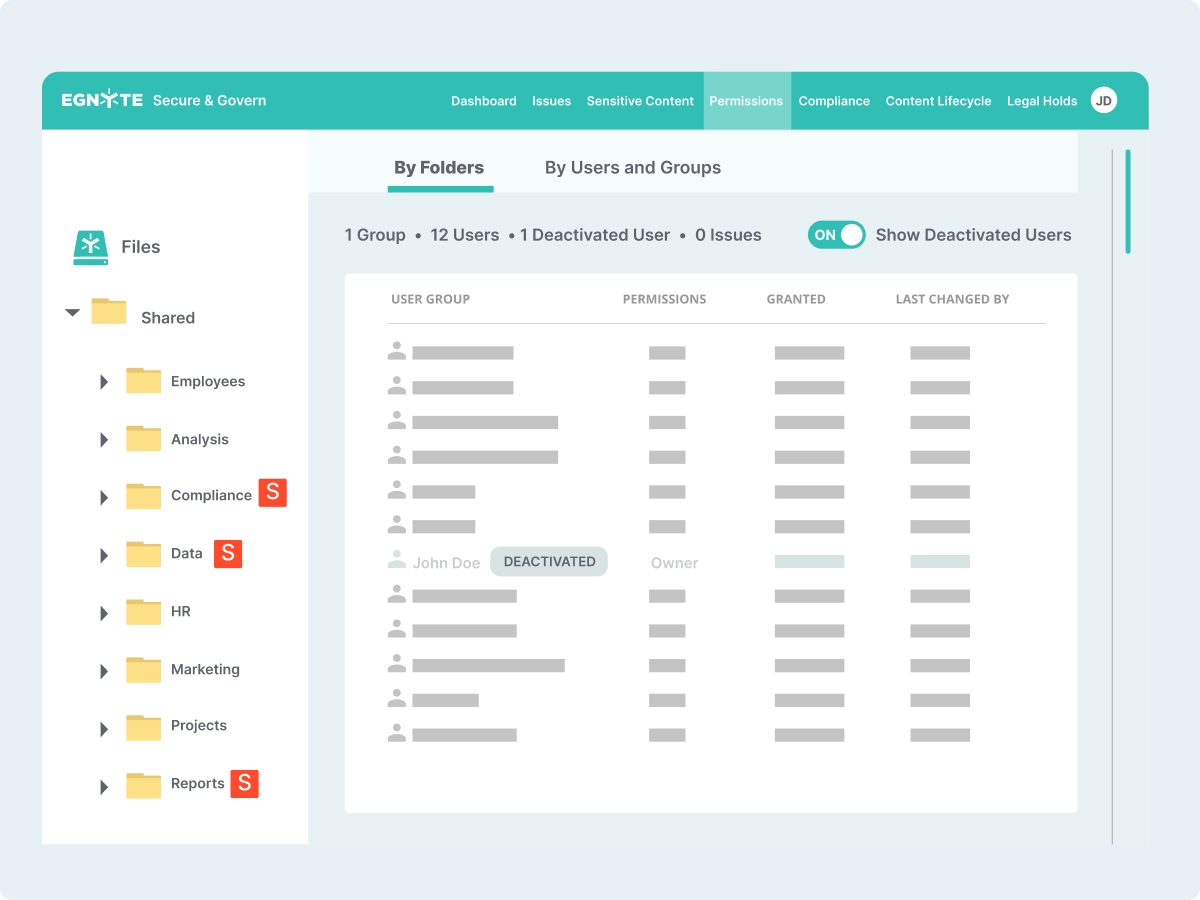
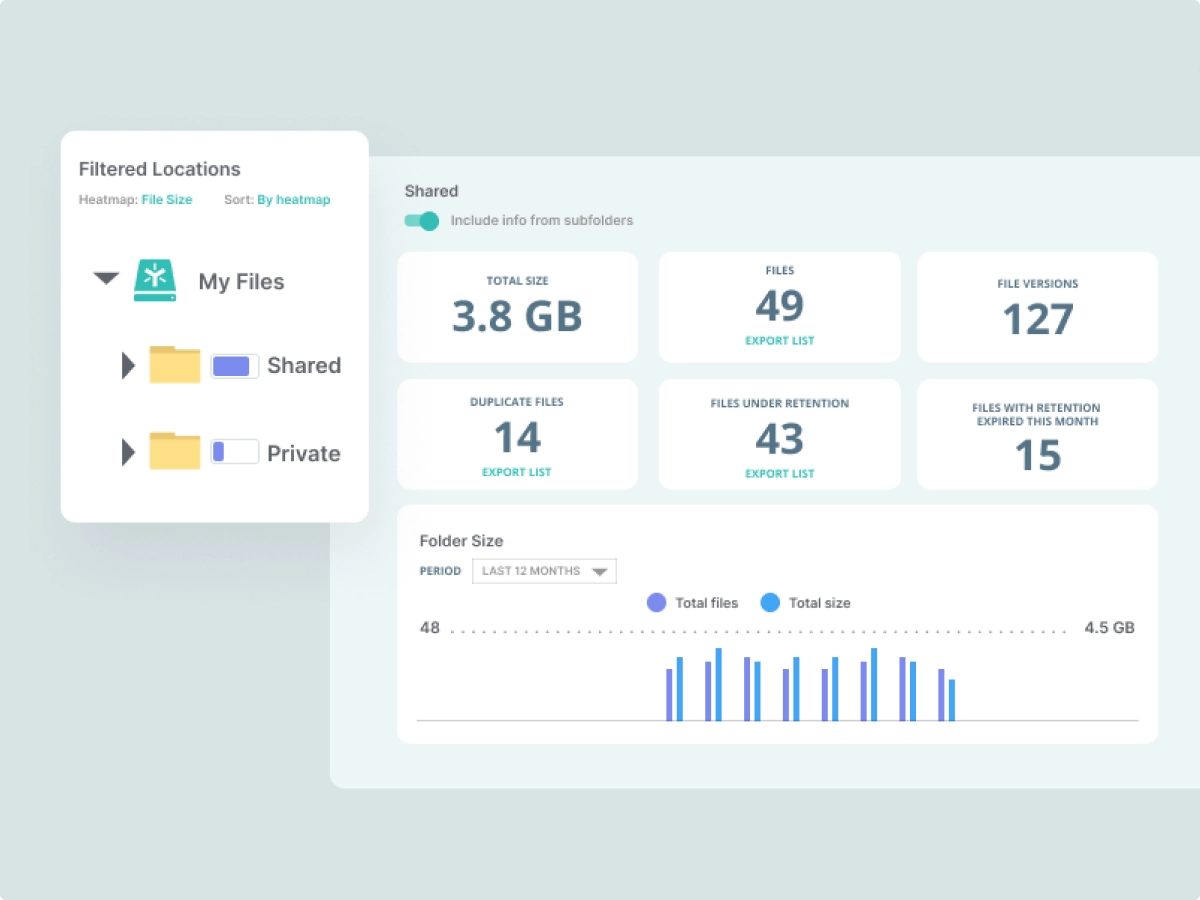
The entire Egnyte solution is managed by a powerful central administration function. Administrators manage users and set folder permissions according to their business needs. Notification is automatically sent to the administrator via email when a change is made to either a file or folder. Egnyte also provides a host of reports and audit information, such as file access history, that allows you to maintain a full view of your company files and user access.
Learn More

Sign up for a FREE TRIAL.  No credit card required!


Egnyte Case Studies

File Server Case Study: EcoMedia
A media company needed a private and secure Web 2.0 solution to network their offices and permit employees to access and share documents.
(PDF Format)

FTP Case Study:
The Vanella Group

Data access and sharing for team members and clients is critical to an enteprise lead generation company's success.
(PDF Format)

Remote Offices Case Study: RestorationSOS
A multi-site company needed a digital data recovery and access solution that would protect business critical data and facilitate collaboration across multiple employees and locations.
(PDF Format)


Download Whitepaper

Egnyte Security Whitepaper
Learn more about Egnyte's enterprise-class security and protection.
(PDF Format)

Free Trial - Sign Up - No Credit Card Required