File Sharing Using an Online File Server
Simple File Sharing, Access Control and Version Management
Egnyte HybridCloud file server provides numerous features to support file sharing and collaboration, enabling distributed co-workers and business partners to work together from one centralized access point.
Egnyte lets users create shared, permission-based folders, which serve as the focal point of a sustained collaborative effort. Folders can correspond to a project, department, or client, allowing both employees and customers to securely access folders from anywhere. Egnyte offers numerous additional collaborative capabilities such as file versioning, locking, file annotations and notifications to promote collaboration between employees and partners.
Users also need to share files on an ad hoc basis or share with a large audience. With Egnyte, employees have the ability to create links and embed them in email, documents and web pages. These links can be used with tools such as Facebook, LinkedIn, Twitter and instant messaging.
- Central administration
- Enterprise-class security
Access
Employees
Use any device, online or offline
Business Partners & Clients
Use any device, online or offline
Business Benefits
- Zero learning curve for employees and business partners
- Access through Windows Explorer and Mac Finder with mapped drive or PC sync
- Intuitive web interface for business partners
- Access files securely from anywhere, with any device
- Robust user permission enforcement to protect critical data
- Rich feature set for sustained collaboration and quick ad-hoc file sharing
- Eliminate complex tools like VPN setup, FTP servers and Sharepoint
- No firewall issues or need for special ports
File Sharing with Employees & Partners
HybridCloud provides powerful, yet simple to use, alternatives for sustained collaboration:
- Shared folders with permissions
- File versioning
- File locking
- File annotation
- File change notifications
Shared Folders with Permissions
Shared folders provide efficient ongoing file sharing. Egnyte enables administrators to setup a central scheme for sharing folders and files with business partners and internal teams. For example, a folder can be created for Customer A and another one for Customer B. Administrators and employees control folder access using granular access permissions (e.g. read only, read/write, move/delete). This ensures that each user can see only the folders intended for their projects and securely access those folders from anywhere.
File Versioning
File versioning ensures that when a change is made to a file stored on Egnyte, a newer version is automatically created and added to the folder containing the earlier version. File versions are time-stamped and include the name of the user who made changes to the file. Instead of simply overwriting an existing file, file versioning maintains a complete document history for auditing file changes made over time and preventing accidental deletions. Administrators can also decide how many versions are retained at any time.
File Locking
The system will automatically lock files when users open them for editing. In addition, users can manually lock and unlock files. Once a file is checked out (or locked), other users can view the file, but cannot edit or upload changes. This ensures that users constantly modify files collaboratively, as opposed to working at cross-purposes.
File Annotations
-
File annotations give users the ability to enter comments on files. File annotations are a valuable tool to support team collaboration by allowing users to capture contextual information as it pertains to a particular file.
File Change Notifications
-
File change notifications are automatically triggered when new files are added to a specific folder, or when existing files are changed. Notifications are sent out to all users who have access to that particular file, indicating who changed the file and the time of the change. A form of change management functionality, file change notifications provide teams with a seamless workflow for changing a file without having to spend time sending emails or communicating on the phone. Users can easily modify if and how often they receive notifications.
Access Shared Files Online Using Browser, Mapped Drive or Mobile Device
Egnyte provides a wide variety of ways in which users can access files in shared folders.
- Native apps for iPad, iPhone, Android and Windows Mobile allow both employees and business partners to access Egnyte HybridCloud with mobile devices.
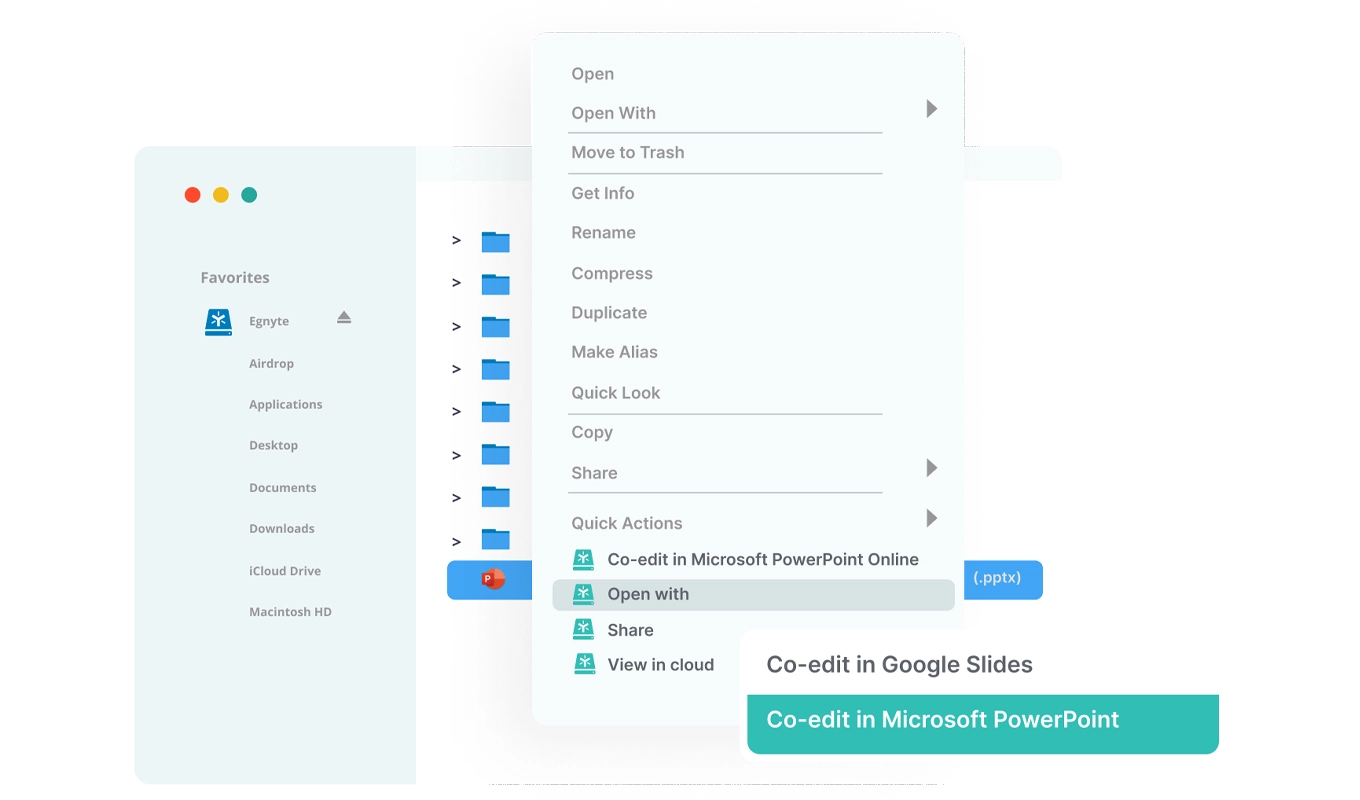
- Administrators can configure Egnyte HybridCloud as a mapped drive for internal teams, enabling convenient file drag, drop and edit capabilities (Windows and Mac compatible).
- All users have access using a standard Web browser on any computer or smartphone.
- Additionally, Egnyte Local Cloud provides continuous file sync, allowing employees to synchronize files with their PC and Mac desktop and make modifications even when they are offline.
- With all access methods, folder-based permissions are consistently enforced.
Fast Ad-Hoc File Sharing
HybridCloud provides simple yet highly secure features for easy one way file sharing.
- File & folder sharing using links (URL)
- Virtual dropbox: file upload widget to receive files ad hoc from a large number of individuals
File & Folder Sharing Using Links
-
Egnyte provides "ad-hoc" sharing features to publish files and folders very quickly without provisioning those users on the file server. File sharing via a link allows employees to create a link (URL) to one or more files or folders that can easily be emailed, embedded in a PDF or Word document or made available on any third-party application or website such as Twitter, Facebook or LinkedIn. Designed specifically for use with large files or when sharing a file with a large number of users, files are automatically downloaded when a recipient clicks on the link; there’s no need to require them to login to Egnyte.
Employees can also generate a public link to folders. This allows a large number of files to be easily downloaded by multiple offices and business partners without logging in.
Links can expire after a chosen time period (e.g. 7 days) or number of clicks. For audit and security purposes, administrators can look at all active file or public folder links and determine which employee created the links. As another option, they can also delete links at any time.
Virtual Dropbox: File Upload Widget
The file upload widget is an easy method for uploading files directly to Egnyte from any website or blog page. An upload widget can be embedded directly in a website and allowing customers or business partners to upload files using a designated widget folder without logging into the Egnyte web site.