Intelligent Block Caching & Streaming
- Stream large files with local-drive speed
- Reduce bandwidth and device demands

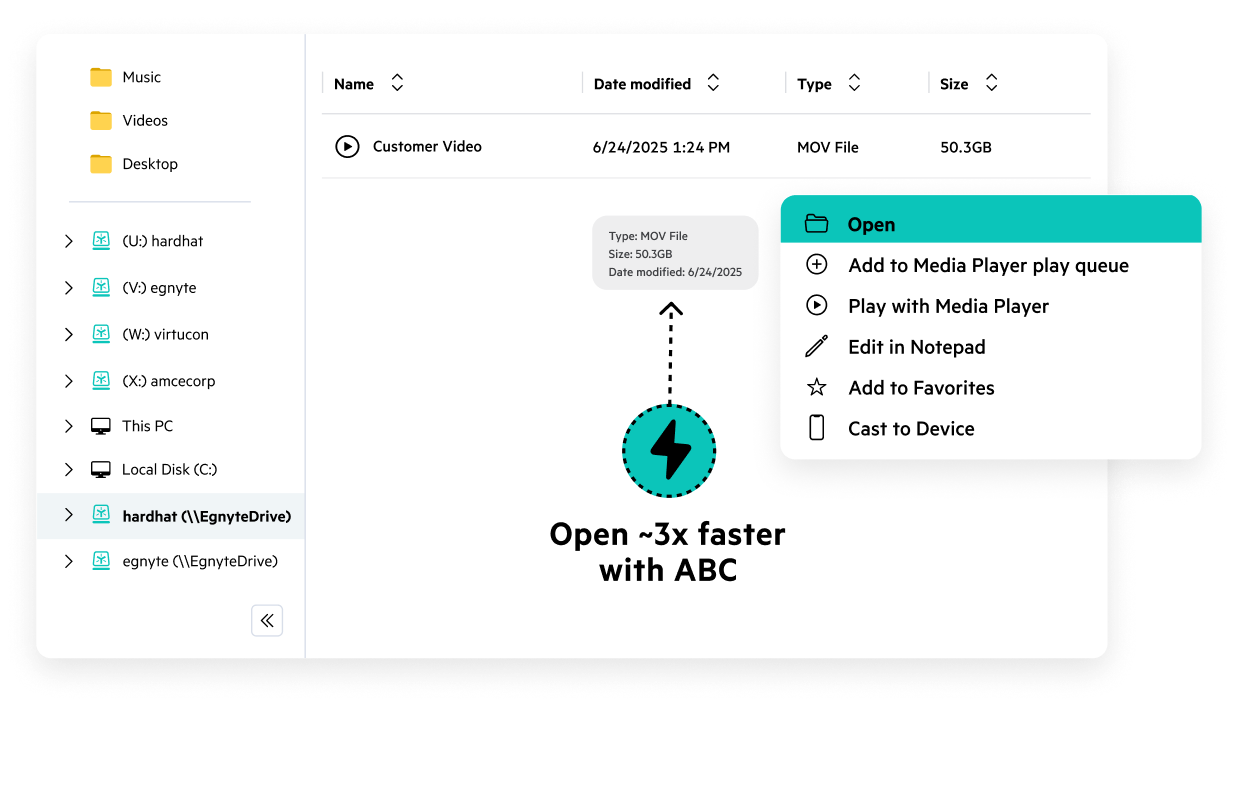



Work on massive CAD, BIM, and video files at local-drive speeds without interruption, while keeping your content secure and governed on one platform.
With Adaptive Block Caching, teams in highly-regulated industries work on massive files faster, stay compliant, and keep sensitive content secure.
MG Engineering reduced their reliance on on-premises servers while still balancing their large amounts of data with Egnyte.
“Once we transitioned to enterprise cloud for our document storage, we were able to work more productively and manage files and workflows much faster, largely because Egnyte handles uploads and transfer of large files really well.”

ALEC replaced slow on-prem servers with Egnyte’s cloud, slashing project startup times while seamlessly managing massive data volumes and hundreds of global stakeholders.
“... we had great synchronization results with Egnyte. We were able to upload and download terabytes of data ... it worked perfectly."
Torcon moved to Egnyte to handle massive project files reliably, enabling seamless remote collaboration for distributed field teams and securing data.
“It was one of the easiest migrations I’ve ever done in my IT career.”

GCL replaced VPNs with Egnyte’s hybrid cloud, granting onsite staff fast access to massive files while securing sensitive data and ensuring GDPR compliance.
"When it came to the more complex scenarios, no one could do it … except Egnyte."
Have more questions? Contact Sales to get the answer you’re looking for.
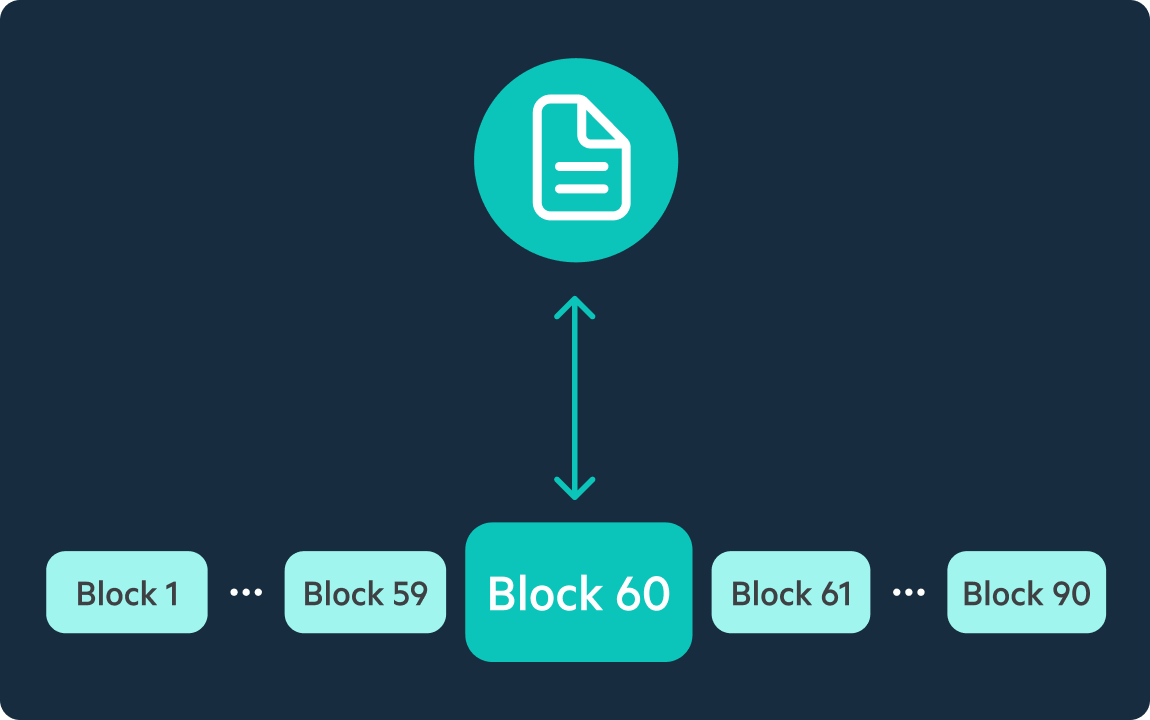
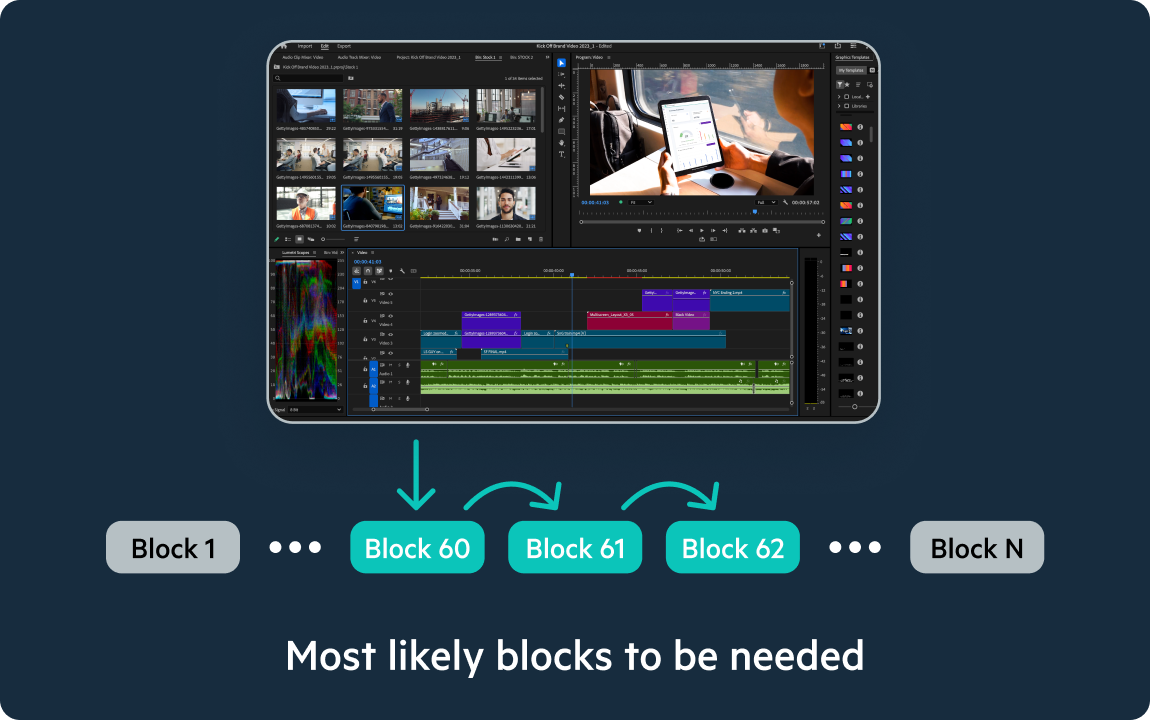
Egnyte does not download the whole file for work to begin. Adaptive Block Caching streams only the blocks you need, in the order you need them as required by the application you are working in. You're opening and working in a file while the remaining blocks load in the background as needed. This is the same block-level architecture underlying what the industry calls "file streaming." As blocks are accessed, they're cached in a persistent cache so every subsequent open of the same file is served at local-drive speed, even with unpredictable network conditions.
During the first access or a "cold open," Egnyte streams blocks from cloud storage as you work. You're in the file as data arrives, not waiting for a full download to complete. Performance on that first open scales with connection speed,file size, and application specific requirements, similar to any cloud-native streaming platform. After first open, the accessed blocks are cached, and subsequent access is at local-drive speed. For teams in a fixed location who want to optimize bandwidth usage and file access in-office, an Egnyte Smart Cache appliance delivers local-drive speed.
For day-to-day work or files your team opens regularly, performance is at worst comparable to dedicated streaming platforms. Both use block-level access and local caching for repeat opens. The practical difference surfaces only on first-ever access, where initial block-streaming time depends on connection speed. Enterprise customers who have benchmarked both platforms in warm-cache conditions report comparable performance at worst and better performance at best.
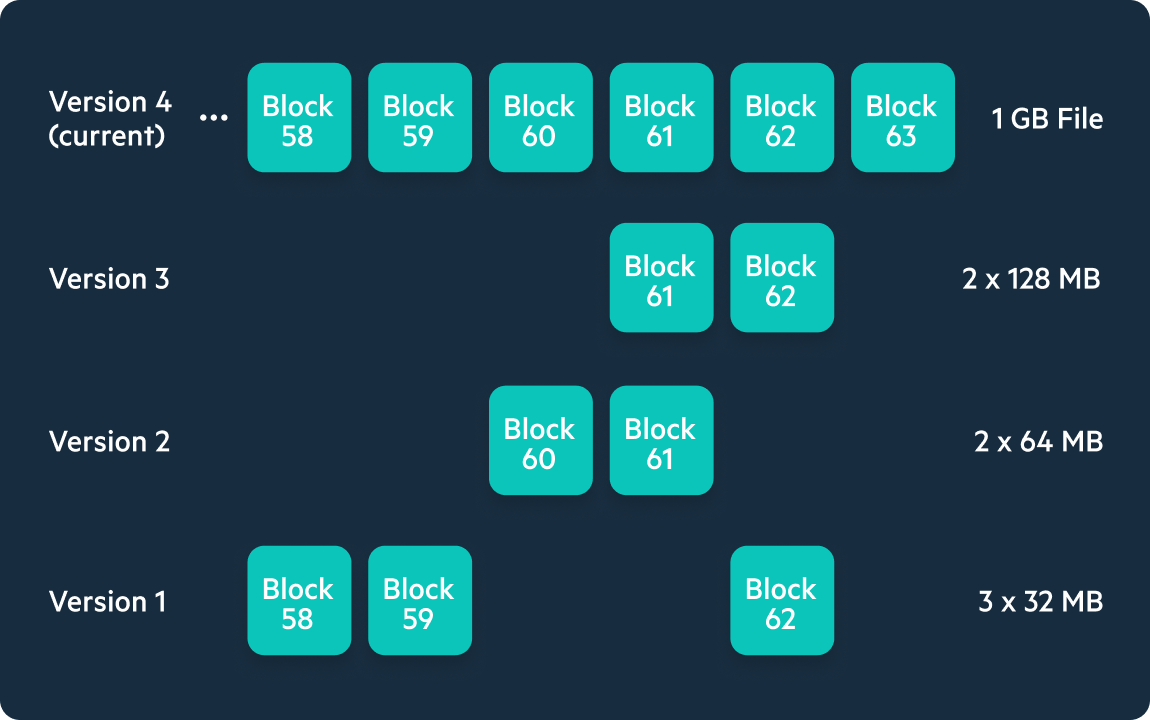
Egnyte is an enterprise content platform and large file performance is one of its core capabilities, not its only one. Alongside functionality to efficiently work on massive and complex files, Egnyte includes governance and compliance controls, ransomware detection and recovery, AI-powered content intelligence, granular permissions, version history, and external collaboration - all in one platform. Teams using a dedicated file streaming tool as a point solution still need a separate system for all of this, which means two bills, two integrations, and a data migration exercise when projects end. Egnyte handles large files and the full content lifecycle around them in a single system with full security and visibility.
Yes. Egnyte ABC is validated with commonly used professional applications used across media and entertainment and AEC, including Adobe Premiere Pro, DaVinci Resolve, AutoCAD, Civil 3D, and more. For video workflows, ABC handles multi-stream requirements so editors can cut directly from cloud storage. For AEC, ABC preserves external reference file links (XREFs) so CAD and BIM projects open with all linked files and dependencies intact. Compatibility is continually validated across major application versions with new applications continually validated.
Egnyte offers two complementary solutions for large file performance. Adaptive Block Caching is great for team members that work remotely or move between in-office and remote locations. It streams files at the block level from cloud storage to any user, anywhere, without local infrastructure. Smart Cache is a hybrid appliance deployed on-site: it stores a full local copy of designated files, so teams working from a fixed location get local-drive speed on first open, before any streaming is needed. For distributed teams or remote workers, ABC. For studio or office environments where every millisecond of first-open speed matters, Smart Cache. Many large deployments use both.
Dedicated file streaming platforms are priced as standalone products - per user plus per TB of storage - and don't include governance, compliance, AI, version control, or external sharing. Teams using them typically carry a second enterprise platform alongside it. Egnyte's large file performance is included within the enterprise platform, so you're not paying separately for streaming capability on top of content management. For teams evaluating total cost of ownership rather than per-feature line items, the consolidated platform is typically more cost-effective, particularly as storage volume grows. Teams that have consolidated onto Egnyte from standalone streaming tools have cited significant cost savings at renewal.
Ready to improve productivity? Egnyte’s AI-powered cloud enhances collaboration, automates workflows, and secures your mission-critical content.